Get all your news in one place.
100's of premium titles.
One app.
Start reading
Digital Camera World
Kim Bunermann

Canon keeps launch promise as its newest full-frame camera finally gets first firmware update

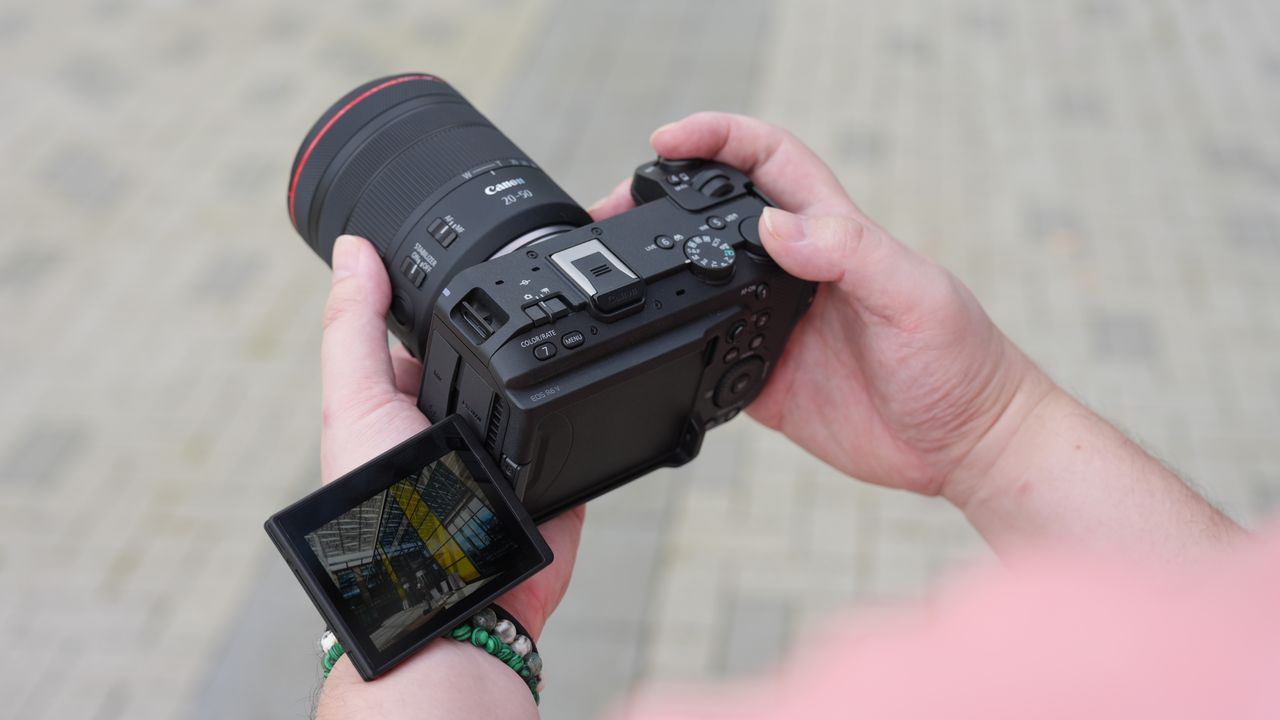
Canon EOS R6 V with the Canon RF 20-50mm f/4L IS USM PZ being held outdoors.

Canon has released the first firmware update for the EOS R6 V, delivering one of the camera's most anticipated features: flash support. Firmware Version 1.1.0 fulfils a promise made at launch and also adds support for Canon's BR-E2 Wireless Remote Controller and enables grid display during movie recording.

The biggest addition is support for external flash units, allowing photographers and videographers to use speedlites with the EOS R6 V for the first time.

Because the EOS R6 V has no mechanical shutter, its maximum flash sync speed is limited to 1/60 sec. It also works natively only with flash units designed for Canon's Multi-function Shoe, although older flashes can be used with a compatible adapter.

Firmware Canon EOS R6 V

Version 1.1.0

"If I was buying a high-end content creation camera today, the Canon EOS R6 V is the one I would go for – hands-down. Forget the Sony FX3, forget the Nikon ZR, this is where it's at," says DCW's Editor in Chief James Artaius (Image credit: Gareth Bevan • Digital Camera World)

Download links
🇺🇸 US: Windows and Mac OS
🇬🇧 UK: Windows and Mac OS

Enhancements and fixes:
1. Adds the ability to set [grid display] during movie recording.
2. Adds support for external flash units.
・Flash firing
・E-TTL balance
・E-TTL II meter.
・Slow synchro
・Flash function settings
・Flash C.Fn settings

Canon EOS R6 V's camera menu (Image credit: Canon)

3. Adds support for the Wireless Remote Controller BR-E2.
4. Adds support for the Software Development Assistance Kit (EDSDK/CCAPI).
5. Fixes an issue that may impact the camera's shooting ability if the auto power-off function is activated during interval timer shooting.
6. Fixes an issue that may cause the camera to not be recognized when connected to a smartphone via USB.
7. Fixes an issue that may cause the movie digital IS metadata to be output incorrectly when recording movies at frame rates below 24 fps in [Slow&Fast Motion Movie] mode.
8. Improves operational stability.

Pro Advice

You can check out the episode for more insights, potential risks, and expert advice on our YouTube channel,Spotify, Apple Podcasts, and all your favorite podcast services (Image credit: Future)

If you caught Episode 4 of Bokeh Face: Digital Camera World podcast, above, we discussed the best time to install firmware updates, why they matter, and what issues they can cause. It's a helpful listen if you're unsure when – or whenever – you should update.

It's smart to wait a week or two after release to see if any users hit snags. In the past, brands have had a few hiccups with major updates – for instance, introducing memory-setting bugs or minor interface glitches before being reissued.

You might like...

Browse the best Canon cameras and the best lenses for the Canon EOS R6 V.

Sign up to read this article
Read news from 100's of titles, curated specifically for you.
Already a member? Sign in here
Related Stories
Top stories on inkl right now
One subscription that gives you access to news from hundreds of sites
Already a member? Sign in here
Our Picks
Fourteen days free
Download the app
One app. One membership.
100+ trusted global sources.