Get all your news in one place.
100’s of premium titles.
One app.
Start reading
Windows Central
Windows Central
Technology
Mauro Huculak

Windows 11 is testing new 2026 features — and some of them are already changing how the OS feels

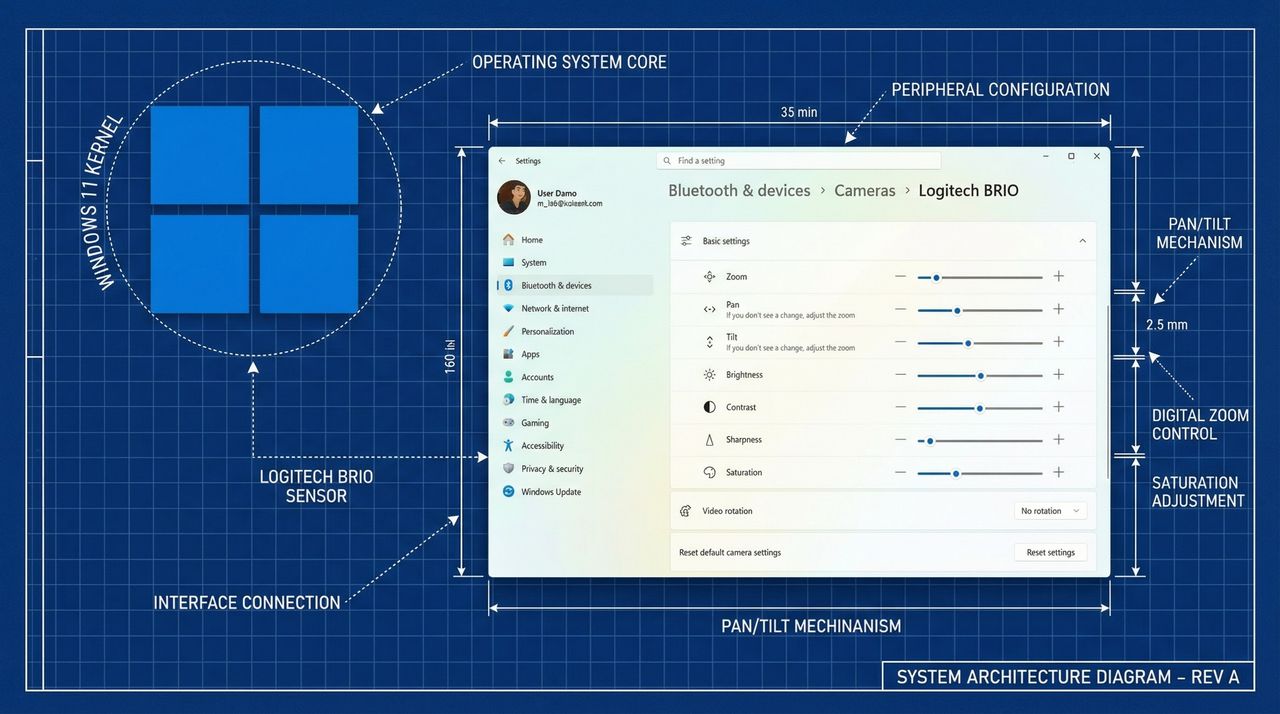
Screenshot showing new features coming to Windows 11 in 2026 overlaid on top of OS blueprints.

As the new year begins, Microsoft is gradually ramping up development of Windows 11. Over the past month and a half, the company has released several preview builds with new improvements through the Windows Insider Program.

So far this year, the company has rolled out several visual refinements, performance improvements, and new features, including updated camera controls, a redesigned account settings dialog, expanded image format support for desktop backgrounds, AI-powered image descriptions in Narrator, and the new System Monitor tool.

In the Dev and Beta Channels, devices have received eight preview builds, including 26300.7760, 26220.7755, 26300.7733, 26220.7752, 26220.7670, 26300.7674, 26220.7653, and 26220.7535.

It’s worth noting that Microsoft has recently transitioned the Dev and Beta Channels. Up to build 26220.7653, preview builds in both channels were based on the same version. However, starting with build 26300.7674, the company split the tracks by moving the Dev Channel to the 26300 series, which is expected to evolve into version 26H2.

Finally, the Canary Channel saw at least three preview builds, including 28020.1546, 28020.1495, 28020.1371, and 28020.1611. These releases were specific to version 26H1 (a version of the operating system that existing PCs won't get) and introduced some small changes and fixes.

In this recap, I'll highlight the biggest changes available through the Windows Insider Program.

Biggest improvements from the Windows Insider Program in 2026

These are the improvements that the software giant has rolled out since my last roundup of changes.

Camera with more support

As part of the "Cameras: settings, Microsoft has been testing new controls to adjust the pan and tilt on supported cameras.

The new settings began to roll out with build 26300.7760 and 26220.7755, and they can be found on Settings > Bluetooth & devices > Cameras > Camera > Basic settings.

(Image credit: Mauro Huculak)

System monitor tool

As part of a continued effort to improve security, starting with the release of builds 26300.7733 and 26220.7752, Windows 11 is making Sysmon (System Monitor) a native tool rather than a separate install.

System Monitor has been an advanced system logging tool in the Sysinternals suite, extending the operating system's built-in event logging capabilities. On Windows 11, it’s primarily used by network administrators, security researchers, and incident responders to gain deep visibility into system activity for threat detection and forensic analysis.

In the past, it was a tool you needed to install separately, but now you can enable the feature from Settings > System > Optional features > More Windows features by checking the "Sysmon" option.

(Image credit: Mauro Huculak)

After adding the component to the operating system, from PowerShell or Command Prompt, you can use the Sysmon -i command to run it.

(Image credit: Mauro Huculak)

It's important to note that if you have the Sysinternals version of Sysmon, you'll have to uninstall it before enabling the new version. Also, this tool is available in the Canary Channel.

Settings app dialog UI updates

In the Settings app, with the release of build 26220.7653 in the Dev and Beta Channels, the company updated the dialogs for changing the account type on Settings > Accounts > Other Users to match the modern design language of Windows 11.

(Image credit: Mauro Huculak)

Background image new support

Also, starting with build 26220.7653 and higher releases, it's now possible to set the WebP image format as your desktop background.

This is global support, meaning you can set a WebP image as the desktop background in the Background settings or via the "Set as background" option in File Explorer.

(Image credit: Mauro Huculak)

Microsoft also rolled out this support for devices in the Canary Channel, starting with build 28020.1495.

Narrator with an AI image description generator

Originally, the ability to generate image descriptions in Narrator was only available on Copilot+ PCs, but now, starting with the release of build 26220.7535, the company is expanding the feature to every computer.

(Image credit: Microsoft)

According to the company, Copilot+ PCs will continue to use the on-device AI to generate image descriptions in Narrator. However, the new change will allow devices without an NPU (Neural Processing Unit) to generate image descriptions using Copilot.

The difference here is that using Copilot, the image is processed in the cloud rather than on-device.

To use this feature, you can use the "Narrator key + Ctrl + D" shortcut to generate a description of the image that is focused on. Alternatively, you can use the "Narrator key + Ctrl + S" shortcut to describe everything on the screen.

So, now you're all caught up. Now we sit back and see what Microsoft decides to test next. Hopefully, the really exciting stuff is just around the corner.

Windows Share new OneDrive option

Starting with build 28020.1611, Microsoft has updated the Windows Share UI when right-clicking and sharing a file stored in OneDrive, and now, the interface will list applications you can use to share the link.

(Image credit: Microsoft)

Wrapping it up (so far)

Windows 11’s 2026 update cycle is only just getting started, but these early Insider builds already give us a sense of where Microsoft wants to take the OS next. As more features roll out over the coming months, we’ll keep tracking the changes, the experiments, and the ideas that actually make it to the final release.

Let us know what you think of the new additions and what you’re hoping to see as 2026 takes shape!

More resources

For more helpful articles, coverage, and answers to common questions about Windows 10 and Windows 11, visit the following resources:


Join us on Reddit at r/WindowsCentral to share your insights and discuss our latest news, reviews, and more.


Sign up to read this article
Read news from 100’s of titles, curated specifically for you.
Already a member? Sign in here
Related Stories
Top stories on inkl right now
One subscription that gives you access to news from hundreds of sites
Already a member? Sign in here
Our Picks
Fourteen days free
Download the app
One app. One membership.
100+ trusted global sources.