Get all your news in one place.
100’s of premium titles.
One app.
Start reading
T3
T3
Technology
Rik Henderson

The Geekom A5 is a decent mini PC, but an even better retro games console – here's why

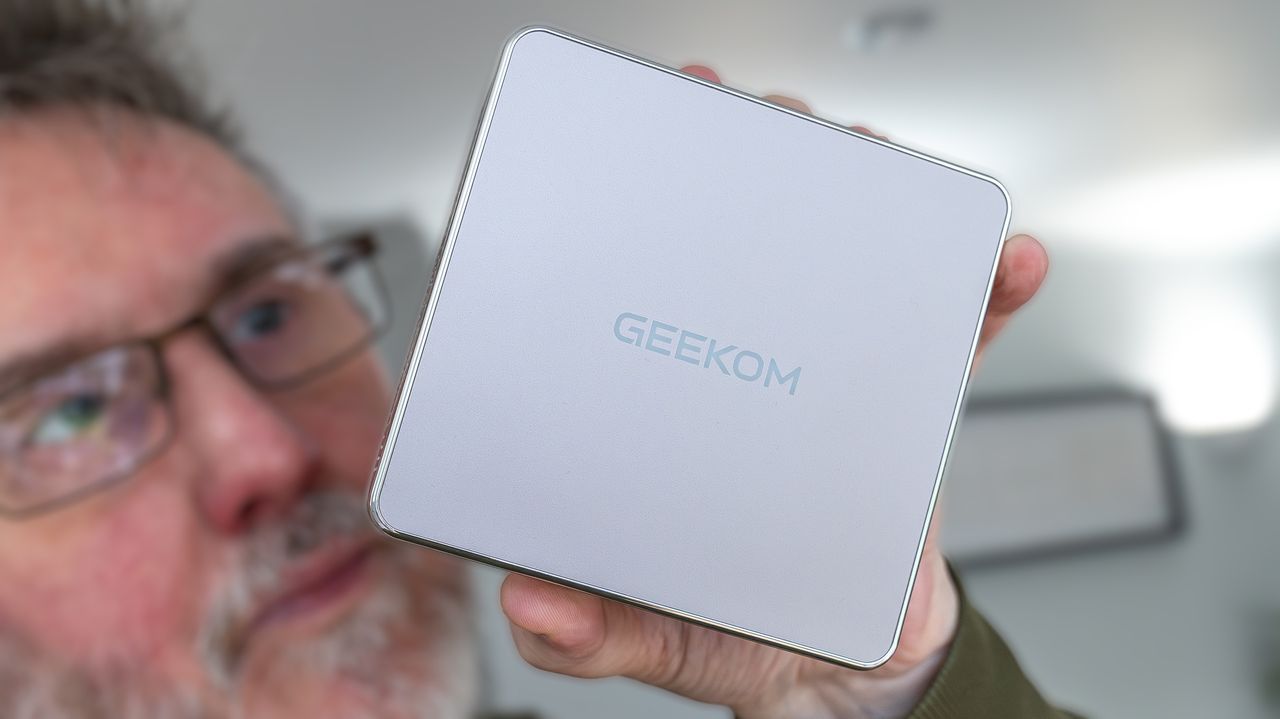
Geekom A5 mini PC (T3 review).

Having spent most of my life writing about video games in one way or another – presenting UK TV shows about them too – it comes as no surprise that I have a hankering for retro gaming. I own more than 20 retro gaming handhelds and have built several consoles and arcade units from Raspberry Pi generations.

However, I always wanted to ensure my ROM library ran as smoothly as possible, so when offered the chance to test a Geekom A5 mini PC (2026 model) I jumped at the chance to turn it into an all-in-one games machine.

This is not a sponsored piece and Geekom has not paid anything for my opinions – it simply provided the review unit. However, considering it's priced under £400 for decent specs, it seemed perfect for the project.

There are other mini PC models on the market, and much of what I achieved would likely work on those too, but if you do fancy checking out the A5 for yourself, it's available on Amazon in the UK here, and in the US here. You can also get 6% off as a payment voucher if you enter T3GEEKOMA5 as a promo code at checkout (ie. a saving of £23.70 in the UK).

The version I tested sports the AMD Ryzen 5 7430U processor, with 16GB of DDR4 RAM and a 512GB M.2 SSD. It comes with Windows 11 Pro preinstalled, although I eventually opted to boot straight into Batocera – a Linux OS designed specifically for retro gaming.

(Image credit: Rik Henderson / Future)

Geekom A5: key specs and connections

The Geekom A5 is amongst the smallest mini PCs I've encountered over the years – more the size of an Apple TV than a Mac mini. It comes in a neat, machined aluminium case with plenty of holes for airflow – and it proves to be remarkably quiet in operation, save for the more demanding games.

Some have bemoaned the colour – which is on the side of rose gold – but I really like it. After all, I'm going for an under-the-TV aesthetic rather than desktop, so it fits.

The front is largely unmarred by ports, with just two USB-A 3.2 inputs, a 3.5mm headphone jack, and a power button. There's an SD card slot on the left-hand side, while the rear provides all the other important socketry.

(Image credit: Rik Henderson / Future)

That includes two USB-C 3.2 Gen 2 ports, another USB-A 3.2 Gen 2, and a USB-A 2.0. You also get two HDMI 2.0 outputs, and a 2.5G Ethernet for wired internet.

A Kensington lock for security can be found on the right-hand side.

The PC is capable of feeding two 8K monitors simultaneously, and has Wi-Fi 6 connectivity for good measure.

All of this would work fine for everyday computing, but that wasn't really my goal – I had more than enough to fulfil my specific needs.

Windows 11 Pro gaming on the Geekom A5

Considering the A5 comes with Windows 11 Pro already installed, I thought I'd give that test first – to see how capable the mini PC is for gaming generally and retro gaming via Windows.

This was done through Steam (using Steam Big Picture mode) and Retrobat. The latter is a self-contained Windows app that provides just about every emulator you could ask for wrapped up in an Emulation Station front-end. And because it installs completely into its own folder system, you can keep it on an external drive, along with all your (legally sourced) ROMs.

(Image credit: Rik Henderson / Future)

That way you can plug the drive into any Windows PC and run Retrobat without further installation.

First, it was clear that the Geekom A5 is not designed as a gaming PC of any note. Its 16GB DDR4 RAM combined with the Ryzen 5 7430U (6 cores, 12 threads) and on-board Radeon GPU just aren't capable of running modern AAA games at anything more than 1080p and with low to medium graphics.

In fact, I had to drop to 720p to get stable frame rates between 30 and 60fps in many cases.

Indie or lighter games, such as Hades, or older titles, like the 2013 Tomb Raider reboot, could actually be encouraged to work quite well. You had to drop the graphics expectations, of course, but I managed to get 60fps on several of my favourites.

But that wasn't really what I was after anyway (was a nice bonus) – how did it perform with retro titles?

Well, through Retrobat, I managed to get some of the trickier systems to work well – after a fair amount of tweaking. That included Switch and PS3, with some of the latter's harder to emulate titles, like Infamous, running in 720p and 30fps.

On lesser systems, including GameCube, Dreamcast, and PS2, the Geekom A5 did brilliantly – there wasn't really anything that proved incapable. And in 2x to 3x their original resolutions, to boot.

The only problems I had was with start up. With the conservative hardware, Windows 11 Pro wasn't the speediest to boot, and while I used online-sourced info to start up without needing a PIN or password, it hardly felt like a games console. It took minutes before I could play any retro game, so that's when I decided to ditch Windows entirely.

(Image credit: Rik Henderson / Future)

Switching to Batocera on the Geekom A5

The benefit of using Batocera as the operating system for my retro gaming console build was three-fold. It is free to download and use, for starters. And it's designed specifically as a retro games front-end, with similar support for just about every legacy games system you can imagine. Finally, it boots straight into the experience, giving you access to your library from the off.

It's also possible to install completely on an external HDD or SSD, which you can switch to be the primary boot device in bios. That way, when connected it'll boot straight into Batocera, but when unplugged you can crack on with Windows.

I could also make use of the fact that I had a spare 3TB HDD lying around (previously used as an extra Xbox One drive). That gave me more than enough space for the operating system (Batocera v42 at the time of my test) and many 1,000s of games, if I chose to add them.

Batocera is Linux based, much like SteamOS, and as such might need a bit of technical knowhow to get completely right, but it also makes things simple by giving you the basics of a complete retro gaming setup – including all the emulators and initial settings.

You just flash it to your external drive using something like Raspberry Pi Imager (which I use on the Mac) and plug it into your PC once finished. It'll set itself up for you, including a Share partition for all your games.

Another reason to choose Batocera over the Windows 11 Pro alternatives is that you can also install Steam through the OS – and access the Big Picture mode through the same front end. This is a faster, more elegant solution, albeit a bit trickier to get working at first. I used a couple of YouTube tutorials though, and had it up and running pretty quickly.

Batocera also supports third-party plug-ins, to expand the experience, plus different themes to make it look the business. And you can tweak individual game settings to improve performance too.

However, its best feature, for me, is that it doesn't run any bloat in the background, so you get more stable play. I found that even my Steam games (of the less intensive type) ran better – arguably loaded faster as well.

And what's more, if I want to swap out the Geekom A5 for a more capable model down the line, I can just boot from the same HDD on the new machine and it's already all set-up to make use of that extra hardware grunt.

(Image credit: Rik Henderson / Future)

Conclusion

So basically, with Batocera on board, I'd achieved my goals with the Geekom A5. I was up and playing one of my favourite PS2 games, Ratchet and Clank 2, with 3x resolution upscaling in minutes. And with one of my favourite game controllers too.

The 8BitDo Pro 3 is an exceptional controller for retro gaming on a PC, especially with its charging dock plugged into one of the Geekom's USB-A ports and the wireless dongle inside. It is recognised immediately by Batocera (as an Xbox controller, for maximum compatibility) and has a retro feel to it.

Mine is even in GameCube colours for that extra retro effect.

The A5 does have some limitations, such as the 16GB RAM being DDR4 rather than DDR5 – although that's understandable while we go through one of the craziest memory storage periods in history.

But it works really well as a retro console, while also providing decent performance for work, browsing and watching video.

It's provided a fun project, that's for sure.

Sign up to read this article
Read news from 100’s of titles, curated specifically for you.
Already a member? Sign in here
Related Stories
Top stories on inkl right now
One subscription that gives you access to news from hundreds of sites
Already a member? Sign in here
Our Picks
Fourteen days free
Download the app
One app. One membership.
100+ trusted global sources.