Get all your news in one place.
100's of premium titles.
One app.
Start reading
Creative Bloq
Creative Bloq
Technology
Joe Foley

See how this 3D artist uses Blender to make scenes that look hand painted

Blender tool.

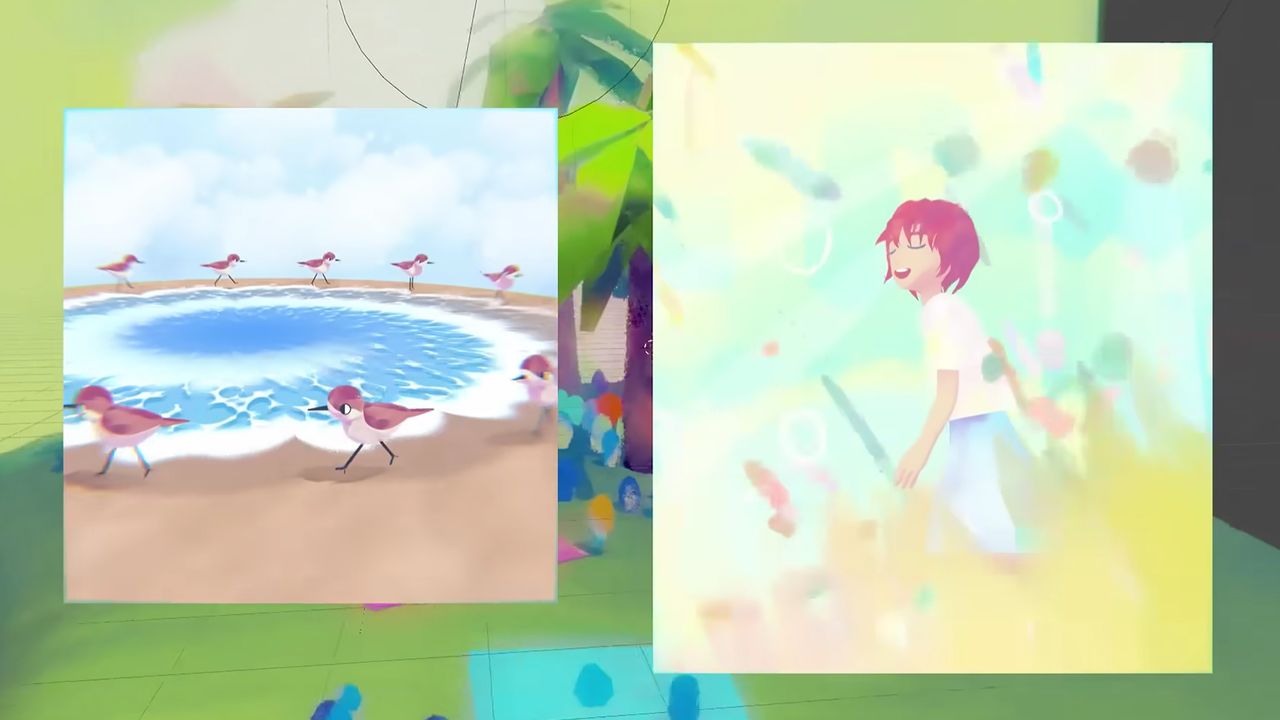
This 3D artist's work looks hand painted, but that painterly look is actually created entirely procedurally in Blender, the free 3D modelling software. The key is in the use of noise and EEVEE shader that the artist is offering to other artists (for more inspiration, see our collection of Blender tutorials, and see what's new in Blender 5.2 LTS).

As she explains in the tutorial above, the artist Alyssa begins her work with a 2D sketch and then uses Blender to bring it into 3D. She uses her EVEE shader to create a dreamy painterly look.

She published the shader on ko-fi.com, allowing artists to pay what they like and ad it to their Asset Library. There's also a demo scene where you can see it in use. Alyssa just asks that other artists tag her in projects so she can see how it's being used.

Sign up to read this article
Read news from 100's of titles, curated specifically for you.
Already a member? Sign in here
Related Stories
Top stories on inkl right now
One subscription that gives you access to news from hundreds of sites
Already a member? Sign in here
Our Picks
Fourteen days free
Download the app
One app. One membership.
100+ trusted global sources.