Get all your news in one place.
100’s of premium titles.
One app.
Start reading
Android Central
Android Central
Technology
Sanuj Bhatia

Opera wants to save you from the chaos of switching between AI apps

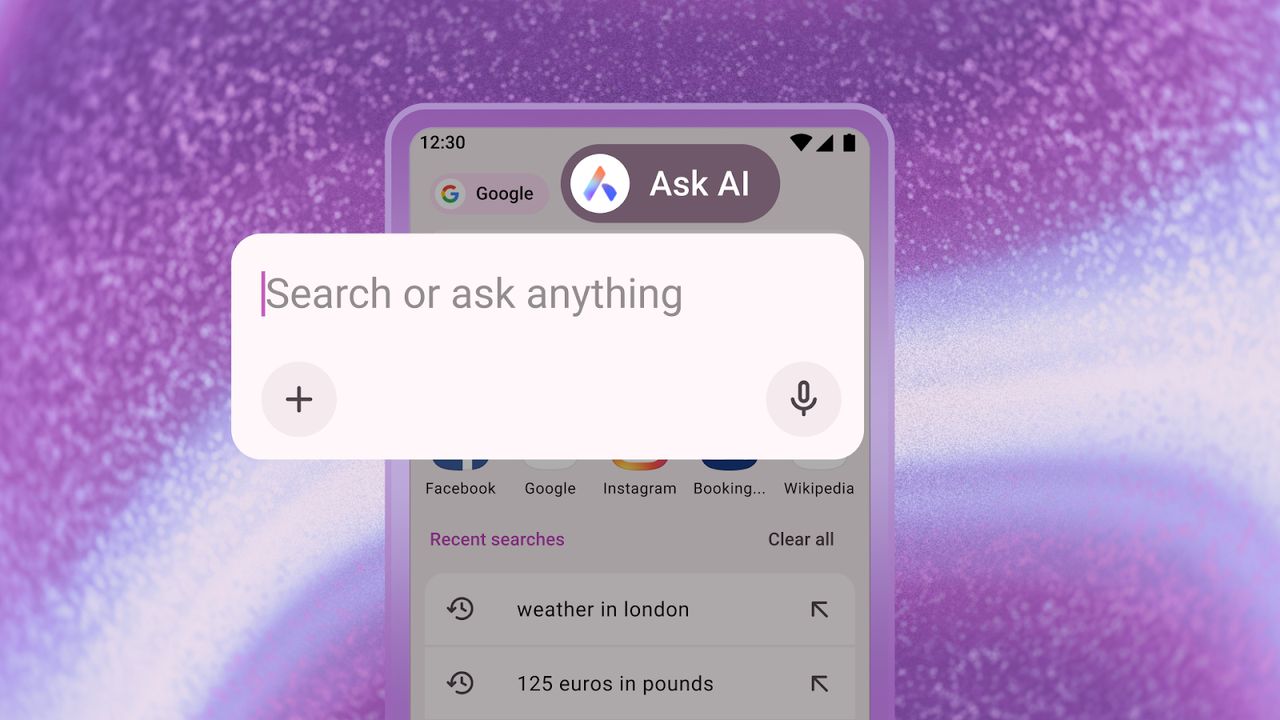
Ask AI in Opera for Android.

What you need to know

  • Opera's new Android update lets users switch between search engines and AI models directly from the browser's address bar.
  • The new Ask AI button allows attaching files like photos or PDFs for translation or summarization.
  • Users can attach whole tabs to Ask AI and ask follow-up questions about the webpage instantly.

Enjoy our content? Make sure to set Android Central as a preferred source in Google Search, and find out why you should so that you can stay up-to-date on the latest news, reviews, features, and more.

Opera is introducing a new feature for its Android app that will help you stop juggling between different AI apps on your phone.

If you're like me, you probably have four or five AI chatbot apps installed, such as ChatGPT, Google Gemini, Perplexity, and more. I always dread switching between them since every model is good at different things, but Opera's latest Android update will save you from this constant chaos.

Opera has announced that its upcoming Android app update will turn the search bar into an "access point" that lets you jump between different search engines (or enter a URL), and also switch between AI models right from the address bar. A new option called Ask AI will show up in the search bar, letting you ask the same questions you usually bug ChatGPT with directly from there.

AI features get major boost on Opera

(Image credit: Opera)

In addition to prompting AI directly, you'll also be able to attach files like photos and PDFs in the address bar and ask the AI to perform actions based on them, such as translating foreign-language text or summarizing documents.

Similarly, you'll be able to attach entire tabs to the Ask AI button and follow up with questions related to the page. Opera says you can attach a tab (or URL) by tapping the three-dot menu at the top right and then ask questions about the webpage afterward.

To maintain privacy and security, Opera notes that the AI only sees and understands the context within the specific tab you share and cannot access anything outside it. Only the page data is sent to the AI engine, and only after you choose to share it manually. The AI has no access to your browsing history or activity.

The update is now rolling out on the Play Store, so to try the new features, you just need to download or update the Opera browser app. If this sounds familiar, it's because Perplexity's new Comet browser for Android offers similar features, and Google has also been busy integrating Gemini into Chrome.

Sign up to read this article
Read news from 100’s of titles, curated specifically for you.
Already a member? Sign in here
Related Stories
Top stories on inkl right now
One subscription that gives you access to news from hundreds of sites
Already a member? Sign in here
Our Picks
Fourteen days free
Download the app
One app. One membership.
100+ trusted global sources.