
Get all your news in one place.
100’s of premium titles.
One app.
Start reading
PC Gamer
PC Gamer
Nick Evanson

If your Ryzen-powered PC has an AM5 ASRock motherboard and sometimes just won't boot, then rescue is at hand in the form of a new BIOS update

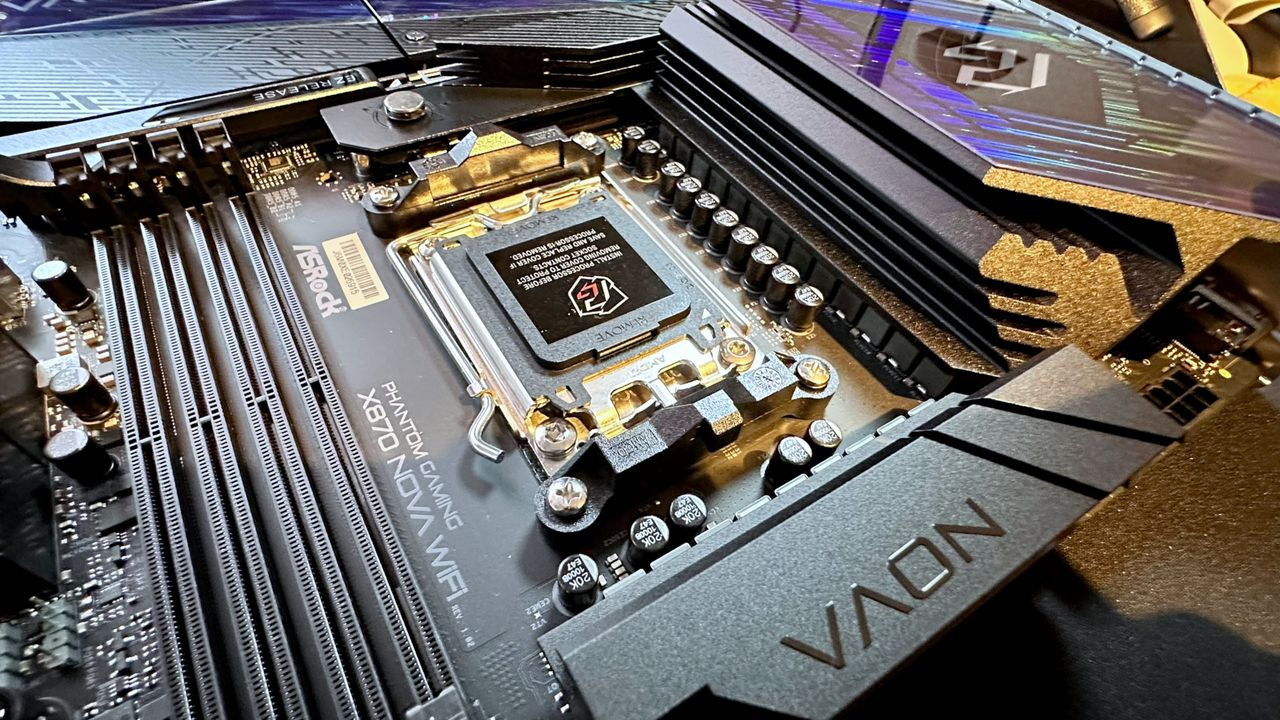
A close-up photo of the ASRock Phantom Gaming X870 Nova WIFI's CPU socket and VRMs.

Modern gaming PCs are relatively easy to build and use, but underneath that friendly exterior, they're still incredibly complicated things. So when they start doing weird stuff like refusing to boot after being used for a while, it can be really hard to solve the issue. However, if your PC is doing precisely that and uses an AM5 Ryzen processor in an ASRock motherboard, then the fix is actually very simple.

Specifically, all you need to do is update the BIOS to ASRock's newly announced beta version 4.07.AS01, which incorporates AMD's latest AGESA ComboAM5 PI 1.3.0.0a (don't you just love short, snappy tech names?). Just head over to this list of all AM5 ASRock motherboards to the right update for your rig.

"This update is specifically designed to address system no-boot scenarios, including cases where systems may fail to boot after being used for a period of time," says ASRock. "Users who encounter such behavior are recommended to update to this BIOS version to help restore normal system boot functionality."

It's worth noting that if your gaming PC doesn't have a 'no boot' problem, and it's sunshine and roses, then you can skip this BIOS update. It won't make anything faster or provide new features, just a fix for the above problem and "optimized memory compatibility." The latter only matters if you're planning to buy a cheap, unknown-brand DDR5 as an upgrade, because that's all anyone can afford these days.

Now, you might be wondering just how you're supposed to update the BIOS if the PC won't boot. That's where ASRock's BIOS Flashback feature comes in, and you watch its tutorial for the process below. Mind you, if your PC won't boot because of ASRock's issue and you don't have access to another machine, then you're somewhat scuppered.

The same is true if your PC won't boot because your ASRock motherboard appears to have fried your AMD Ryzen processor. No amount of BIOS updates is ever going to solve that problem. I hasten to add that it's not just ASRock motherboards that have been giving PC gamers coniptions because there have reports of CPUs dying in Asus, Gigabyte, and MSI boards. However, when you collate all of these, ASRock does top the list and by no small margin.

Given that the company had worked really hard at overcoming its old reputation of 'cheap and cheerful', it's a shame that it's topping the news headlines for all the wrong reasons at the moment. Still, at least ASRock is releasing solutions to these various problems. Now it just needs to develop a fix for its reputation.

Sign up to read this article
Read news from 100’s of titles, curated specifically for you.
Already a member? Sign in here
Related Stories
Top stories on inkl right now
One subscription that gives you access to news from hundreds of sites
Already a member? Sign in here
Our Picks
Fourteen days free
Download the app
One app. One membership.
100+ trusted global sources.