Get all your news in one place.
100's of premium titles.
One app.
Start reading
Tom’s Guide
Tom’s Guide
Technology
Jane McGuire

I walked 12,000 steps with the $799 Apple Watch Ultra 3 and the $199 Garmin Cirqa: Here’s which came out on top

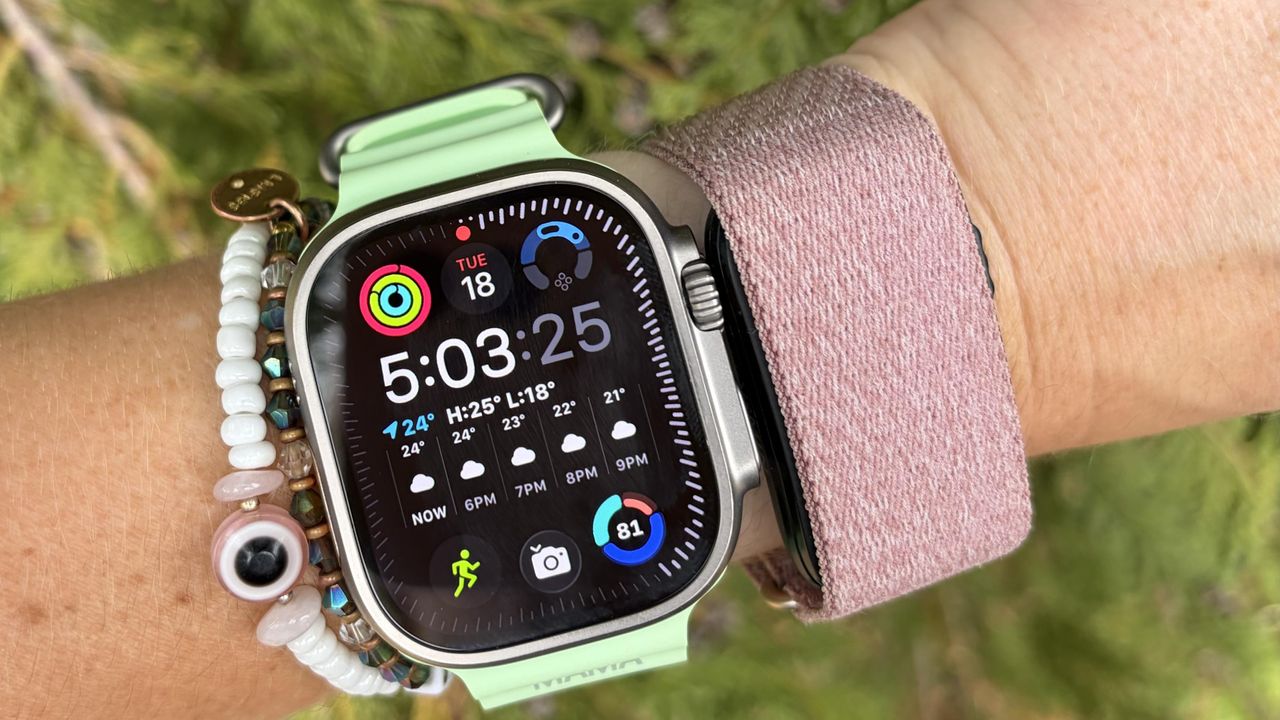
The Apple Watch Ultra 3 and Garmin Cirqa on wrist .

I’ve been writing about fitness trackers for the better part of a decade, and one thing I always do when unboxing a new device is look at how well it does the basics. One of these easy-to-measure basics is how many steps I’ve taken; hence, these Tom’s Guide walking tests were born.

A few weeks ago, I unboxed the Garmin Cirqa — Garmin’s first screenless tracker, which is set to take on the likes of the Fitbit Air and the Whoop 5.0. My first walking test compared the Garmin Cirqa to the Fitbit Air, and it was pretty disastrous. Since then, I’ve customized the button on my Cirqa and worn it continuously for the past few weeks.

To see if things had improved, I strapped it on and walked 12,000 steps with the $799 Apple Watch Ultra 3. Of course, I don’t think most people would be trying to choose between these two devices — they are extremely different. But I wanted to see how the $199 Cirqa kept up with Apple’s most expensive and smartest smartwatch. Read on to find out which came out on top.

The Apple Watch Ultra 3 is Apple's smartest smartwatch, with the longest battery life of any Apple Watch, as well as tons of health and fitness tracking features.

The Garmin Cirqa is Garmin's newly released screenless tracker with 10 days of battery life and the ability to keep track of all your stats without distractions.

I walked 12,000 steps with the $799 Apple Watch Ultra 3 and the $199 Garmin Cirqa

If you’ve read one of these articles from the Tom’s Guide fitness desk, you’ll know that manually counting 12,000 steps is out of my remit, so I rely on a trusty $5 clicker tool from Amazon.

I manually click every time I take a step. For this test, I wore the Apple Watch Ultra 3 on my left wrist and the Garmin Cirqa on my right. Both trackers count your steps using an internal accelerometer, which measures the swing of your arms.

Each swing counts for two steps, and it doesn’t matter whether you wear your watch on your dominant or non-dominant hand. It doesn’t matter if you walk with your hands in your pockets or holding a cup of coffee; the accelerometer should still measure your body’s movement. It does, however, make a difference if you’re pushing a stroller — no, Apple, I promise I haven’t done a 45-minute elliptical workout while trying to get my toddler to sleep.

As with all of the best Apple Watches, the Apple Watch Ultra 3 doesn’t tell you the number of steps you’ve taken during a specific workout; instead, you see an overall number of steps throughout the day. Probably because steps aren’t actually that useful a metric beyond a certain point, but annoying for me when writing these articles. For this comparison, I downloaded a third-party Pedometer+ app onto my Apple Watch.

I split this test into three walks, and when I got home, I downloaded all the data and compared the results:

Walk one

Manual:

4,790 steps

Apple Watch Ultra 3:

4,706 steps

Garmin Cirqa:

4,826 steps

Walk two

Manual:

3,412 steps

Apple Watch Ultra 3:

3,362 steps

Garmin Cirqa:

3,420 steps

Walk three

Manual:

4,373 steps

Apple Watch Ultra 3:

4,265 steps

Garmin Cirqa:

4,432 steps

Results

Manual:

12,575 steps

Apple Watch Ultra 3:

12,333 steps

Garmin Cirqa:

12,678 steps

As you can see, this one is incredibly close. The Garmin Cirqa came out on top, but by 100 steps, as it counted 103 steps more than I did manually, whereas the Apple Watch Ultra 3 missed 242 steps.

It goes without saying that when we’re talking about a hundred steps, this isn’t much at all over the course of 12,000. The average person takes 2,000 steps a mile, so missing or overcounting 100 in the grand scheme of things won’t really make a difference to your tracking.

It’s also important to point out, again, that I don’t think many people would be choosing between these two devices, as they are designed for very different consumers. Instead, the test was to see how Garmin’s $199 screenless tracker could keep up with a watch four times its price, and I’m impressed.

One thing I did (which I’m sure made my Garmin Cirqa’s data more accurate) was to customize the activity on the side button. When you unbox the device, it’s automatically set to Timed Activity, and in my experience, these activities don’t give you an accurate step count goal.

Instead, I changed the button to automatically start a walk. To do this, head to your Garmin Connect app and click the Cirqa icon. From there, go to Activity Options and then Edit to change the On Device option.

Follow Tom's Guide fitness on Instagram for more workouts, routines, tips, and tricks.

More from Tom's Guide

Sign up to read this article
Read news from 100's of titles, curated specifically for you.
Already a member? Sign in here
Related Stories
Top stories on inkl right now
One subscription that gives you access to news from hundreds of sites
Already a member? Sign in here
Our Picks
Fourteen days free
Download the app
One app. One membership.
100+ trusted global sources.