Writing a resume is challenging. Presenting your experience clearly, choosing the right language, and fitting everything onto one or two pages requires time and skill that not everyone has. Many people struggle with how to frame their accomplishments or summarize years of work into concise bullet points.
ChatGPT can help with this. Not by writing your entire resume for you, but by helping you structure information, refine language, and see your experience in ways you might not have considered. Think of it as a very patient writing assistant who never gets tired of helping you rephrase the same bullet point five different ways. Here’s how to use ChatGPT to write or improve your exiting resume.
1. Gather your information and open ChatGPT
Before you open ChatGPT, collect everything you need. If you have an existing resume, grab it. If you're starting from scratch, make a list of every job, internship, volunteer position, or major project. Don't worry about making it sound impressive yet. Just get the facts down: what you did, when you did it, and what you accomplished.
For each role or experience, note specific achievements where possible. Even if your accomplishments feel small, write them down. ChatGPT can help you present them better. Once you have this information ready, open ChatGPT. If you don't have an account, sign up — it's free.
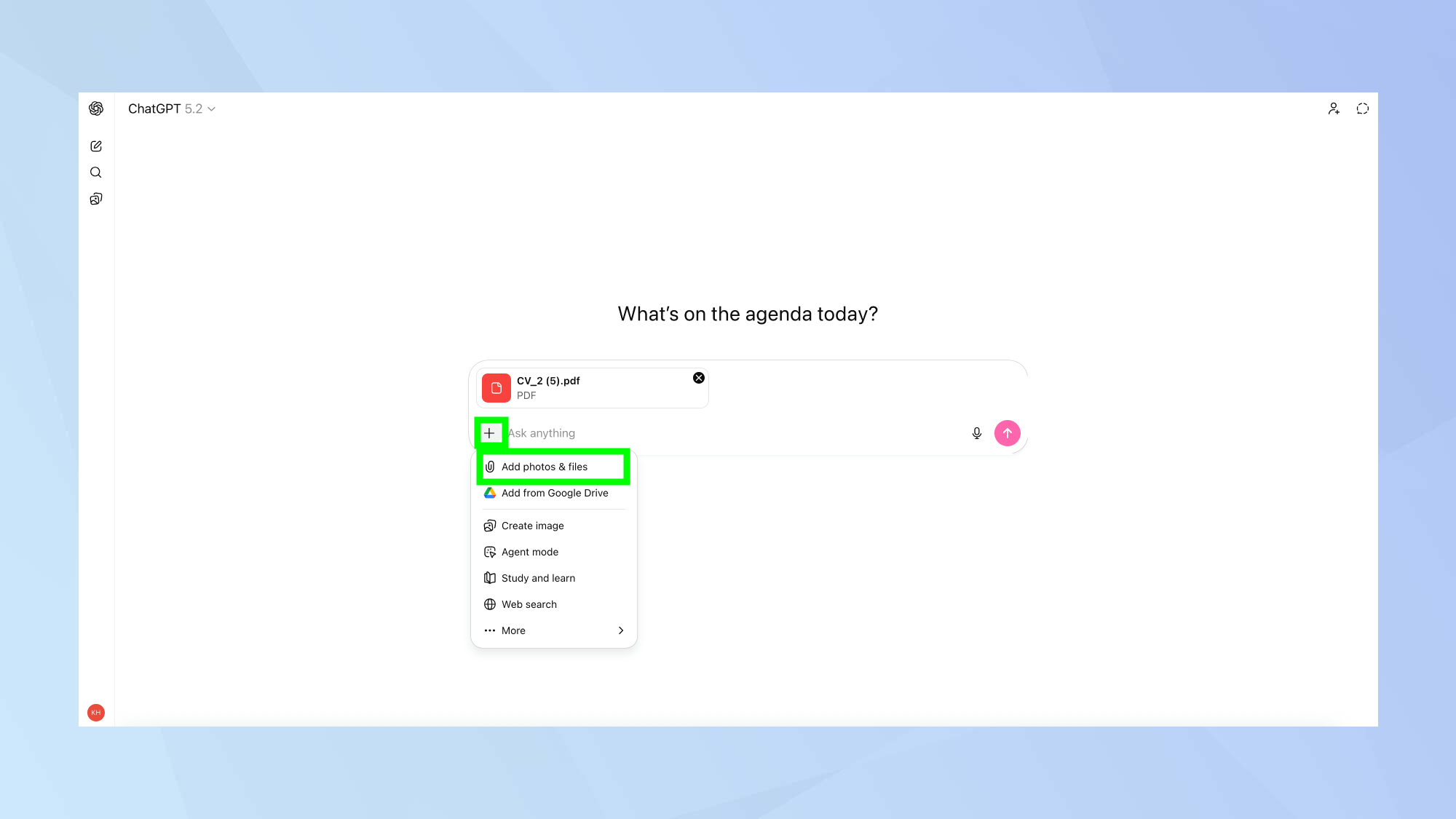
When you're ready to start, upload your existing resume by clicking the paperclip icon in the prompt box and selecting your file. If you're starting fresh, you'll paste your experience directly into prompts as you go.
The key here is understanding what ChatGPT can and can't do. It can help you structure information clearly, suggest better phrasing, and identify skills you might have overlooked. Your resume needs to sound like you, not like an AI trying to sound professional.
2. Create a strong professional summary
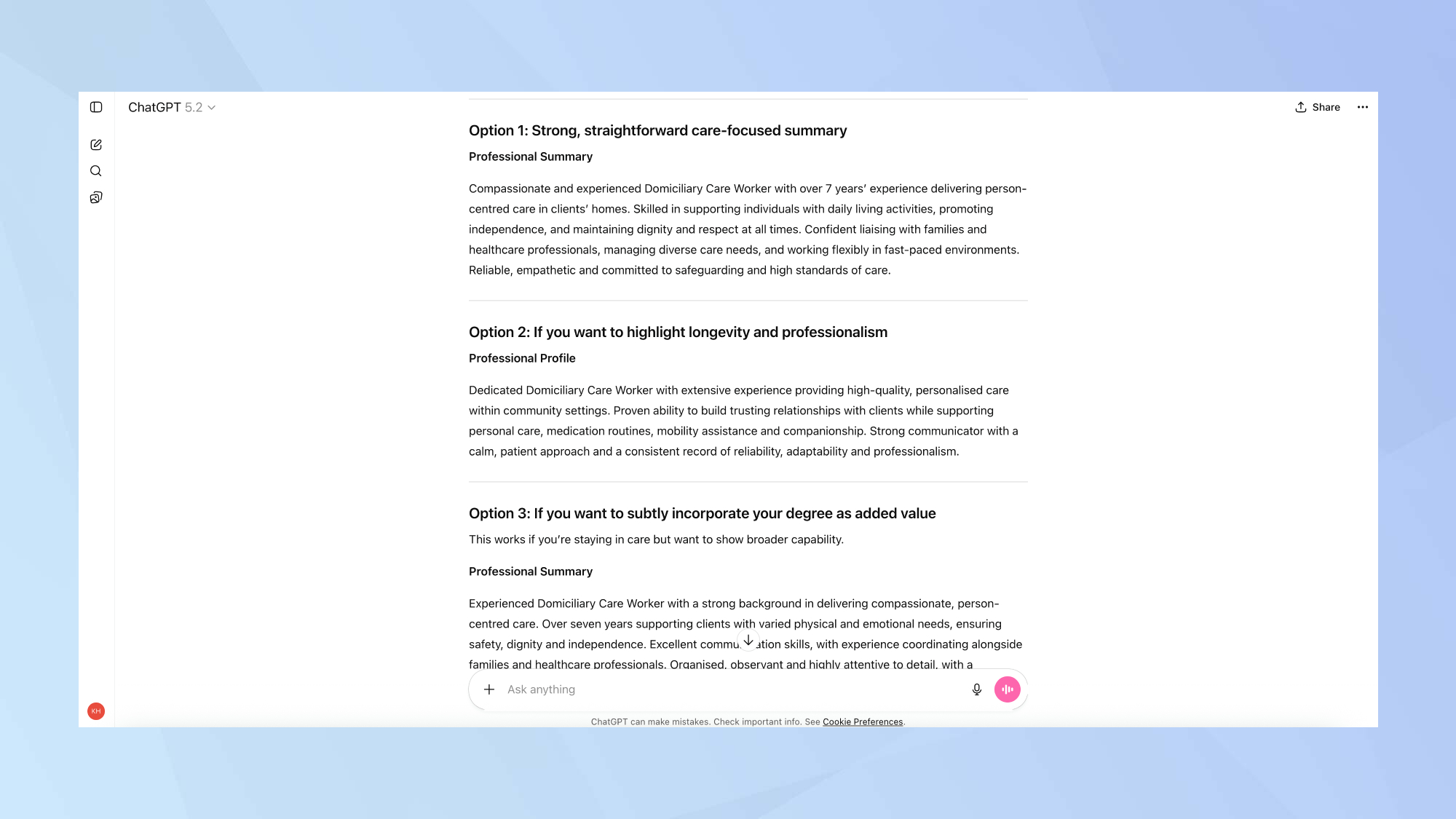
Your professional summary sits at the top of your resume and gives hiring managers a snapshot of who you are professionally. It's typically 2-3 sentences that highlight your experience level, key skills, and what you're looking for.
If you already have a summary that feels weak or outdated, ask ChatGPT: "How can I improve this professional summary for a [your role]?"
If you're writing a summary from scratch, try: "Can you help me write a 2-3 sentence professional summary for a [your role or target role]? I have [X years] experience in [industry/field] and specialize in [key skills or areas]." Then provide any additional context that makes you unique.
ChatGPT will generate a summary. Read it carefully. Does it actually sound like something you would say? Does it accurately represent your experience? If it feels too formal, too generic, or uses buzzwords you'd never actually use, ask ChatGPT to revise it.
3. Structure your work experience effectively
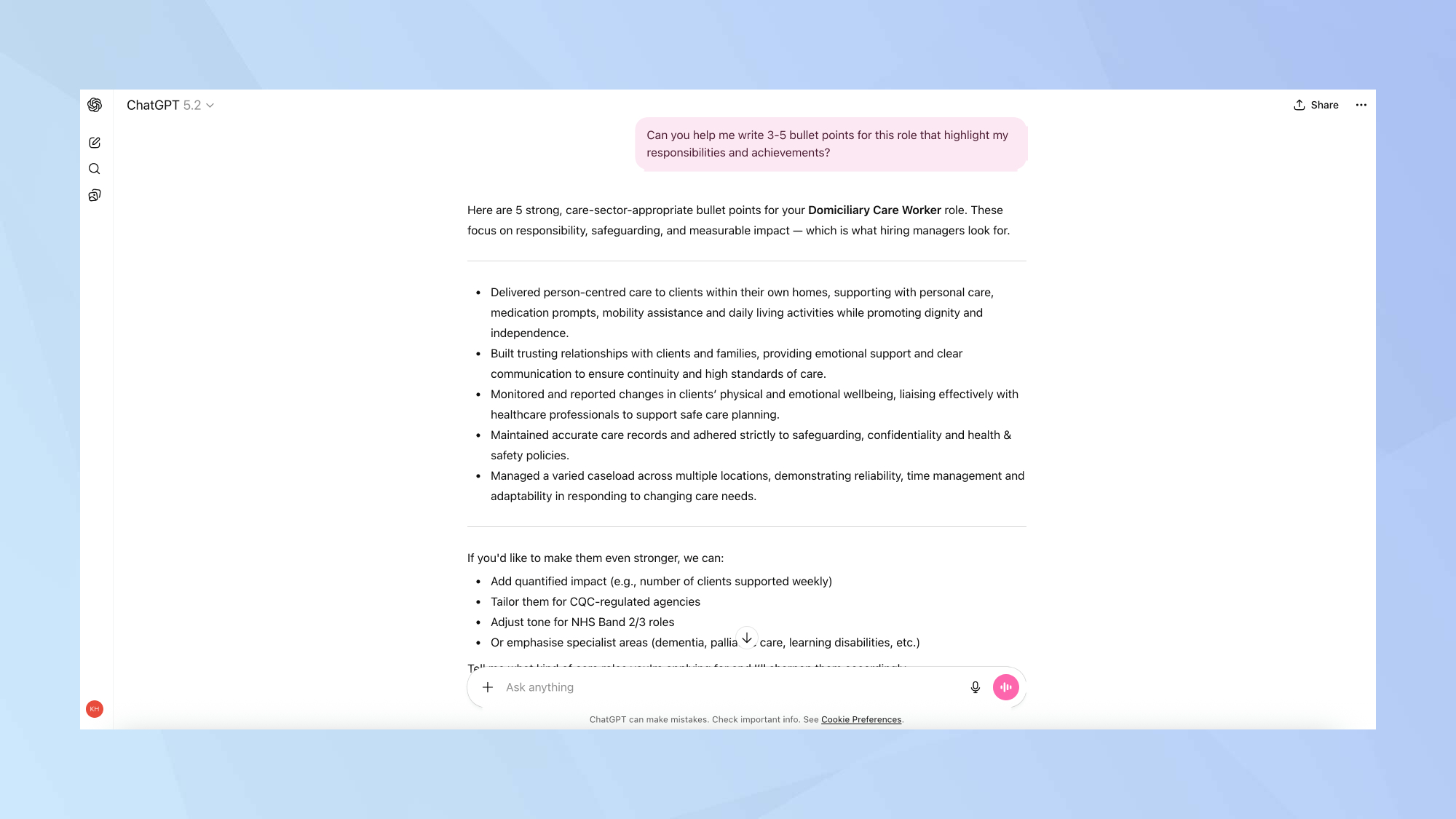
This is where ChatGPT really shines. For each job or relevant experience, provide ChatGPT with the basics: your title, the company or organization, dates, and what you actually did. Then ask: "Can you help me write 3-5 bullet points for this role that highlight my responsibilities and achievements?"
ChatGPT will generate bullet points that are usually well-structured and clear. They'll start with strong action verbs, focus on accomplishments rather than just duties, and present your experience in a professional format.
But here's where you need to be critical. Read every bullet point carefully. Is it accurate? Hiring managers can spot exaggeration, and it's worse to overstate your role than to be modest.
If you have employment gaps, don't ignore them. You can ask ChatGPT: "How should I address a six-month gap in employment on my resume?" It will suggest ways to frame the gap honestly, whether that's freelance work, professional development, or caregiving responsibilities — whatever is true for your situation.
4. Tailor your resume to specific jobs
Generic resumes get generic results. The most effective resumes are tailored to specific job postings, and ChatGPT makes this process much faster.
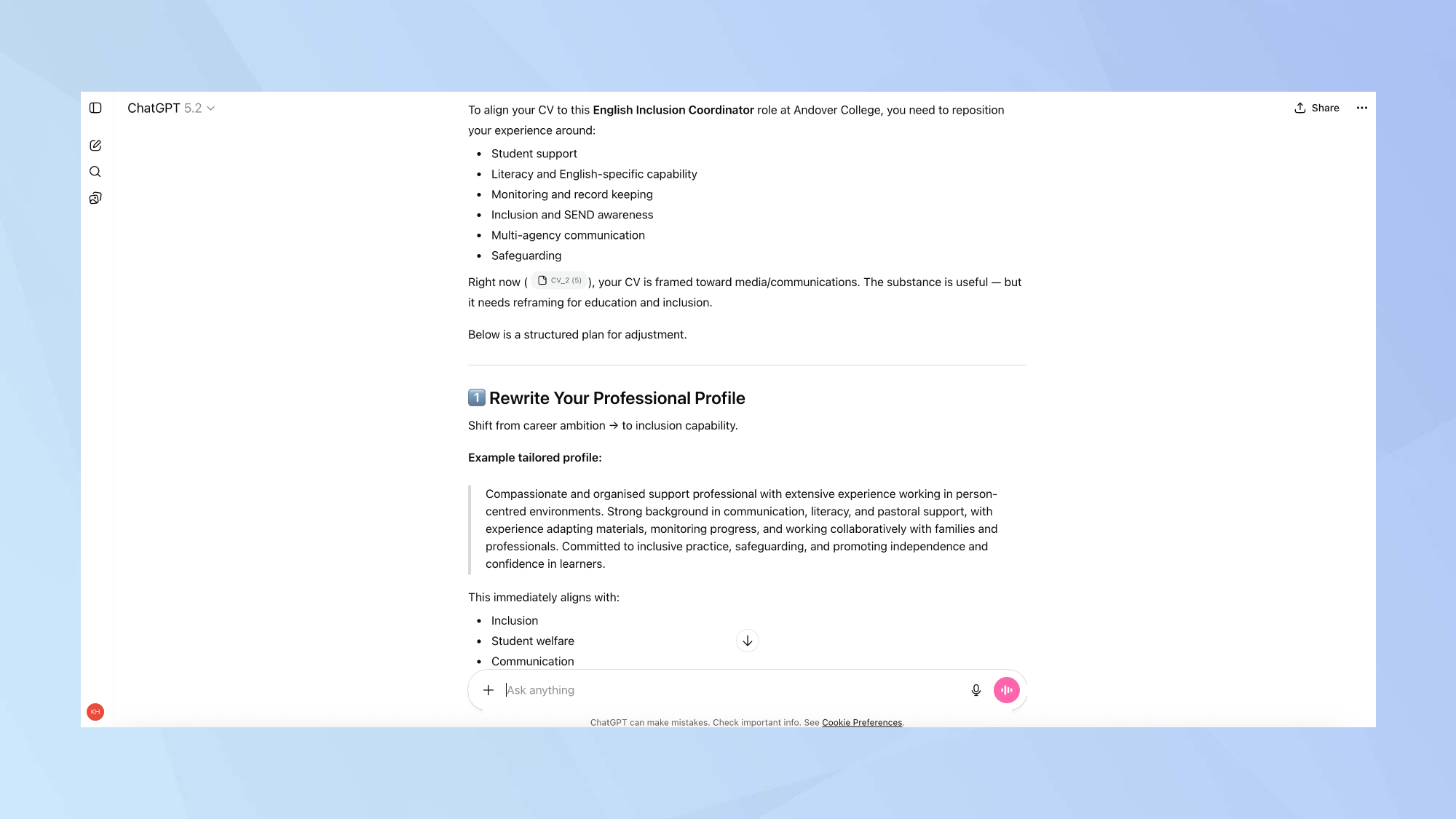
Find a job description for a position you're targeting. Copy the entire posting and paste it into ChatGPT along with your resume. Ask: "Here's a job description for [role]. How can I adjust my resume to better align with these requirements?"
ChatGPT will identify keywords and skills from the job posting that you should emphasize. It might suggest reordering your bullet points to highlight relevant experience first, or it might identify skills you have but didn't mention prominently.
You should also ask ChatGPT about skills you might be overlooking. Try something like: "Based on my experience, what skills should I emphasize for this role?"
For career changers, this step is crucial. Ask ChatGPT: "I'm transitioning from [current field] to [target field]. How can I present my experience to appeal to employers in [target industry]?" ChatGPT can help you identify transferable skills and reframe your experience.
5. Review, refine, and make it sound like you
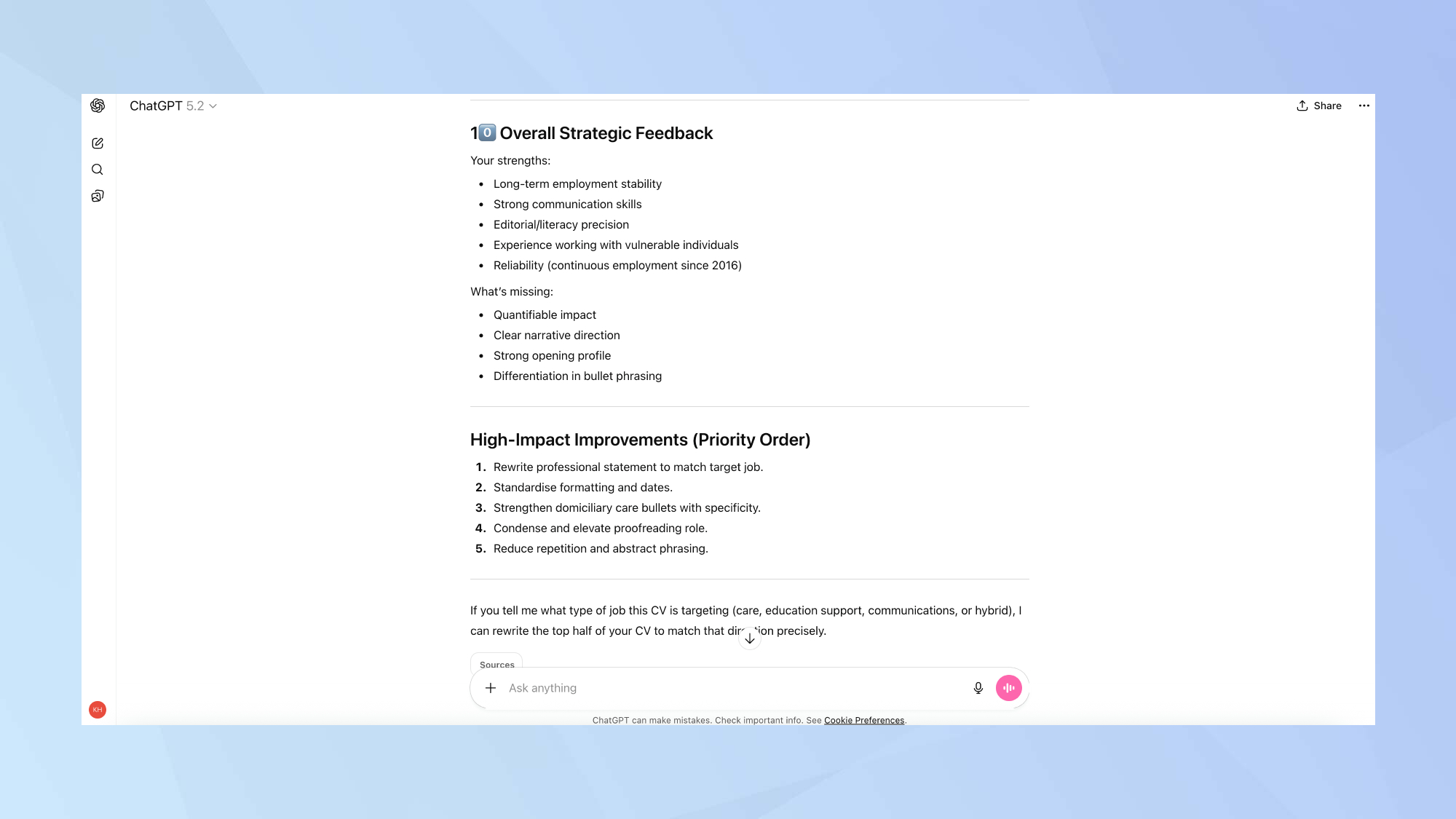
Now you have a complete draft. Don't just copy-paste it into a template and call it done. This is where you make sure your resume actually represents you.
Ask ChatGPT: "Can you review this resume and suggest improvements for clarity, consistency, and impact?" It will catch repetitive phrasing, inconsistent formatting, weak action verbs, and other issues you might have missed.
But the most important step is reading your resume out loud. Seriously. If you sound like a corporate buzzword generator, you've let ChatGPT do too much of the work. Your resume should sound professional, yes, but it should also sound like a human wrote it.
Then format your resume properly using a template in Google Docs, Word or a resume builder. Keep it clean, readable and consistent. One page is ideal for early-career professionals: two pages are acceptable for more experienced candidates.

Follow Tom's Guide on Google News and add us as a preferred source to get our up-to-date news, analysis, and reviews in your feeds. Make sure to click the Follow button!