

The Locked Gate event has arrived in ARC Raiders as part of The North Line update, and completing it will require a fair amount of coordination.
Like all map conditions, the Locked Gate isn't available at all times. You'll have to be lucky to find it on a map rotation. This guide will help you to complete the event successfully if you manage to start a raid while it's available.
Table of contents
ARC Raiders Locked Gate event walkthrough
The Locked Gate event takes place on the Blue Gate map, but adds a custom modifier. The modifier restricts you from using any Raider Hatches and also blocks entry to the underground tunnels. All of this is part of an emergency shutdown protocol. Your job will be to find relevant security codes to open a locked gate (hence, the name).
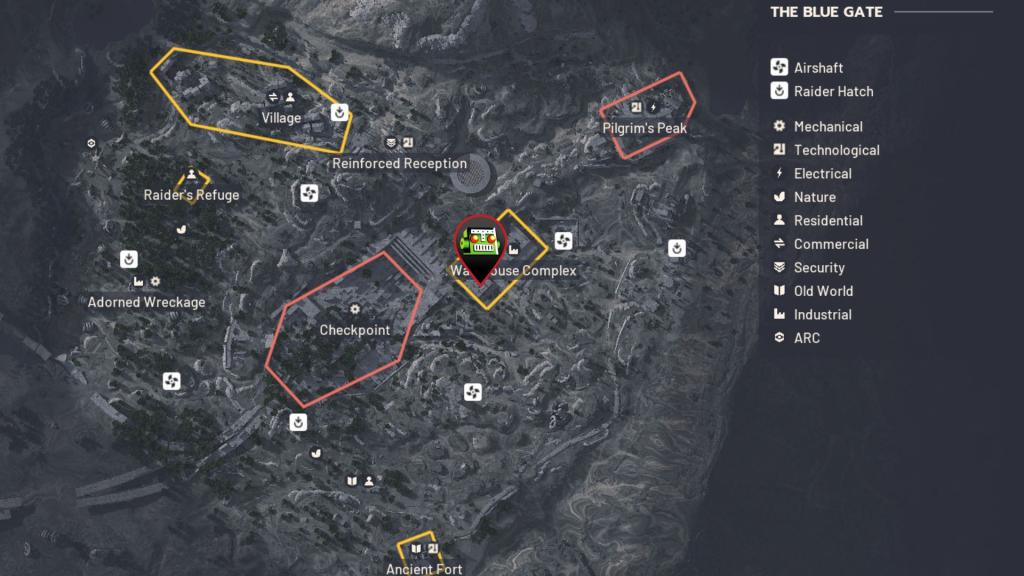
To begin the quest, head to the Gate Control Room inside the Warehouse Complex. I have marked its location on the screenshot below, but it's hard to miss. The Warehouse Complex is located between the central and the northern part of the Blue Gate map.
Head inside the room, and you'll find four systems. When you try to interact with them, you'll be asked for security codes. Finding the security codes is easy, as they will have a POI in their respective names.
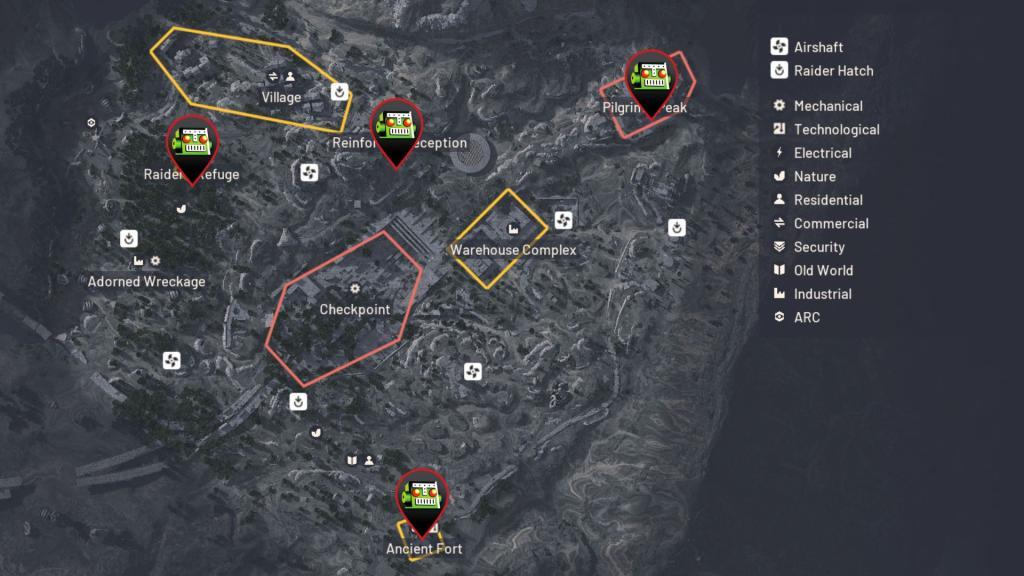
If you're trying to find the Pilgrim's Peak code, you'll have to head over to the location. All four POIs will be present on the Blue Gate map, but finding them can take a fair amount of time (not to mention the added dangers of ARC enemies and enemy Raiders).
Checkpoint Gate location
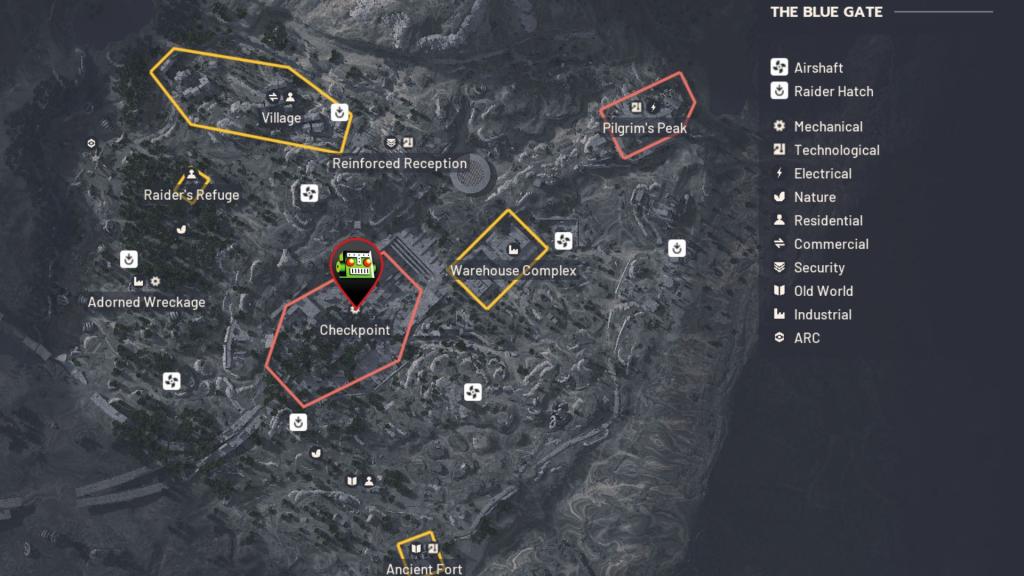
Once you have found all four codes, head back to the Gate Control Room. Use the four codes to unlock the central gate in the Checkpoint POI (marked on the screenshot above). You'll find an unlocked gate, along with plenty of valuable items to loot inside. However, be highly cautious as enemy Raiders could try to ambush you for a free lot.
The post How to complete Locked Gate event in ARC Raiders appeared first on Destructoid.