Get all your news in one place.
100’s of premium titles.
One app.
Start reading
Android Central
Android Central
Technology
Brady Snyder

Google tweaks Gemini's Android app with a fresh homepage and 'My Stuff' view

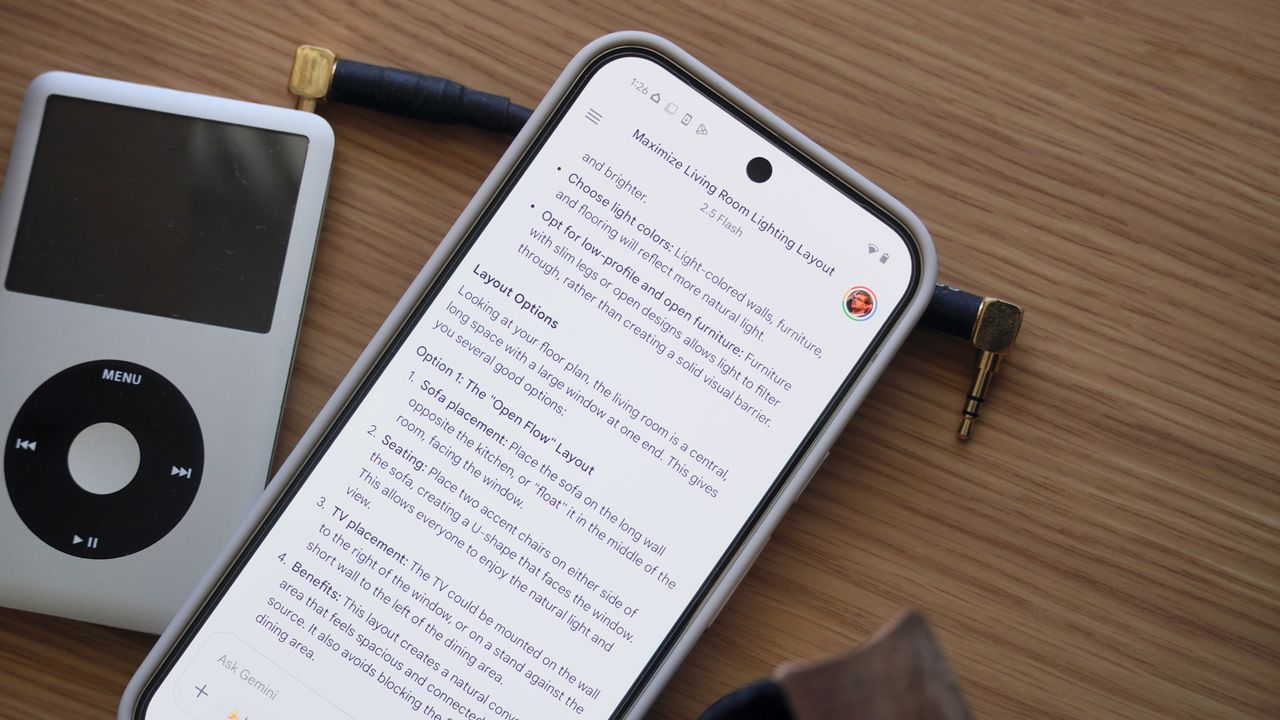
Gemini chats showing interior design tips on a Google Pixel 9 Pro XL.

What you need to know

  • Google is rolling out a new homepage and UI for the Gemini app on Android.
  • The tweaked homepage includes a new greeting and backgrounds for light and dark modes.
  • There's also a new "My Stuff" collection for your AI-generated videos, images, and Canvas projects.

Enjoy our content? Make sure to set Android Central as a preferred source in Google Search, and find out why you should so that you can stay up-to-date on the latest news, reviews, features, and more.

Google is rolling out a new-look redesign for the Gemini app on Android that includes a fresh homepage and a "My Stuff" hub for generated content. It's widely available on version 16.45 of the Gemini app for Android, as spotted by 9to5Google, but the changes haven't made their way to the iOS app or web client yet. Android Central confirmed the new appearance and user-interface is available in the Gemini app on its devices following a server-side push.

The Gemini app homepage now features a bluish-gray background on light mode, and a fully-black background on dark mode. There's still a greeting, but it reads "Hi" rather than "Hello." Additionally, the greeting asks "Where should we start" below it, and appears in white or black font (for dark and light mode) instead of blue. Gemini's suggestions are now arranged in a left-aligned list.

(Image credit: Future)

The chat interface also receives a minor refresh, with a new conversation button taking the place of the old Google account switcher. Users can still change their Google account in other places in the Gemini app, like the homepage, side menu, or in the My Stuff page.

You can also access the Pin, Rename, or Delete buttons straight from the conversation UI by tapping the chat name. This will reveal a dropdown menu with the three buttons. Previously, they were included in the side menu.

The Gemini app now offers a 'My Stuff' section for user content

The hamburger menu adds a "My Stuff" section alongside the existing "Gems" and "Chats" collections. My Stuff stores images, videos, and Canvas creations separate of your Gemini chats for easy access. By tapping content in My Stuff, you'll be transported into the Gemini conversation used to generate the image, video, or Canvas with AI.

Google seems to be prioritizing content generation in the Gemini app with recent updates. It can create photos and videos using the Imagen and Veo models in the Gemini app, and these capabilities are suggested uses on the Gemini homepage. More recently, the company added "Ingredients to Video" support in the Gemini app, which allows users to generate videos from reference images.

Sign up to read this article
Read news from 100’s of titles, curated specifically for you.
Already a member? Sign in here
Related Stories
Top stories on inkl right now
One subscription that gives you access to news from hundreds of sites
Already a member? Sign in here
Our Picks
Fourteen days free
Download the app
One app. One membership.
100+ trusted global sources.