What you need to know
- Gemini in Google Chrome is finally rolling out across Asia-Pacific, hitting desktops and iOS in markets like the Philippines, Japan, and Australia.
- It also pulls context from tools like Google Maps and YouTube, so you can plan trips or get video insights faster.
- New Nano Banana tools let you edit or generate images with text prompts directly inside Chrome.
For several months now, the U.S. and a few other markets have enjoyed a built-in AI assistant in Chrome. Now, the rest of Asia-Pacific is finally getting the same feature.
Google is officially launching Gemini in Chrome across much of the Asia-Pacific region. The move brings its advanced browsing assistant to desktops and iOS devices in Australia, Indonesia, Japan, the Philippines, Singapore, South Korea, and Vietnam.
For starters, this is more than just a chatbot in a side panel. Google is building Gemini right into the Chrome workflow. The idea is to get rid of the constant switching between multiple tabs, be it a travel blog, Google Maps, or your email just to plan a weekend trip.
You get a personalized assistant in the side panel that can summarize long articles or compare data across several open tabs at once. The real advantage, though, is how it works with other apps. Without leaving your current page, you can ask Calendar to schedule meetings or reminders based on what you’re reading, or quickly pull up location details and travel times.
You can also turn information from a webpage into a ready-to-send email draft in Gmail, or ask specific questions about a YouTube video’s content without having to watch the entire video.
Creative tools and Nano Banana
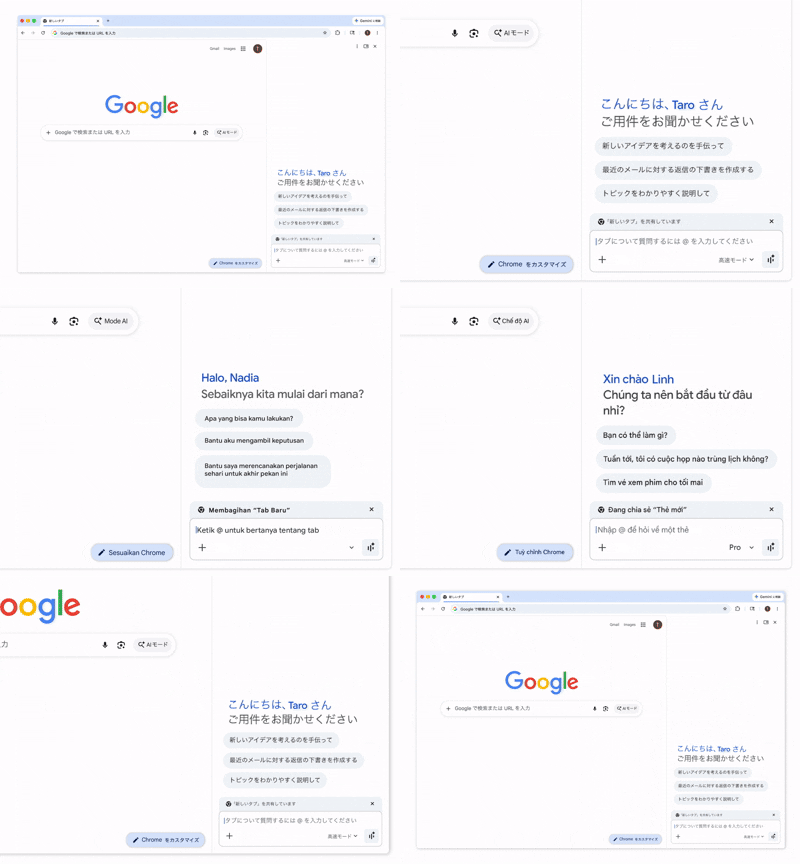
Google is also adding Nano Banana features. This allows you to transform images you find online using simple text prompts right in the Gemini side panel. This builds on the generative AI tools from the Pixel lineup, now available in the world’s most popular browser.
Gemini is also getting Personal Intelligence. This means it can remember the context of your earlier conversations. For example, if you asked about hiking gear yesterday and search for "best boots" today, the assistant will give you more personalized results.
I’ll give Google credit where it’s due. Summarizing tabs without copy-pasting is genuinely helpful, and the Calendar integration does save time. Still, you’re sharing your browsing habits, emails, and image prompts with Google. And the limited iOS support in Japan? That’s Google being Google, rolling out features in its usual unpredictable way.
To address security concerns, Google says these models are trained to spot prompt injections and other AI-specific threats. Importantly, Gemini will always ask for your confirmation before doing anything sensitive, so it won’t book flights or send emails without your clear approval.
However, if you’re in Japan, Gemini in Chrome is only available on desktop for now. The iOS version isn’t out there yet.