Get all your news in one place.
100’s of premium titles.
One app.
Start reading
TechRadar
TechRadar
Rob Clymo

Zoho Social review

Zoho Social.

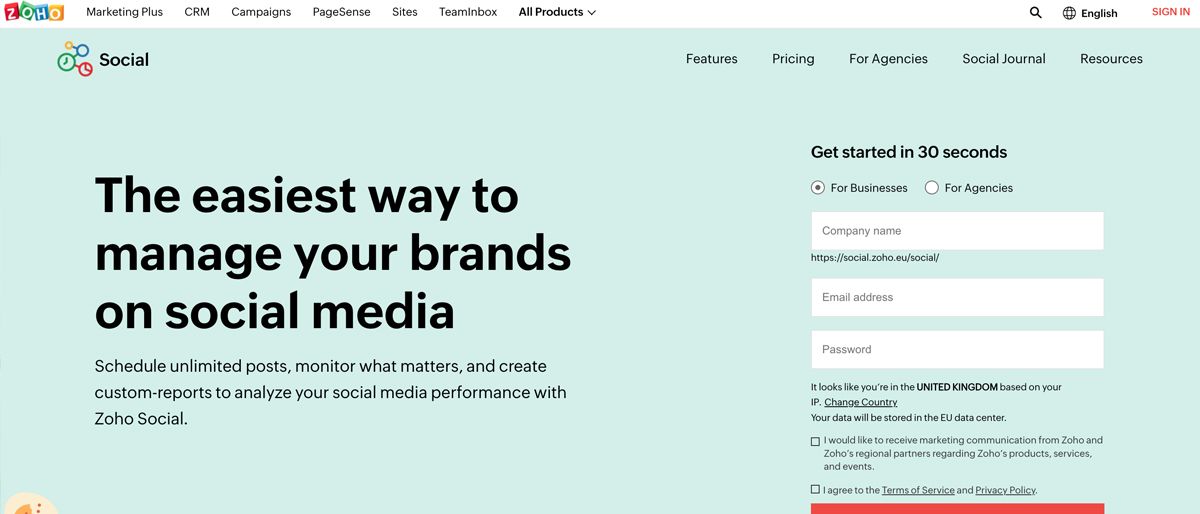
Any business hankering after the best social media management tools should investigate Zoho Social, which offers the ability to co-ordinate all of your social campaigns from one place, lets any type of business to schedule posts, keeps track of the results, and compiles comprehensive reports.

Zoho Social's other benefit is working alongside other products in Zoho's portfolio, meaning a business should be able to exploit its power even more efficiently by integrating with Zoho Workspace, Campaigns, and CRM. 

Being able to work in a one-stop environment will be ideally suite to many companies, especially those who are looking to make workflow activities more efficient. Add on great iOS and Android apps and Zoho is an attractive tool. 

Of course, there is still competition in the social media management space from the likes of Hootsuite, Buffer, HubSpot, and Circleboom, but for companies that have already bought into the Zoho suite, or are considering doing so, Social is one of the strongest options. 

Let's dive into our review of the Zoho Social social media manager. 

Zoho Social: Plans and Pricing

(Image credit: Zoho)

Plan

Starting rate (paid annually)

Starting rate (paid monthly)

Free

$0/month

$0/month

Standard

$10/month

$15/month

Professional

$30/month

$40/month

Premium

$40/month

$65/month

Agency

$230/month

$320/month

Agency Plus

$330/month

$460/month

Zoho now offers six plans rather than three, starting with a permanent Free tier that stays active once your 15-day trial ends. It covers one brand and six social channels, with a handful of AI credits to get you started.

From there, the Standard plan is $10/month (billed annually) and expands channel support to 11 platforms. The Professional plan ($30/month annually) adds advanced scheduling tools like bulk scheduling, CustomQ, and RSS feeds. The Premium plan ($40/month annually, $65/month monthly) steps things up with SmartQ, a full reporting dashboard, Zoho CRM/Desk integration, and an Inbox for managing interactions — now including WhatsApp and Telegram.

For agencies, the Agency plan ($230/month annually) supports 10 brands and up to 140 channels across five team members, while Agency Plus ($330/month annually) doubles that capacity to 20 brands and up to 280 channels. Both agency tiers include branded reporting and client access features.

(Image credit: Zoho Social)

Zoho Social: AI features

Zoho has been quietly weaving AI into Social through its in-house assistant, Zia, which is powered by ChatGPT. The headline feature is Compose with Zia, which lets you generate captions, hashtags, and post copy from a short prompt. It's a practical time-saver if you manage multiple channels and need to keep a steady content rhythm without starting from a blank page every time.

Every plan comes with a monthly AI credit allowance that refreshes each billing cycle. Free users get 5 credits, Standard and Professional accounts each receive 40, and Premium, Agency, and Agency Plus plans bump that up to 80 credits per month. That should be more than enough for occasional use on lower tiers, though heavy users on Standard or Professional may find themselves rationing credits toward the end of the month.

If you're on the Agency or Agency Plus plan, you also get access to Reply with Zia inside the Inbox. This feature helps you draft or rephrase replies to customer messages across connected channels. It's the kind of feature that makes the premium agency pricing feel more justified, especially for small teams that handle large volumes of DMs.

Overall, Zia is a solid but not spectacular AI implementation, meaning that it handles the basics well without overreaching. What we'd like to see in future updates is AI-assisted scheduling recommendations beyond SmartQ, plus maybe a repurposing tool that adapts a single post across multiple channel formats automatically. Still, for a platform at this price point, having generative AI baked into every plan is a meaningful advantage for Zoho.

Zoho Social: Basic features

Even in its most basic incarnation, Zoho Social comes packed with a practical array of features and functions, and of course there is the 15-day free trial to get your head around what works for your business. 

Standard works for one brand and 10 channels, one team member, and includes compatibility with Facebook Pages, Facebook Groups, X (formerly Twitter) Profiles, Instagram Business Profiles, LinkedIn Profiles, LinkedIn Company Pages, Google Business Profile listings, and more. Recently, Zoho Social has also added in support for YouTube, WhatsApp Business, Telegram Business, Threads, Mastodon, TikTok, Pinterest, and Bluesky.

There’s a neat dashboard interface that helps to monitor posts, carry out multi-channel publishing, schedule your content, and compile a publishing calendar. 

Power tools include a link shortener, activity logging, user tagging, and the production of summary reports. An image editor also proves mighty handy if you don't want to splurge on Adobe Photoshop or similar. 

(Image credit: Zoho Social)

Zoho Social: Professional features

The Professional tier ramps things up a bit, offering one brand and 10 channels, and a one team member allowance. Users also get all of the Standard features plus a ream of others, including livestreaming, notifications, repeat posting, a media library, rescheduling of posts, RSS feeds, messages, the ability to pause and resume content, and the muting and blocking of accounts where needed.

(Image credit: Zoho Social)

Zoho Social: Premium features

Zoho has added a Premium edition to its portfolio, which is even better suited to larger businesses. You get all of the regular Professional features alongside a pile of extras, including the ability to export posts, collaborate between three team members, and use a dedicated reporting dashboard. 

In fact, the reporting capabilities of this package are pretty formidable, and there’s the added advantage of being able to use Social in tandem with Zoho CRM and Zoho Desk. It can also handle lead generation, so there is plenty of opportunity to get a decent return on your investment.

Zoho says the Premium option is its most popular and it's easy to see why, there's a good mix of high-end enterprise features without a huge cost. 

(Image credit: Zoho)

Zoho Social: User Interface

Zoho Social has been designed to offer a full suite of tools aimed at improving your social media management fortunes. 

Zoho is certainly a comprehensive solution, no matter which of the three packages you decide to go for, and the core structure of Zoho Social focuses on the structuring of campaigns and the subsequent monitoring of your social activity. 

Collaboration is a priority too, helping team members work together and make sense of analytics and the production of those all-important reports, which can then be fed higher up the chain. 

Setting up and scheduling posts is quick and easy, and there’s the ability to collaborate using a publishing calendar, create content queues, and also curate content as and when it's needed. 

(Image credit: Zoho Social)

In our testing, we found that Zoho Social has been nicely designed, meaning that it’s simple to monitor all of your social media activity, with a listening dashboard, live stream, and the ability to send direct messages.

The collaborational aspect of Zoho Social is particularly impressive, offering the ability to define workflows, have team discussions, and assign roles and permissions proving to be the most practical aspects. The same goes for the useability of the analytical tools: lookout for comprehensive stats, the ability to produce custom reports, and also the ability to receive scheduled reports for your regular meetings.

Capping things off, the iOS and Android apps are a pleasure to use, making on-the-go social media tasks that much easier. 

(Image credit: Zoho Social)

Zoho Social: Support

All Zoho Social packages come with the same 24/5 email support, which should prove substantial enough for most needs. The Zoho website also comes with a very decent level of help files, tutorials, and supporting information designed to answer many common queries.

(Image credit: Zoho Social)

Zoho Social: The competition

The social media management marketplace is a hive of activity, with plenty of options aimed at helping businesses get more from their campaigns, which is ultimately good news for your search. 

Alongside Zoho Social you can take your pick from key players, including Buffer, Sendible, Loomly, Hootsuite, and Circleboom, all of which are very decent competitors worthy of consideration.

It's worth checking out our guide to the best social media management tools to quickly see the pros and cons of each offering. 

Zoho Social: Final verdict

Zoho Social has managed to pack in a great deal of features and functions into each one of these three social media management packages, which will make the suite instantly attractive to businesses of all shapes and sizes, although you’ll really want to head in the direction of the Premium editions to get the best set of tools. 

That’s especially so if you’re looking for detailed analytics and the ability to produce power-packed reports. Indeed, the Agency editions take that a step further and, while there is added cost involved, there’s no doubting the additional muscle these premium-priced products come with.

If you're already a Zoho customer across its CRM, Desk, Mail, Books, and Assist offerings, then tacking on Social is the best thing to do. 

Sign up to read this article
Read news from 100’s of titles, curated specifically for you.
Already a member? Sign in here
Related Stories
Top stories on inkl right now
One subscription that gives you access to news from hundreds of sites
Already a member? Sign in here
Our Picks
Fourteen days free
Download the app
One app. One membership.
100+ trusted global sources.