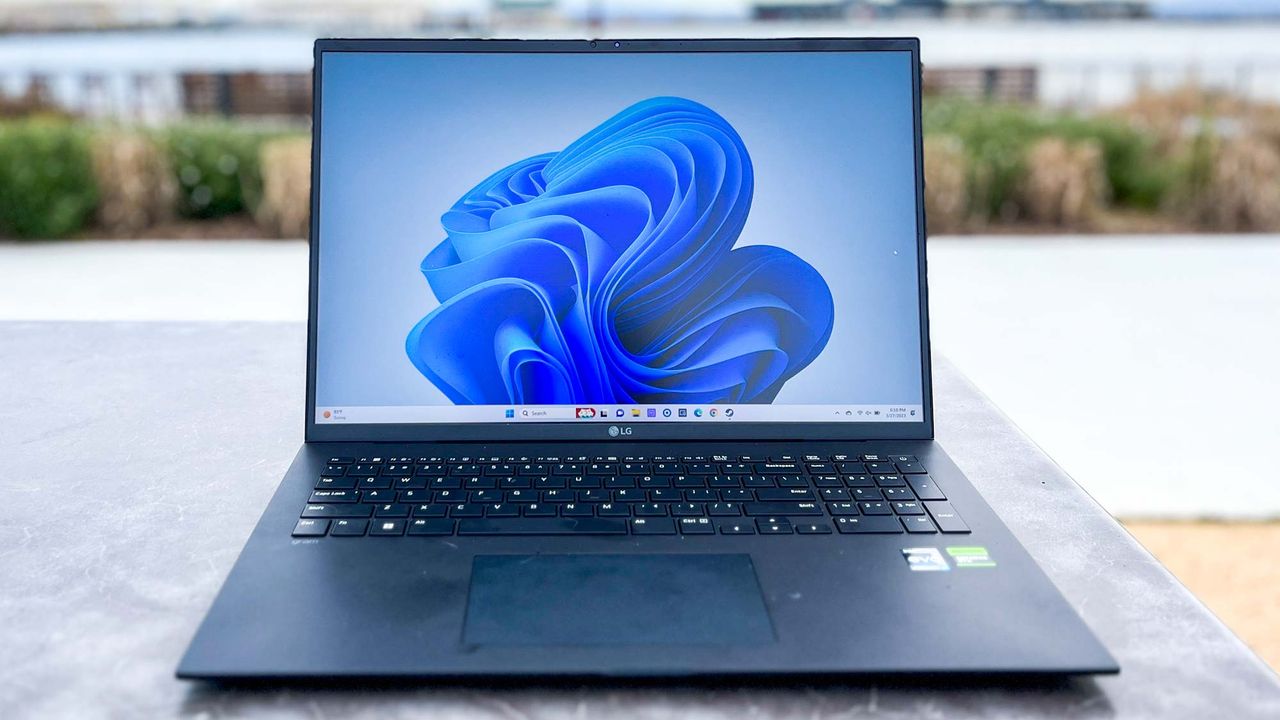
Windows 11 version 23H2 will stop getting security updates on November 11, 2025. If you’re still running this version, released back in October 2023, your PC won’t receive the monthly patches that protect it from new bugs and security threats after that date.
Microsoft rolls out a new Windows 11 update every year, and each version stays supported for about two years. With 24H2 now the current release and 25H2 on the way, 23H2 is officially being phased out. If you’re already on Windows 11, updating is free and only takes a few minutes. Here’s how I checked my version and made sure my PC was up to date and protected.
1. Check which Windows 11 version you're running
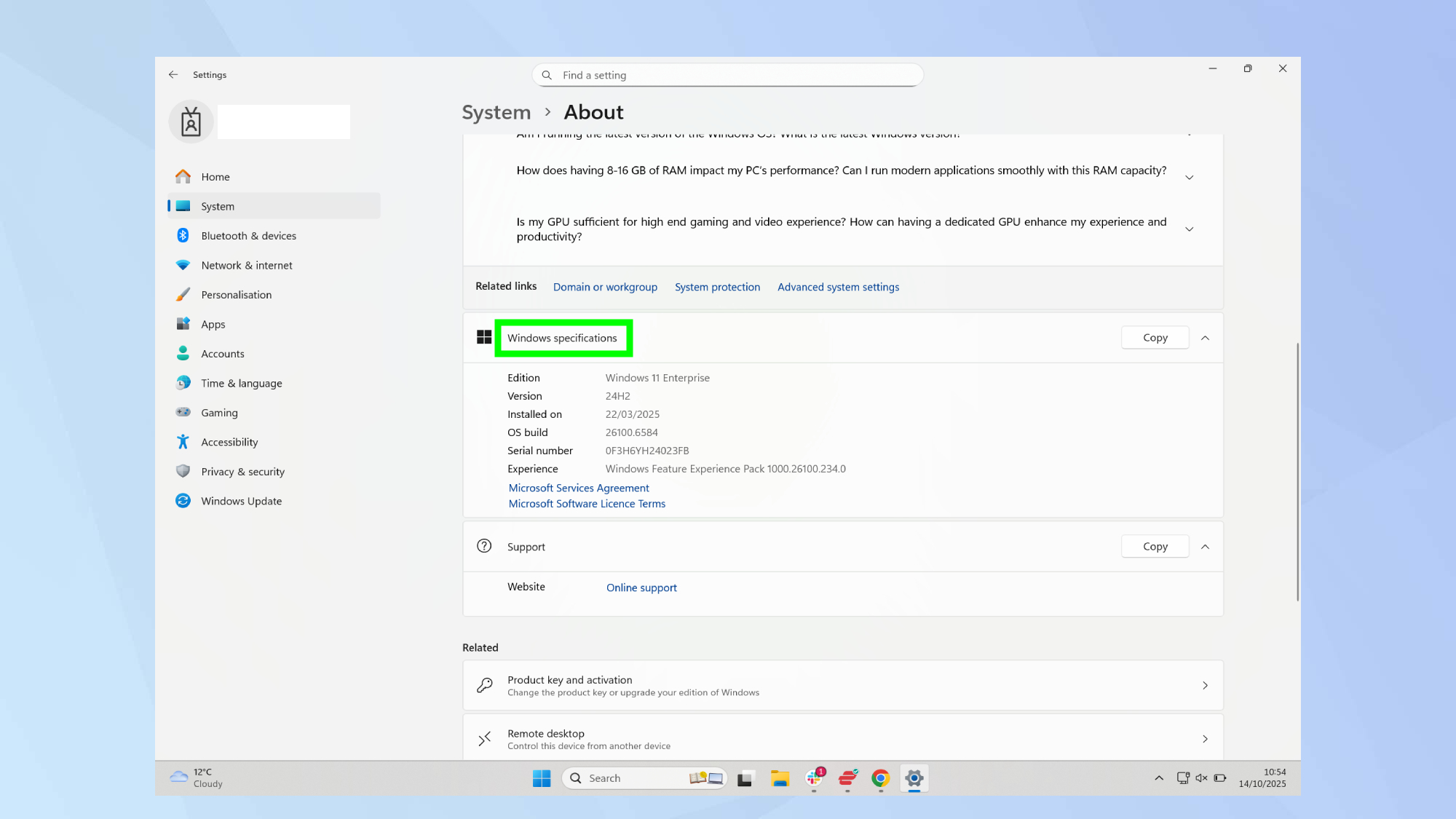
Open Settings by pressing Windows key + I, or clicking the Start button and selecting the gear icon. This brings up your system settings menu.
Navigate to System, then click About at the bottom of the left sidebar. This displays your PC's specifications and Windows version information.
Look for the version number under Windows specifications. If it says "Version 23H2" or "Version 22H2," you need to update. Version 24H2 is the current supported release.
2. Update to Windows 11 24H2
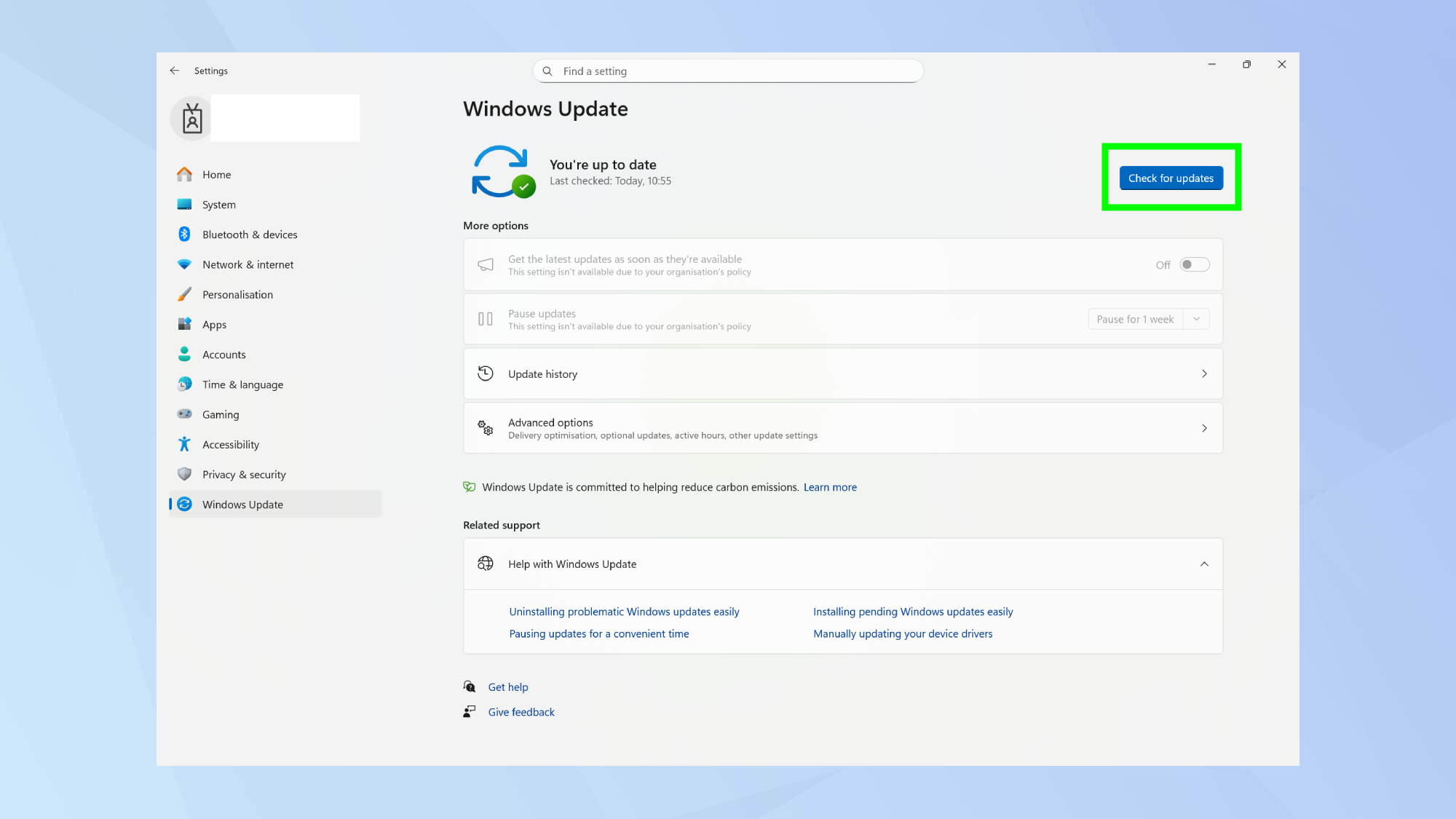
Go to Settings and Windows Update to access the update interface. Windows Update handles all system updates, including major version upgrades.
Click Check for updates to see if 24H2 is available for your PC. If it appears, select Download and install to begin the update process. Once
Follow the on-screen prompts to complete installation. Your PC may restart several times during the update. The process typically takes 30-60 minutes depending on your hardware and internet connection.
3. What happens if you don't update?
You'll stop receiving monthly security patches after November 11, 2025 if you stay on version 23H2. These patches protect against newly discovered vulnerabilities and security threats.
Your PC remains functional but increasingly vulnerable as time passes without security updates. Cybercriminals actively target unpatched systems because known vulnerabilities remain exploitable.
No Extended Security Updates are available for outdated Windows 11 versions like there are for Windows 10. The only way to stay protected is updating to a current version.
If you're still on Windows 10...
Windows 10 lost mainstream support on October 14, 2025, meaning it no longer receives free security updates either. You have three options: upgrade to Windows 11 for free, enroll in Microsoft's Extended Security Updates program (paid), or accept the security risks.
Check if your PC meets Windows 11 system requirements before attempting to upgrade from Windows 10. Requirements include TPM 2.0, UEFI firmware, and specific processor generations that many older PCs don't meet.
Buying a new PC is the alternative if your current computer can't run Windows 11 and you want to stay current with security updates. If you're in the market for one, our best Windows laptops guide can help you make an informed decision.
Follow Tom's Guide on Google News and add us as a preferred source to get our up-to-date news, analysis, and reviews in your feeds. Make sure to click the Follow button!