Get all your news in one place.
100's of premium titles.
One app.
Start reading
Windows Central
Windows Central
Technology
Mauro Huculak

Windows 11 can feel loud and distracting out of the box — here are the features I disable immediately to make the OS calmer and easier to use

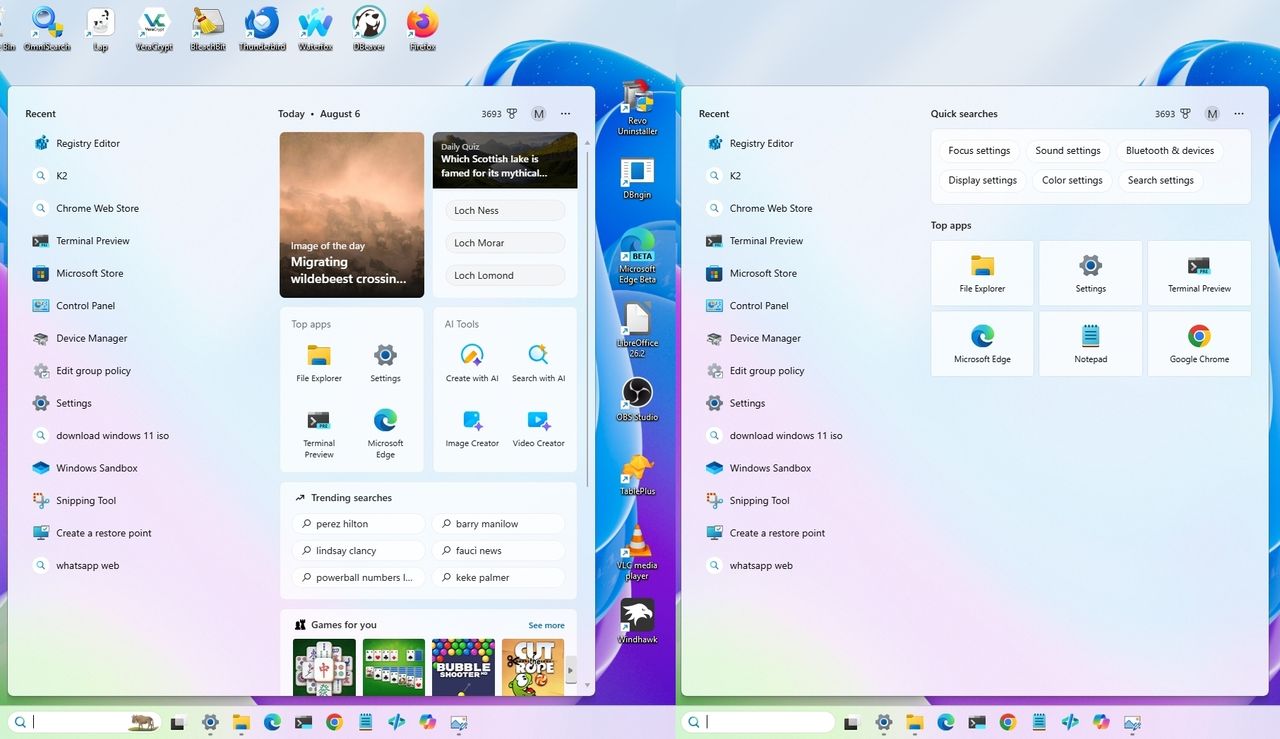
Windows 11 desktop and search Home cluttered vs clean view.

Every time I install Windows 11, I turn off the same handful of features before I do anything else. They're not necessarily bad features, but I don't need widgets, recommendations, badges, and constant notifications competing for my attention while I'm working.

Over the years, I've found that making a few small changes creates a desktop that feels cleaner, quieter, and easier to focus on. I prefer Windows 11 to stay in the background and only get my attention when something truly matters. If you feel the same way, you're not alone.

Sign up to read this article
Read news from 100's of titles, curated specifically for you.
Already a member? Sign in here
Related Stories
Top stories on inkl right now
One subscription that gives you access to news from hundreds of sites
Already a member? Sign in here
Our Picks
Fourteen days free
Download the app
One app. One membership.
100+ trusted global sources.