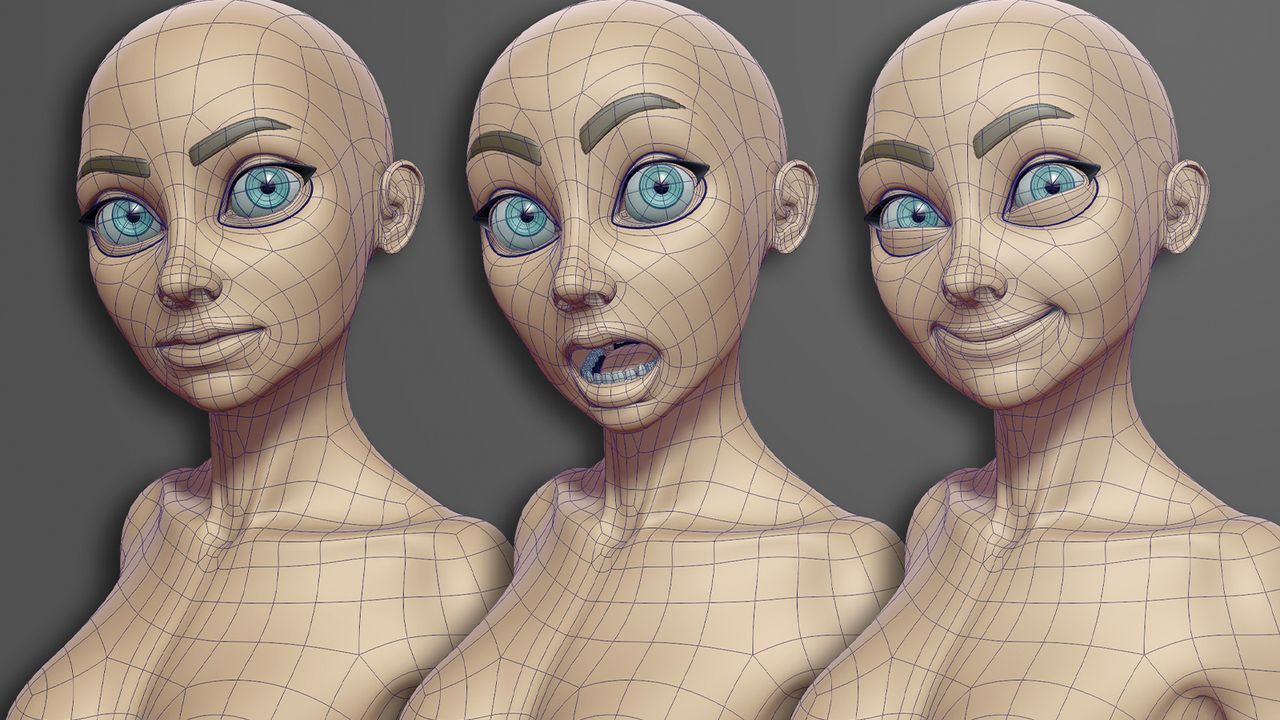
By now, you should be comfortable with building a model and have a good grasp of terminology like vertex normals, UVs, and topology, regardless of the best 3D modelling software you’re using. In this section, we will look at how to make your model ready for animation as we explore what is needed to help it move and deform in a more natural way when posed.
A basic grid-style layout of your edge loops simply won’t work. As your model bends and twists, these edges dictate how the surface will look, and an incorrect layout will result in pinching, creasing, and stretching, which will ultimately make the model look unnatural as it moves. Even when working on powerful machines, including some of the best laptops for 3D modelling, poor topology will still break the illusion the moment you start animating.