Get all your news in one place.
100's of premium titles.
One app.
Start reading
TechRadar
TechRadar
Ruth Hamilton

Which Amazon Fire Stick do I need? A simple guide to the key differences

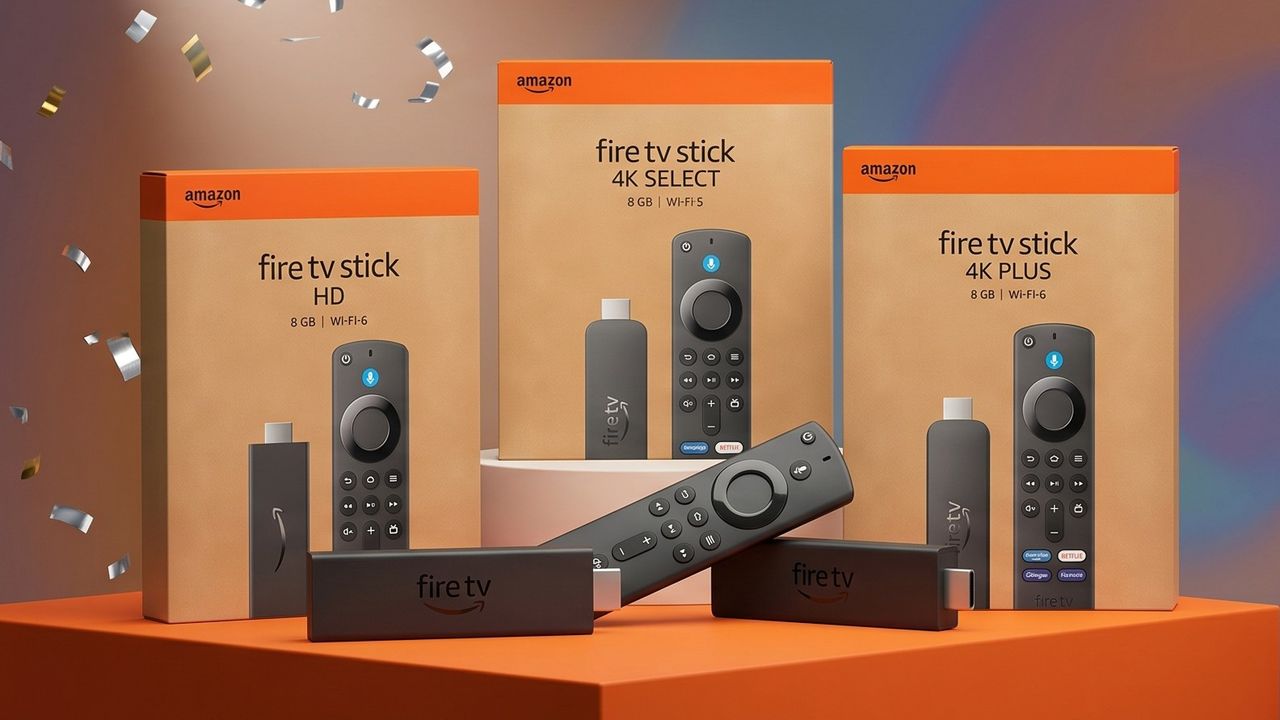
Selection of Fire TV sticks displayed on a podium.

Thinking about investing in a Fire TV Stick? You've timed it well — there's another Amazon Prime Day fast approaching, and these little gadgets are almost certainly going to be heavily discounted during the event.

A Fire TV stick plugs into your TV's HDMI port to turn it into a smart TV, from which you can access various apps — including not just Prime Video but all the best streaming services. It'll also enable you to control your TV using your voice, via Alexa — a game-changer for commands that would otherwise require lengthy typing using your remote's arrow keys (truly, is there anything more dull?).

There are now a few different Fire Stick options, and they all look roughly the same (aside from the Cube, which to be fair is pretty distinctive). Figuring out which one you need can be confusing, so I've pulled together a straightforward buying guide below.

I've started with buy links in the US and in the UK, then a guide to the key differences you need to know, and finally a specs comparison table. Happy streaming!

US — Fire Stick options

UK — Fire Stick options

What's the difference between the various Fire TV sticks?

The main distinguisher between the different Fire TV sticks is in the image, video and audio quality they support. All the options work with Alexa+ via the voice remote.

The very cheapest option — the standard Fire Stick HD — is the only one not to offer 4K Ultra HD picture. Most modern TVs support 4K picture, but if you have an older TV or an especially budget-friendly model, it might not. In that case, there's not much point going for anything other than this budget-friendly option.

Your next decision is whether you also want Dolby Vision and Dolby Atmos. Check first if your TV will work with these premium AV technologies in the first place — Dolby Vision is starting to feature on more TVs, but you still won't find it on some cheaper models. Samsung doesn't support Dolby Vision full stop, instead featuring HDR10+. If you don't need either, go for the 4k Select.

Assuming your TV does support Dolby Atmos and Vision, and you want both, you can choose between the 4K Plus or 4k Max sticks. The key differences are that the latter offers twice as much storage, and supports Wi-Fi 6E (which allows for support of the new 6GHz band). In contrast, the Plus only supports regular Wi-Fi 6.

Finally, there's the Cube, which is a slightly different proposition. It's at least twice the price of all the sticks, and acts as a hub into which you can connect and control devices like your set-top box, games consoles, webcam and so on.

Key specs compared

Model:

List price:

Supported picture quality:

Supported video:

Supported audio:

Storage:

Stick HD

$34.99 / £39.99

1080p Full HD

HDR10, HDR10+, HLG

Dolby-encoded (HDMI pass-through)

8GB

Stick 4K Select

$39.99 / £49.99

4K Ultra HD

HDR10, HDR10+, HLG

Dolby-encoded (HDMI pass-through)

8GB

Stick 4K Plus

$49.99 / £59.99

4K Ultra HD

Dolby Vision, plus HDR, HDR10, HDR10+, HLG

Dolby Atmos

8GB

Stick 4K Max

$59.99 / £69.99

4K Ultra HD

Dolby Vision, plus HDR, HDR10, HDR10+, HLG

Dolby Atmos

16GB

Cube

$139.99 / £139.99

4K Ultra HD

Dolby Vision, plus HDR, HDR10, HDR10+, HLG

Dolby Atmos

16GB

Amazon Fire TV Stick HD Amazon Fire TV Stick 4K Select Amazon Fire TV Stick 4K Plus Amazon Fire TV Stick 4K Max Amazon Fire TV Cube Amazon Fire TV Stick HD Amazon Fire TV Stick 4K Select Amazon Fire TV Stick 4K Plus Amazon Fire TV Stick 4K Max Amazon Fire TV Cube
Sign up to read this article
Read news from 100's of titles, curated specifically for you.
Already a member? Sign in here
Related Stories
Top stories on inkl right now
One subscription that gives you access to news from hundreds of sites
Already a member? Sign in here
Our Picks
Fourteen days free
Download the app
One app. One membership.
100+ trusted global sources.