This is a part of our series of features on the basics of 3D art and animation. Also see our pieces on 3D art workflows, how to smooth or harden 3D models and what a 3D object is made of. If you need the tools to get started, see our guides to the best 3D modelling software and the best laptops for 3D modelling.
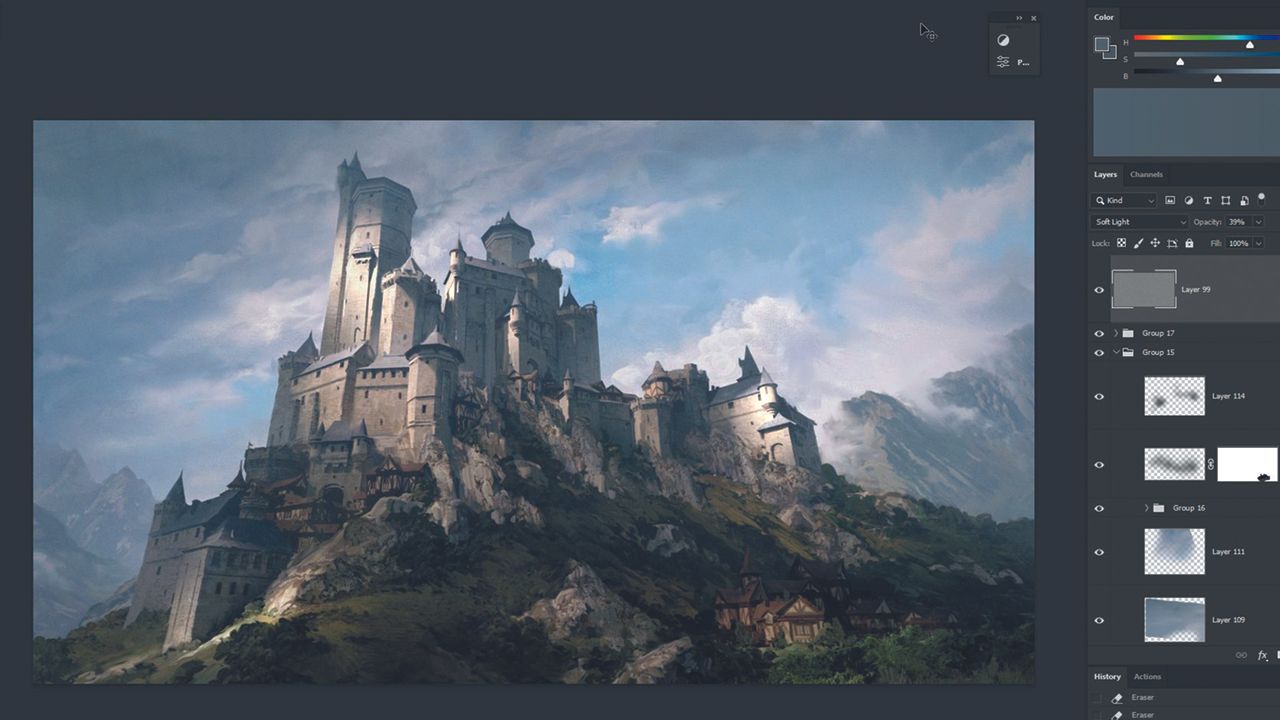
In this workshop, I’ll show you some Blender tricks that you can use while building your illustration scenes. No plugins, no paid 3D models; just basic free Blender and basic knowledge of modelling using extrude and bevels. Of course, feel free to use anything that you can – using models from places like Megascans greatly helps with the quality of render. But if you can create a scene using nothing but the software itself then you will be able to create them using any additional resources out there. Afterwards, I’ll jump into Photoshop and do basic photobashing with overpainting using mostly a mixer brush. This part is all about getting rid of that 3D feel we get while rendering and fixing any visible mistakes. For the purpose of this workshop, I’ll stick to the idea of creating a castle in a fantasy setting because I don’t want to overcomplicate this by focusing too much on the design aspect of image creation. If you encounter any trouble with designing, stay as close to your reference as possible. You can even recreate it one-to-one – after all the goal here is to learn the technique