I'm lucky to have a job like this; I'll never say otherwise. Turning an enthusiasm for tech into a career — I'm grateful every day. One of the perks, of course, is getting to try out a host of new products throughout the course of a year, and sometimes, they stick around.
That's exactly the case with the mini PC. I've dabbled in the past, and going back over a decade, I had a Mac Mini as my daily driver. In recent times, though, I've used my gaming PC for everything — work and play — but it's overkill for the work part.
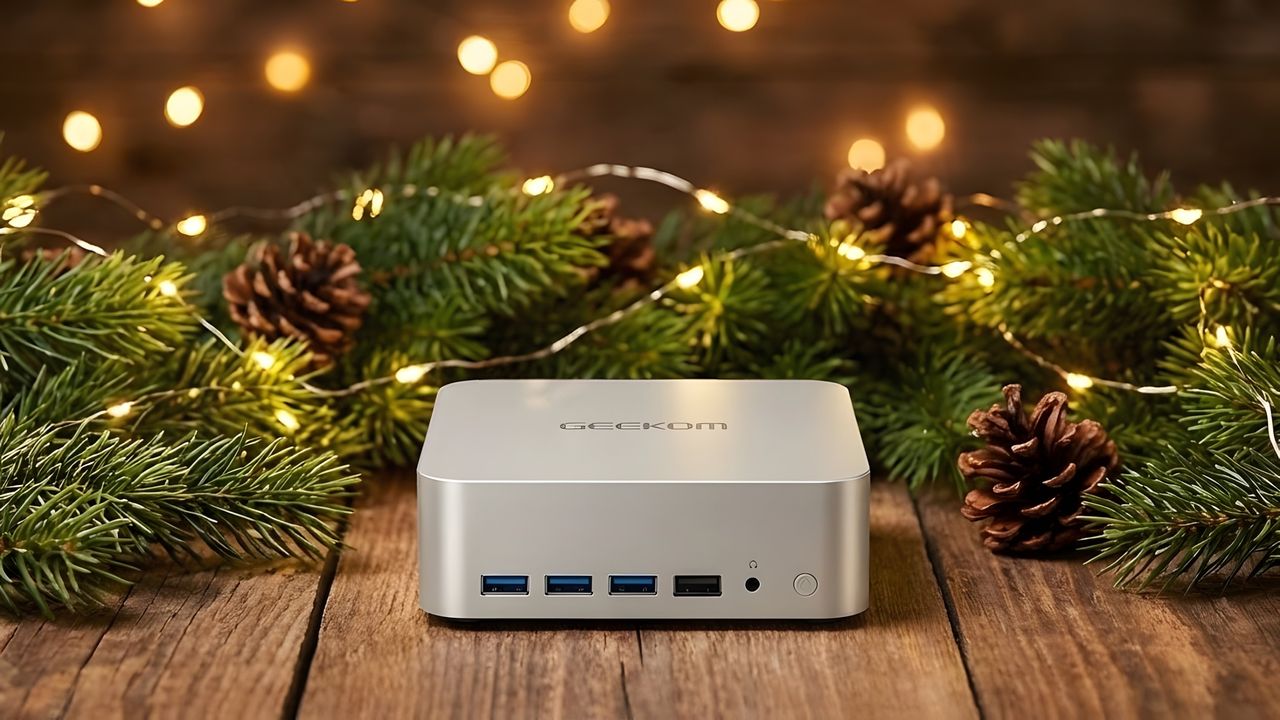
Then came along the Geekom A9 Max mini PC. I liked it so much that it's become my daily driver for almost everything, and it was an awakening. These little boxes can be seriously powerful, yet take up significantly less space, generate less heat and noise, and, importantly, do it all more efficiently. It's the best move I made this year.
Laptop chips are seriously good now

The last time I really used a Windows mini PC for any length of time was a good few years ago now. But that was using a desktop AMD APU. I bought an ASRock Deskmini and slapped a Ryzen 5 3400G in it as a small box to work from, and even do a bit of gaming. It was that good.
Nowadays, virtually all the mini PCs that come across our desk are using laptop chips from either Intel or AMD. It's a testament to the advances the industry has made that using one of these isn't just good; in most cases, it will feel as good as using a desktop CPU.
The one I'm using is AMD's Ryzen AI 9 HX370, a 55W APU with 12 cores, 24 threads, and Radeon 890M graphics. Four of those cores are full-fat Zen 5, the other 8 'efficiency' cores are Zen 5c. This is the same type of setup as my desktop Intel CPU has, where it's 20 cores in total, with a split of 8 and 12.
I'll openly admit that both of the CPUs I just mentioned are overkill for virtually everything I do. I'm not running CPU-intensive processes all the time. Local AI and gaming is the meat of it.

The Ryzen AI 9 HX370 is seriously good. In a mini PC, I don't have to worry about battery life, so it can be pushed as much as needed, and it absolutely devours anything I need to do.
AMD's integrated graphics have always been praiseworthy, standing tall above Intel for many years. The Radeon 890M is no exception. I'll touch a little on gaming later, but the other main task I've been using it for is running local AI models in LM Studio.
Thanks to fitting 32GB of RAM inside this little box, I can offload up to 24GB of that to the GPU and run pretty large LLMs without issue. Obviously, it's not going to compete with an RTX 5090.
But the point is that it's a full PC that costs around $1,000 and can tackle tasks that you might think you'd need to spend a heck of a lot more on a dedicated GPU for.
Yes, gaming on a mini PC is possible, and enjoyable

Since handheld gaming PCs started to become a thing, we're seeing more attention from both the game developers and AMD on the software side to make titles run well on less powerful hardware.
I'm not saying my desktop gaming PC has been replaced, because it hasn't. I'm still using an RTX 5090 to waste far too many hours playing Call of Duty.
But 1080p gaming at 60 FPS and above with this chip is perfectly doable. When I reviewed the Geekom A9 Max, I tried a number of games and, thanks to FSR, didn't struggle to hit 60 FPS in even demanding titles.
Cyberpunk 2077 can be played at medium settings at 60 FPS or higher, using frame gen. Call of Duty plays above 60 FPS, Forza Horizon 5, too, and that one is on high settings.

AMD's FSR upscaling tech is constantly evolving, and it's as good on a little mini PC like this as it is on a handheld like the Steam Deck or Xbox Ally. Frame Gen, too, I think, is actual magic. I wouldn't use it in a multiplayer game, but in a single-player title like Cyberpunk 2077 or Spider-Man: Remastered, it's crazy how good it really is.
I've even been able to play Borderlands 4 on this thing. It's not the best experience, but given how tough that was on PCs when it launched, it just goes to show that mini PCs can perform, even against the odds.
The next thing I want to try, probably over the holidays when I don't have to work, is using the Xbox Full Screen Experience and seeing what it would be like as a living room games console type box. I have considered Bazzite, but specifically, I want to see how the Xbox Full Screen Experience translates to the big screen.
There are very few compromises in using a mini PC over a regular desktop

It ultimately boils down to having found very few compromises in trying to use a mini PC for work over what I've been using previously. Aside from some gaming, there's nothing I can't do on the Geekom A9 Max that I've been doing on my gaming PC or laptop.
It actually has better connectivity options than my desktop, believe it or not. There are two SSD slots, and the RAM is upgradeable, too, when it no longer requires a mortgage to buy.
I also did some rough calculations on how much money I can save in the course of a year by reducing the amount I use my gaming PC and its very thirsty RTX 5090. Based on the price of electricity here in the UK, I could save as much as £300 over the course of the year by reducing how much I use my gaming PC. That's not an insignificant saving.
When I reviewed the Geekom A9 Max, I said it was a box that could do it all, and the more I've used it since, the more convinced I am. This was a smart move.

Does my story tempt you to switch to a mini PC, or are you too reliant on your current setup to give it up? Let me know in the comments and the poll below!

Follow Windows Central on Google News to keep our latest news, insights, and features at the top of your feeds!