Get all your news in one place.
100's of premium titles.
One app.
Start reading
Digital Camera World
Mike Harris

Skylum Luminar Neo adds one-click Auto Adjust photo editing in big seasonal update

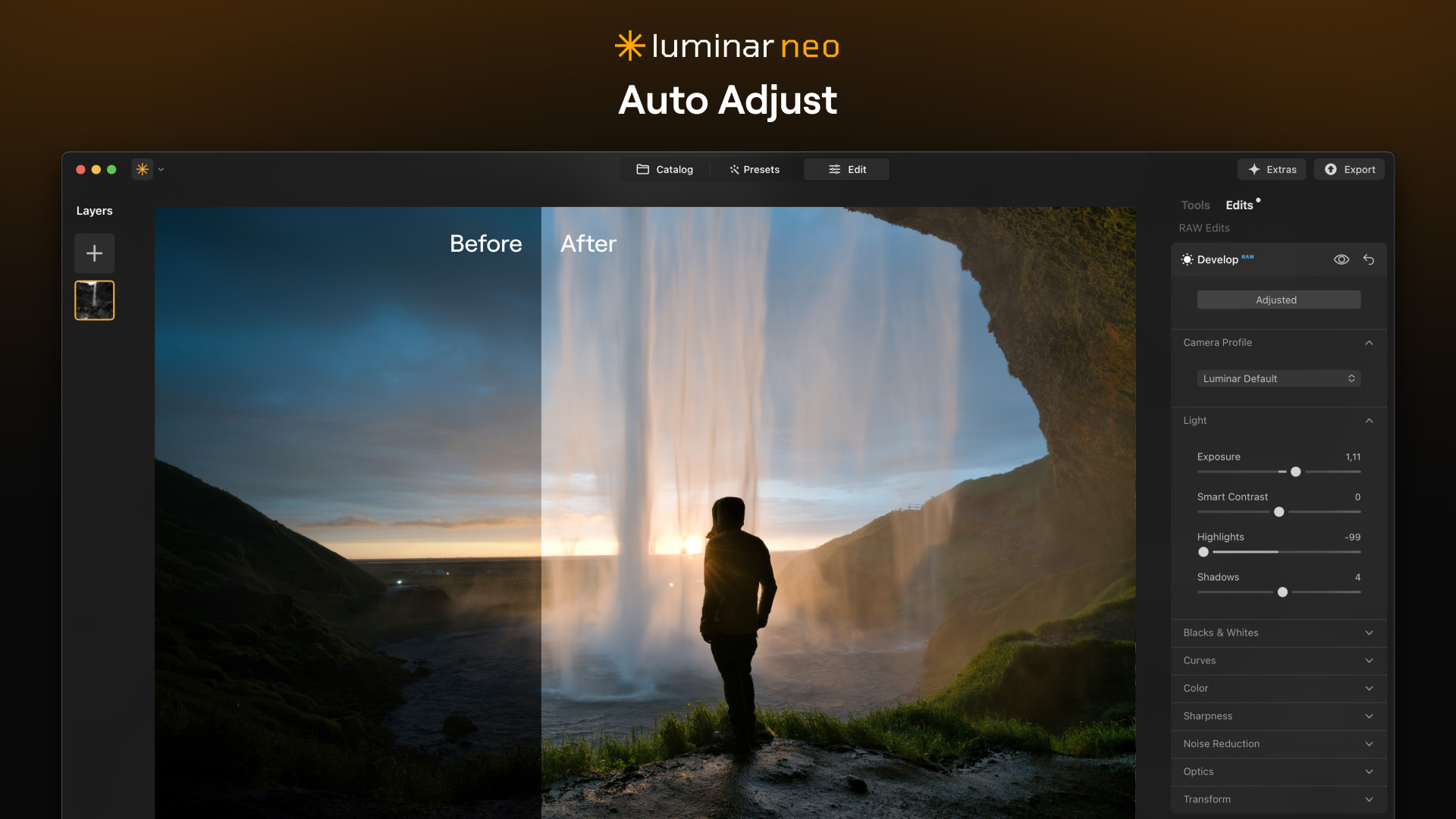
Screenshot from Skylum Luminar Neo showing Auto Adjust feature on image of person looking out towards a waterfall .

AI-infused photo editing software, Skylum Luminar Neo, has marked the season of renewal with a hefty update in a bid to “streamline workflow, optimize performance, and enhance creative possibilities”.

I think the most interesting addition is Auto Adjust. This beginner-friendly feature can be found within the Develop / Develop RAW tool and automatically adjusts key tonal sliders, such as exposure, highlights, and shadows, in just one click! I’ve yet to experience it for myself, but even seasoned image editors could find it useful as a time-saving tool, should it provide a good tonal base to work from.

Sign up to read this article
Read news from 100's of titles, curated specifically for you.
Already a member? Sign in here
Related Stories
Top stories on inkl right now
One subscription that gives you access to news from hundreds of sites
Already a member? Sign in here
Our Picks
Fourteen days free
Download the app
One app. One membership.
100+ trusted global sources.