Get all your news in one place.
100’s of premium titles.
One app.
Start reading
TechRadar
TechRadar
Harry Bowden-Ford

SharkNinja promo codes for Mar 2026 |

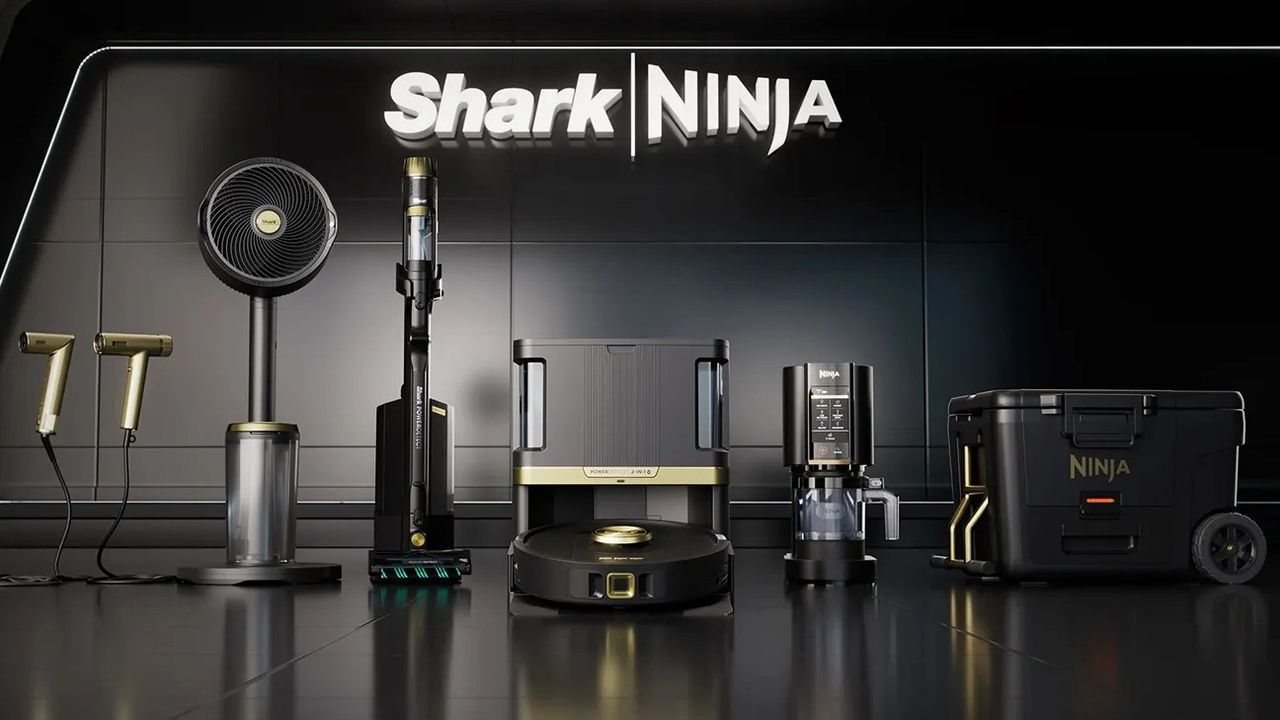
A selection of devices from the SharkNinja range.

NOTE: Shark and Ninja have now merged into one brand, SharkNinja. If you're looking for the latest promo codes for US shoppers to help you save on vacuums and kitchen appliances, you'll now find them listed together on this page.


FAQs

Does SharkNinja offer free shipping?

Yes, all orders worth $99 or more come with free shipping as standard. Any orders that fall under this total usually incur a fee of $10 to cover delivery costs. All applicable fees will be visible at the checkout before you place your order, so double-check before you proceed, and consider any future purchases you may need to make if you're currently under the threshold to see if you can avoid incurring fees.

Do SharkNinja products come with a warranty?

Yes, SharkNinja offers warranties on a number of its products, with these ranging from 1 - 7 years depending on the device in question. Warranties cover you against manufacturer faults and defects, entitling you to free repairs or replacements with free return shipping.

Regardless of the model, you will need to register your device to activate your warranty in case you need to make a claim in the future - you can do so by signing in to your account through the brand's page. You can also get additional support by contacting the SharkNinja team.

Does Ninja accept returns?

Most SharkNinja products can be sent back for a refund within 60 days of your purchase if you change your mind, with free returns shipping available via a pre-paid label. To get started, head to the dedicated SharkNinja returns portal and the brand will provide your pre-paid label to affix to the packaging once you've repacked your item. Note that worn, altered or excessively used devices are not eligible for refunds.

SharkNinja Saving Tips

Shop the sales

SharkNinja regularly runs offers which discount items across their range by as much as 50%. Although you will find deals throughout the year, we tend to see more deals (& bigger savings) around key retailing periods such as Black Friday, Cyber Monday, Memorial Day & President's Day. Make sure to check this page around these times of year to see all the latest discounts.

Get a student discount

SharkNinja offers 10% off to students who can verify their enrollment with a valid UNiDAYS account. To join UNiDAYS, you will need to be able to sign up with a university email address, which the service will verify to confirm your eligibility. Once confirmed, you'll gain access to a dedicated student discount portal, where you'll find 10% off a number of discounts across the brand's range.

Refer a friend

If you know someone who'd like products from the SharkNinja range, you can refer them during referral periods to get them $20 off their next purchase of $100 or more at the checkout. As a thanks, the brand will offer you a coupon for the same discount on a future order once your friend completes their purchase.

Note that although this offer is often available throughout the year, SharkNinja does tend to offer it only during selected limited referral periods, so check this page whenever someone you know expresses an interest to see if its currently running.

Subscribe and save

Want to hear all about the latest SharkNinja has to offer? You can subscribe to the brand's email newsletter to get the latest info on products and promotions direct to your inbox as soon as its available. When you first sign up, you'll also receive a one-off discount for 10% off a single item from the SharkNinja range, helping you save on new tech.

How to use SharkNinja promo codes

  1. Find a SharkNinja coupon code you want to use from the list above.
  2. Click "Get Code" to reveal it and copy it to your clipboard.
  3. Head back to your old tab to visit the SharkNinja website & start shopping.
  4. Add the items you want to your cart as you go, then click on your cart when you're ready to order.
  5. At the checkout screen, find the "promo code" field and paste your code in here.
  6. Click "Apply" and your order total should be amended to reflect your savings.
  7. Proceed through the rest of the checkout process as normal to place your order.

How we source coupon codes

Whether it's through our affiliate networks, the depths of the world wide web, or our connections with big name brands, here at TechRadar we use every tool at our disposal to source the latest codes. Our coupons team updates each of our pages multiple times a week with the most recent deals, including exclusive coupons negotiated by our Commercial team. We also include the latest sales info directly from retailers to offer the most up-to-date discounts around.

How we test coupon codes

Each coupon you find on TechRadar has been tested before being uploaded by our dedicated Deals & Offers teams. You’ll see a range of offers, from free shipping to student discounts, with savings available on all kinds of products & services. To make sure every coupon is ready to use, we don’t list any user-specific or one-time codes.

We also include all relevant information about coupons, such as expiry dates and any terms & conditions, near the ‘Get Code’ button. You can see the details for an individual offer by clicking on the ‘Terms & Conditions’ text below the code and expanding the code area.

What to do if a coupon code doesn’t work

Although we do our best to ensure all listed codes are tried & tested, sometimes coupons expire or terms & conditions are changed before we can update pages. Our team works hard to make sure our coupons are active and work as intended, and should you encounter an issue when using one, we’ll work just as hard to help.

The best place to start is by checking the requirements. Click “View terms and conditions” to expand the code section and see any guidance on your chosen coupon. For example, you may need to meet a minimum spend, add other items to your basket to qualify for a multibuy offer, or confirm that your chosen code applies to the items in your basket (i.e. 10% off laptops).

If you’re still having issues using your code, you can email our customer service team on coupons.techradar@futurenet.com. Include as many details as possible - such as which code you used and which coupon page it’s listed on so our team can address your issue as fast as possible.

How we make money 

When it comes to coupons, TechRadar earns money via a commission-based model. For every brand we have a coupon page for, we’ve negotiated a deal that means we earn a percentage of total basket value in commission back from every order.

Using this model means we can offer our coupons to our customers free of charge. You won’t pay any fees to add your chosen coupon to your basket - you’ll simply pay the final order total once your discount has been applied.

If you want to find out more about TechRadar’s coupons pages, you can visit our dedicated page on How We Source Coupon Codes and How to Use Them for more information.

Sign up to read this article
Read news from 100’s of titles, curated specifically for you.
Already a member? Sign in here
Related Stories
Top stories on inkl right now
One subscription that gives you access to news from hundreds of sites
Already a member? Sign in here
Our Picks
Fourteen days free
Download the app
One app. One membership.
100+ trusted global sources.