Remember when smartphones launched one device at a time? The first iPhone was just a single device. Same with the first Galaxy Note. About eight years ago, brands began branching out with two models of each line—one big, one small. And starting around 2019, phones launched in threes: one small, one big, one absolute gigantic. Samsung had already adopted this approach with its mainstream phone lines, and now its tablet series joins in on the fun, too.
Going on sale this week in Korea and the US, and Hong Kong next week is the Samsung Galaxy Tab S8 series, which includes a standard Tab S8, a larger Tab S8 Plus, and the huge Tab S8 Ultra. Because tech brands all seem to believe bigger is better, the Ultra model is also the most powerful. And so this is the one I opted to test.
After a week of heavy use, I can say the Galaxy Tab S8 Ultra may be the most versatile tablet yet, meaning it can handle both work and play extremely well.
Top notch hardware
The Galaxy Tab S8 Ultra packs all of Samsung's absolute best mobile technology in the year 2022: it uses Samsung's "Super AMOLED" display, which is universally agreed to be the best display technology in the business—it produces brilliant colors with deep blacks and saturated reds that pop off the screen, and its 120Hz refresh rate produces ultra-smooth animations, too.
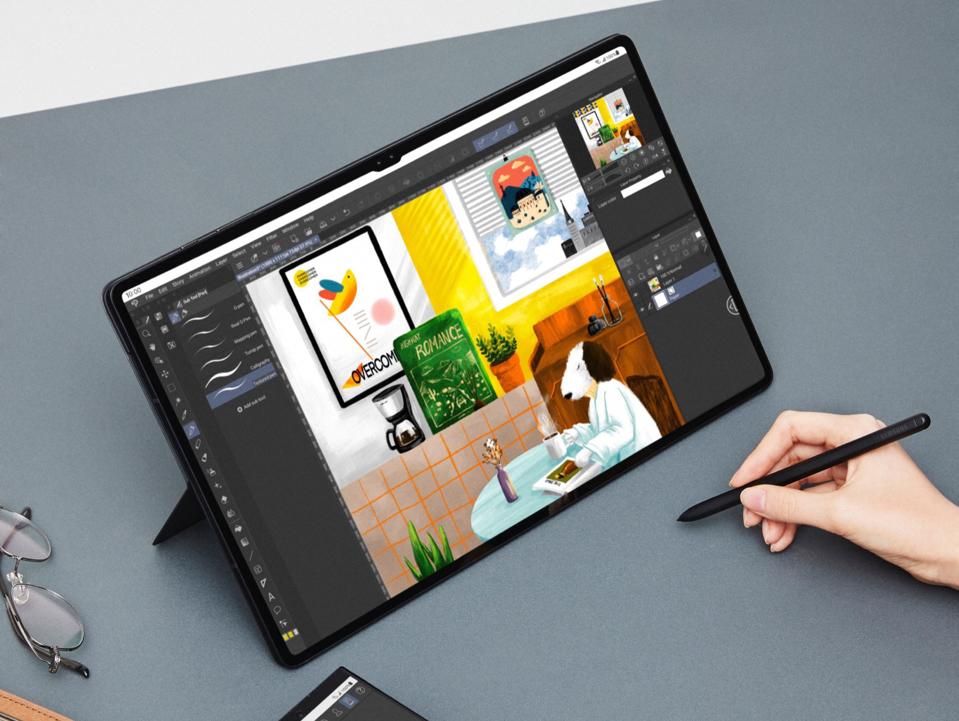
There are several smartphones on the market using Samsung's top display panel, but none are as large as the one here: 14.6-inches. Everything, from Instagram photos to NetFlix movies, look more immersive on a larger screen.
This 14.6-inch panel is the largest in any mainstream tablet, and this also means the Tab S8 Ultra is bigger than any other tablet, too. The device measures 8.2-inches tall and over 12-inches wide—dimensions that are almost as large as a 15-inch MacBook. The good news is Samsung managed to keep the device really thin at 0.22-inches, or around 5.5mm. Still, at 1.4lbs, it is a bit unwieldy to hold. This is a tablet best used when you can prop it on or against something—a stand, a table top, a thigh. If you hold it solely with your hands, they will get tired after 10 minutes.
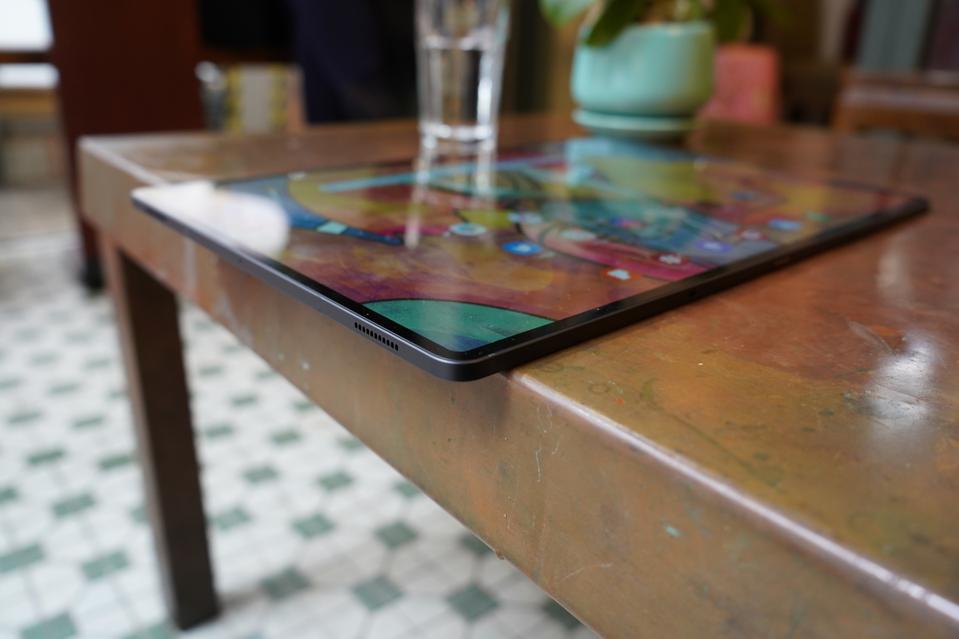
Inside the device is a Snapdragon 8 Gen 1 processor, the brand new chip from Qualcomm that has more computing power than most computer processors. There's either 12 or 16GB of RAM and up to 512GB of storage, all with the latest memory standards. The battery is surprisingly huge for a device this thin, at 11,400 mAh. Don't get your hopes up for epic battery life, however. The battery is huge, but so is the screen. This is a tablet that can go 10 or 11 hours of use, tops. I usually found myself needing to charge after an eight-hour workday.
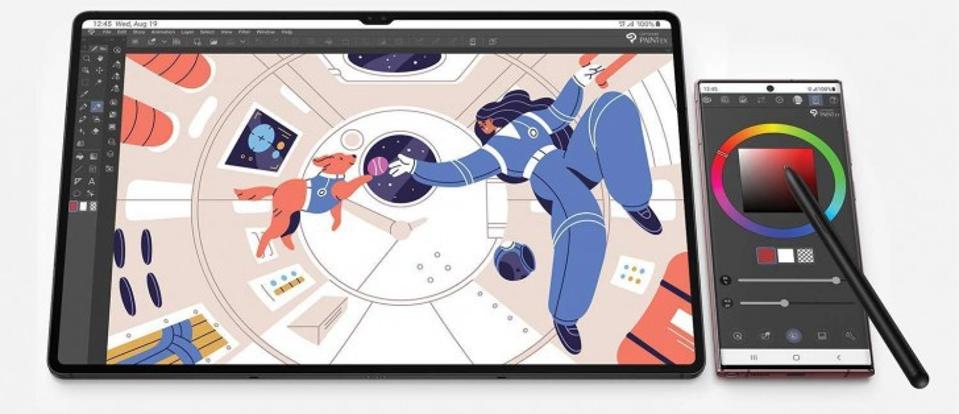
The Tab S8 Ultra supports Samsung's S-Pen stylus, and it is included in the package. The stylus attaches magnetically to the back of the tablet, where it also charges. Stylus input latency has been lowered to just 2.8 millisecond, so only the pickiest of professional digital artists will complain here. For me, who used the stylus to jot notes and make photo edits, it felt as natural as pen on paper.
So the tablet packs very impressive hardware. And since it's essentially an Android device, that means any Android app works on it, including games and social media. Throughout the week I have been mesmerized by how good Instagram Stories or games looked on the gigantic screen.

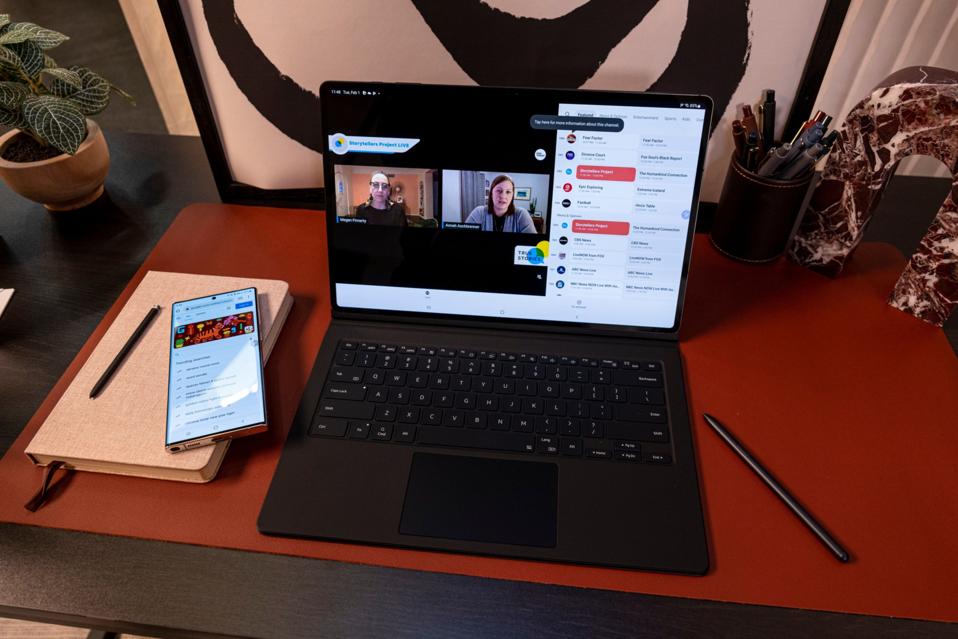
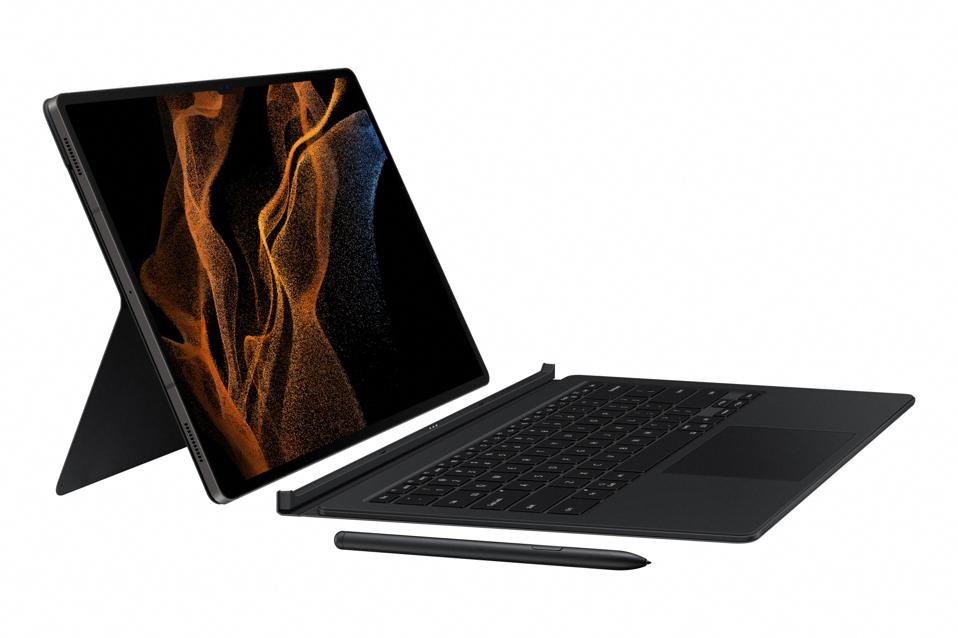
But using the Tab S8 Ultra as just a tablet is a waste of such power and screen. Samsung envisions this as a productivity machine, too, and to that end, it made a keyboard case that attaches magnetically to the tablet.
The case is technically a separate purchase, but Samsung is including it as a free gift for people who pre-order the tablet. In my opinion, the keyboard case is almost a must to get your money's worth. It's the keyboard and a nifty software trick that turns the Tab S8 Ultra into almost a full-fledged computer.
Samsung DeX fixes Android's shortcomings
Android tablets have historically been rough around the edges because Android apps are not well optimized for larger screens, especially compared to the same apps for iPads, which are extremely well optimized. This problem is a vicious cycle: app developers don't bother optimizing their Android apps for tablet use because Android tablets have bad reputations and don't sell nearly as much as iPads. But until Android apps run better on Android tablets, no one who can afford an iPad would really want an Android tablet instead. This is why even I, who prefers to use Android phones over iPhones, own an iPad.
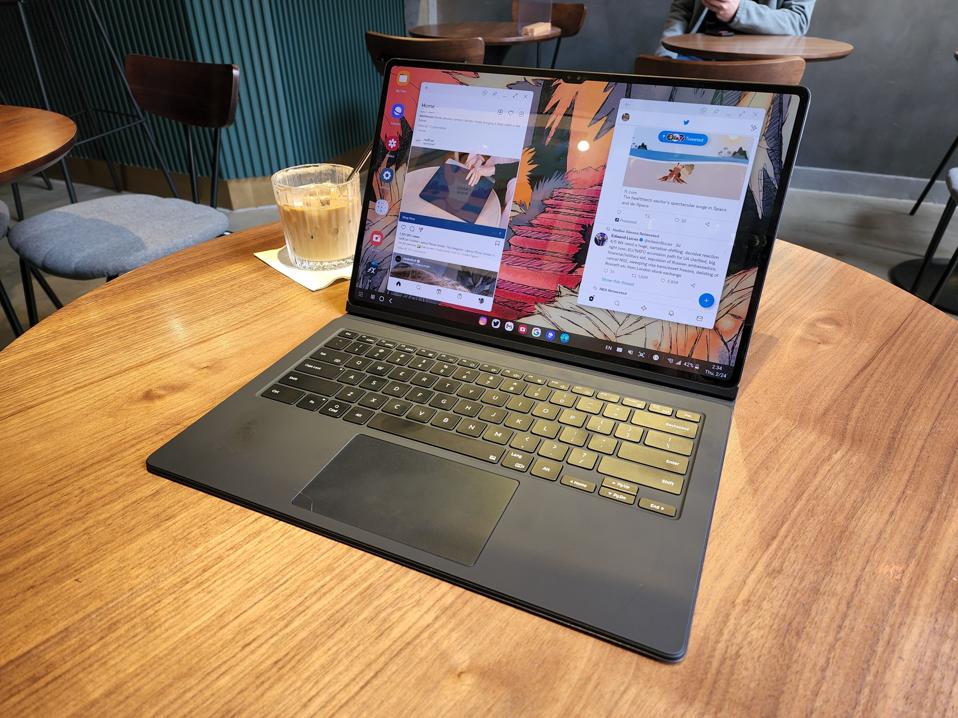
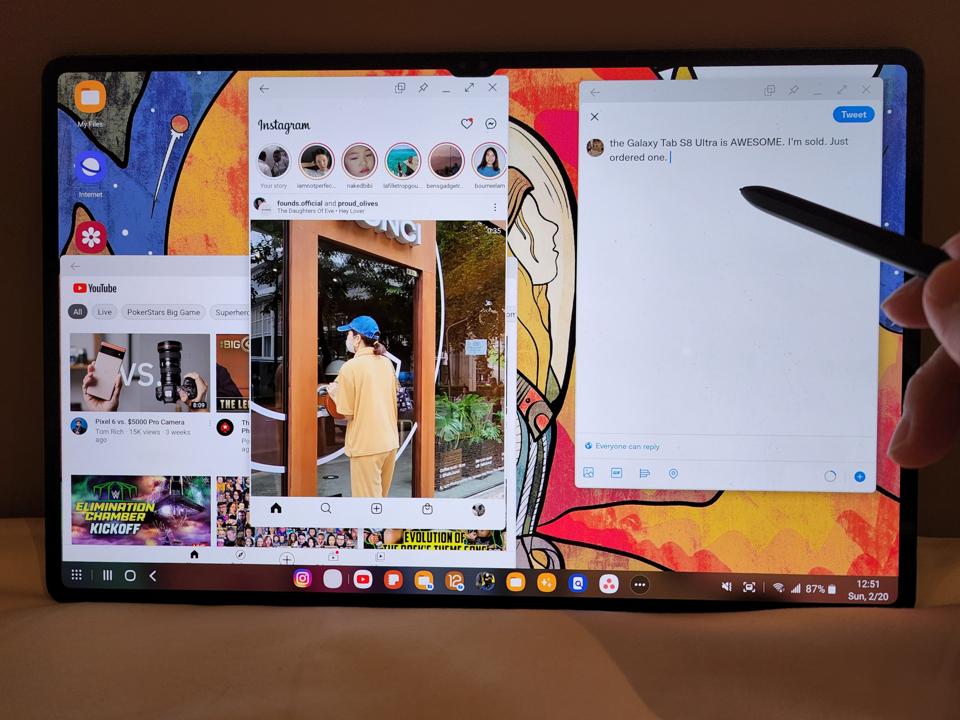
Samsung's attempting to fix the issue with DeX Mode, essentially a sandbox within the Tab S8 Ultra's version of Android that turns the UI into something resembling a desktop computer's UI. Apps will launch in smaller, resizable windows here instead of spanning the entire screen. This allows apps that are not optimized for large, wide tablet screens to display itself in a form that it was designed for—an upright rectangle. This also allows the user to run several apps at once. Because the Tab S8 Ultra's 14.6-inch screen is so large, I can comfortably run three apps at the same time and see all of its contents without issues. I could do four apps at once, too—each fitting into a quadrant—but it starts feeling a bit cramped.
S-Pen
The stylus, as mentioned, is great for sketching or jotting notes, but I've found another use case for it—as a tool with which to input Chinese characters. I am not well-versed at pinyin (one of the key ways to input Chinese characters), so I can only input Chinese text by scribbling the actual word. Not only is scribbling much easier with a stylus instead of a finger, but Samsung has text conversion software that transfers written words into digital characters, too. That the stylus is included with the tablet instead of requiring a separate purchase gives it major appeal over the iPad, whose Apple Pencil costs an extra $150.

Android tablets still have an uphill battery but at least Samsung is trying
Apple has been leading the tablet market for as long as it's existed. The last time research firms released figures in mid 2021, Apple had a 32% market share of the tablet market while Samsung had 20%. And these figures were before Apple released a much improved M1 version of the iPad.
The problem for Android tablets isn't hardware per se—we know Samsung, heck even Xiaomi and Huawei, can make hardware just as good, if not better, than Apple. The problem has always been software, and the aforementioned vicious cycle. Samsung's solution is just a bandage on the problem. It's a very strong bandage, but until Google steps in to fix the problem, the iPad experience is still a bit more seamless.
With that said, I enjoy using the Tab S8 Ultra more because it is more versatile. Android as a whole is far more customizable than Apple's mobile software and I consistently have more fun with the Tab S8 Ultra.
The Galaxy Tab S8 Ultra starts at $1,100 in the U.S. and HK$9,688 in Hong Kong. Right now there's a pre-order deal that includes the keyboard case for free in both regions (and also most of the world), but once this offer ends, the keyboard is an additional $150, so the overall package could run upwards to $1,300 for many. If you know you will use it mostly on a desk to do "real work," I think you're still better off buying a laptop. Likewise, if you just want a tablet to carry around the house to read articles or play games, you should get something less expensive and smaller, like the standard Tab S8 or an iPad Air.

But if you know you will use it for both work and play—if you will take this out to a coffee shop to pound out a word document or a long email one hour and then watch Netflix on the couch the next hour, and then do a video conferencing call while mindlessly scrolling through Instagram the next, there's no single device that can handle all of these tasks as well as the Galaxy Tab S8 Ultra.