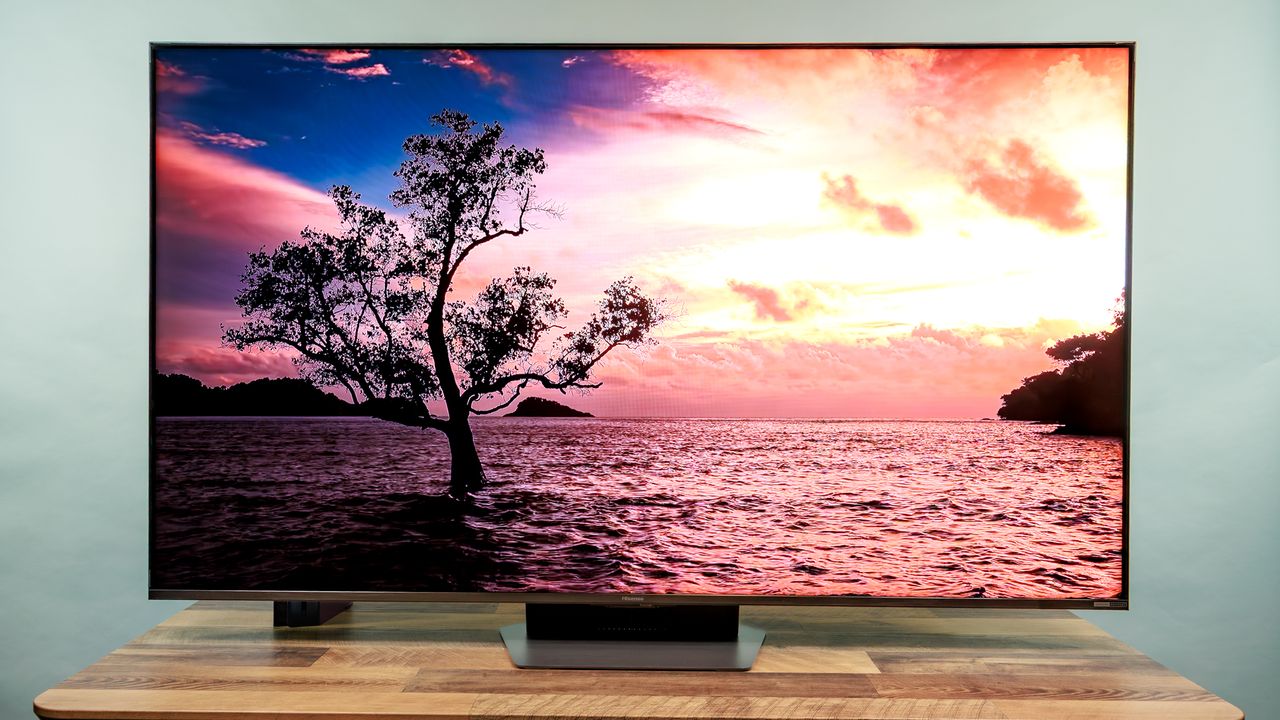
I want to start this review by saying that I really wanted to love Hisense’s latest addition to its lineup of RGB Mini-LED TVs, the UR9. I’m usually an OLED guy, but after hearing about the hype behind the UR9 — which is basically a more compact version of the Hisense 116UX that dazzled us at CES 2026 — I was excited to see how the brand’s RGB Mini-LED technology could be miniaturized in one of the best TVs of the year.

Unfortunately, after spending some time with the UR9, I walked away with mixed feelings. While the TV certainly excels in the brightness department, it ultimately falls short in a few key areas, including inconsistent color depth and balance, and just-okay gaming features. While I could be more forgiving of its flaws at a more budget-friendly price point, that’s a lot harder to do at its launch price of $3,500.
There are some highlights that I think show promise for the future of Hisense’s RGB Mini-LEDs, and the price should dip in just a few months, but it might be best to hold off on buying a UR9 until later this year — or, if that feels too soon, until 2027 when the next iteration of RGB Mini-LED comes out.
Hisense UR9 Mini-LED TV review: Price and release date
The UR9 is the latest addition to Hisense’s 2026 lineup of RGB Mini-LED TVs. The UR9 is currently up for preorder, and was officially released on April 23.

Below is a breakdown of the available sizes and pricing (we reviewed the 65-inch model):
- Hisense UR9 RGB Mini-LED TV (65-inch): $3,499.99
- Hisense UR9 RGB Mini-LED TV (75-inch): $4,999.99
- Hisense UR9 RGB Mini-LED TV (85-inch): $5,999.99
- Hisense UR9 RGB Mini-LED TV (100-inch): $8,999.99

The UR9 is the only mid-budget model of Hisense’s RGB Mini-LED TVs that you can buy right now. The next step up would be its flagship model, the 116UX, which will run you anywhere from $19,999.99 to its original MSRP of $29,999.99, depending on sales and discounts. In other words, if you’re at all interested in trying out one of Hisense’s RGB Mini-LED TVs without having to take out a loan, the UR9 is going to be the most accessible option at this time.
Hisense UR9 Mini-LED TV review: Design
The UR9 is a bulky TV. It has thick bezels and feels heavy to move around, but the sturdiness you get in return may be a good tradeoff for you, depending on your preferences.

The TV still looks nice from a design standpoint, but it will definitely take up a lot more space compared to something like an LG C6 OLED or TCL QM8L Mini-LED TV. If you’re thinking of mounting it, I could see it being more of an eyesore just because of how much it’ll protrude from the wall.

I will say, I thought the setup of the Hisense UR9’s central pedestal was a little overcomplicated. Although very durable, I thought the way it all fit together wasn’t very intuitive, and the assembly instructions didn’t help all that much.

The multiple layers of screws felt like overkill, but one thing’s for sure: This pedestal will stay attached, barring some sort of disaster.
Hisense UR9 Mini-LED TV review: Ports
The TV has a nice suite of ports, including three HDMI 2.1 ports (one of them being eARC-compatible in case you want to connect a soundbar), two USB-A ports, a LAN port, an antenna port, and an optical digital audio out port. A pretty standard setup without any glaring omissions.

One extra port that’s definitely worth mentioning, though, is the unique USB-C DisplayPort that works perfectly with smartphones, tablets, and laptops. I was able to plug in all of my devices on the fly and mirror their displays on the UR9’s screen, which was really convenient.

Not everyone has a DisplayPort cable on hand, but I’m willing to bet almost everyone has a spare USB-C cable lying around. That alone will encourage more people to get a lot of use out of this port. It’s a great addition that you’re not going to find in other mainstream TVs.
How we test TVs
We follow a standard testing protocol for every TV we review at Tom’s Guide. Our benchmarks include a series of technical and subjective tests designed to rate the set’s performance.

For our technical tests, we set the TV to Filmmaker Mode (usually the most accurate out of the box) and take measurements using a Jeti spectraval 1501-HiRes spectroradiometer, a Klein K10-A colorimeter, a Murideo 8K-SIX-G Metal pattern generator, and Portrait Displays’s Calman TV-calibration software. We also use a Leo Bodnar 4K Video Signal Lag Tester for determining the TV’s gaming prowess.
Subjective tests vary based on the reviewer but usually include anecdotes from a diverse selection of movies, TV shows, and other content reflecting the types of things you may actually want to watch on the TV. For a more detailed look at what we do and how we do it, check out our “How we test TVs” page.
Hisense UR9 Mini-LED TV review: Performance
While testing out the Hisense UR9, I watched a variety of films, TV shows, and YouTube videos to get an idea of how it would perform during daily use. I also played a few PS5 titles to judge its gaming performance and features.

Upon booting the UR9 up and starting to watch some content, I immediately noticed how bright the TV was, even in the fully lit room I was testing it in. I was definitely impressed, but I quickly started to notice some issues. While watching 2018’s “Spider-Man: Into the Spider-Verse” in the UR9’s standard picture mode, I couldn’t help but become distracted by the near-blinding whites in multiple scenes from the movie, and the color balance just felt “off.” I’d seen this movie at least ten times by now, and the range of colors felt way less vivid than ever before.

Even with all the lights in the room turned on, I was having trouble focusing on the film because of the brightness and lack of balance. With the lights off, I had to squint to avoid discomfort. Switching to a dimmer picture preset like filmmaker modes helped ever so slightly, but the picture felt even more washed out and muted in terms of color depth. So, I switched up what I was watching to see if the problems persisted.

Unfortunately, they did, to varying degrees. I watched a bit of “Thrash,” a new shark-attack thriller from Netflix, and had the same brightness issues, especially when it came to the TV’s whites. Trying to tone them down had negative effects on the contrast and blacks, and I just couldn’t get the color saturation to look right. I eventually settled on switching over to the vivid picture mode and tweaking the brightness myself, which looked better, but I was still frustrated that I had to do so much work to get a brand-new flick to look good.

I had better success watching an episode of Hulu’s “The Bear” in filmmaker mode, but still had to make some adjustments to balance everything out. No matter what I put on, I had to go through a bunch of extra steps to get the settings right, and it got old fast.

Switching over to YouTube to watch some Coachella 2026 highlights and 4K travel videos yielded similar results, but the UR9’s vivid mode played nicer with the YouTube app than it did with Netflix and Hulu. When viewing in 4K, the details actually looked really nice, but had just a slight grain over it — a product of the TV’s lackluster upscaling. I did notice some blooming around the YouTube logo, but didn’t encounter that issue within any other apps.
Hisense UR9 Mini-LED TV review: Gaming performance
The UR9’s gaming mode also left me wanting more, especially after reviewing the LG C6 OLED just a few weeks ago, which has some of the most stellar gaming performance I’ve experienced on a TV. Still, there’s some worthwhile stuff here: AMD FreeSync Premium Pro mitigates screen tearing, a dedicated HDR gaming picture mode, and 120Hz support.

I also liked the UR9’s game bar interface, though, which lets you hop between different game genre presets, make brightness adjustments, and add helpful overlays like aiming reticles and an FPS counter.

The Hisense UR9 isn’t necessarily a poor gaming TV, but I wouldn’t buy one solely for gaming purposes.
Hisense UR9 Mini-LED TV review: Test results
Hisense UR9 |
TCL QM8L |
LG C6 |
Samsung QN90F |
|
SDR Brightness (10%, in nits) |
2,486 |
518 |
343 |
229 |
Delta-E (lower is better) |
2.72 |
3.74 |
1.62 |
1.83 |
Rec. 709 Gamut Coverage |
99.93% |
99.55% |
97.8% |
99.16% |
HDR Brightness (10%, in nits) |
3,327 |
3,772 |
1,251 |
2,109 |
UHDA-P3 Gamut Coverage |
99.83% |
97.98% |
99.68% |
94.5% |
Rec. 2020 Gamut Coverage |
93.03% |
90.23% |
76.13% |
77.44% |
Input latency (in milliseconds) |
12 |
9.5 |
12.9/9.1 |
9.5 |

From our test results, you can see that the Hisense UR9 is a super-high performer in the brightness department. In HD/SDR, it blows the TCL QM8L Mini-LED, LG C6 OLED, and Samsung QN90F QLED out of the water with a peak SDR brightness of 2,486 nits. That is extremely bright, and explains why the UR9 is at its best during daytime viewing. It has a peak brightness of 3,327 nits in HDR mode, which is also impressive and on par with TCL’s QM8L Mini-LED TV (3,772 nits). The LG C6 (1,251 nits) and Samsung QN90F (2,109 nits) fall pretty far below those two.

Our Delta-E test results, which is how we measure a TV’s color accuracy, paint a different picture. The Hisense UR9 scored only a 2.72 Delta-E, which isn’t terrible, but illustrates why the TV’s depth of color seemed a bit “off” during my testing period. When it comes to Delta-E results, the lower the number, the better, and as you get closer to a Delta-E of 3 and above, color accuracy issues start to become noticeable to the naked eye.

Compared to the TCL QM8L, which scored a Delta-E of 3.74, the UR9 is definitely better in this category, but when compared to the LG C6 (1.62) and Samsung QN90F (1.83), there’s something left to be desired.

When it comes to gaming, the UR9 isn’t great compared to the competition. It scored 12ms in our input latency test, which underperforms against the TCL QM8L, Samsung QN90F, and LG C6. Even in the UR9’s gaming mode, there was no way to boost this, which resulted in a choppier experience overall. You can still definitely enjoy gaming on the Hisense UR9, but there are much better options out there if it’s your top priority.
Hisense UR9 Mini-LED TV review: Audio
If you don’t go into the settings to tweak them, you likely won’t be impressed by the UR9’s built-in speakers, which sounded a bit tinny and crackly to me, especially at higher volumes. During action sequences or scenes where music takes the foreground, the speakers’ flaws became even more noticeable.

The good news is that the TV does have different sound modes that you can play around with, including modes designed for sports, music, speech, gaming, and more. The speech-enhancing mode, in particular, was a lot better than some of the other TVs I’ve reviewed — it didn’t wash out all the other noise in a given scene as a lot of other speech modes do, and was overall pretty balanced while still giving spoken dialogue a nice boost. I actually thought the TV’s theater audio mode sounded best, and it became my default audio mode for the remainder of my time with the UR9.

Still, I always think it’s worth investing in a great soundbar to go with your TV. Stock TV speakers are almost always lackluster (at least in my experience), and the best soundbars will enhance your media setup by a wide margin.
Hisense UR9 Mini-LED TV review: Interface and apps
The Hisense UR9 uses Google TV with Gemini as its OS of choice, and I thought it worked well. The home screen was situated in a way that everything I needed was easy to find, and menu navigation was simple in the best way. Just a solid, uncomplicated OS that I expect most users won’t have an issue getting used to.

The implementation of Gemini wasn’t bad either, although I wasn’t able to use it long enough to really get the most out of its personalized recommendations. In theory, those recommendations should suit you more and more over time as Gemini learns your content preferences.

However, I was able to get some good use out of the TV’s Gemini search function, which can help you find specific movies and shows, or even suggest something to you based simply on the vibe that you’re looking for. I can see this coming in handy whenever you encounter the all-too-common choice paralysis that we experience when it comes to streaming apps today.
Hisense UR9 Mini-LED TV review: Remote
If you regularly lose your remote in between the couch cushions because they just make them too small nowadays, you’ll appreciate the Hisense UR9’s larger remote. That being said, it will definitely take up more of that precious coffee table real estate. I personally like more compact remotes, but that’s just me.

In terms of buttons, the UR9’s remote is well-rounded, with five streaming app buttons, voice controls, and a dedicated mute button. I appreciated having the customizable star button, which you can assign to your go-to app, most-used input, or specific TV functions like a sleep timer, audio output adjustments, and more. Also, I like that silver, brushed metal finish.
Hisense UR9 Mini-LED TV review: Verdict
The Hisense UR9 isn’t perfect, but it actually has a lot going for it. The TV generally looks good in a bright room as long as you have the patience to make some settings adjustments, the UI is clean and unobstructive, and fresh additions like the USB-C DisplayPort show that the brand is interested in pushing TV tech forward.
However, due to the inconsistent performance I experienced throughout my time with the UR9, I just can’t say it’s a “run out and buy this now” type of TV. This TV should have dazzled me with an excellent balance of cutting-edge brightness and depth of color, but it just didn’t. If you’re dead-set on trying a UR9 on for size because you’re intrigued by the brand’s RGB Mini-LED technology, your best bet is to at least wait for it to go on sale.
Considering this is Hisense’s first iteration of RGB Mini-LED tech, I have a feeling the next RGB Mini-LED from Hisense will be a big step up in almost every way.