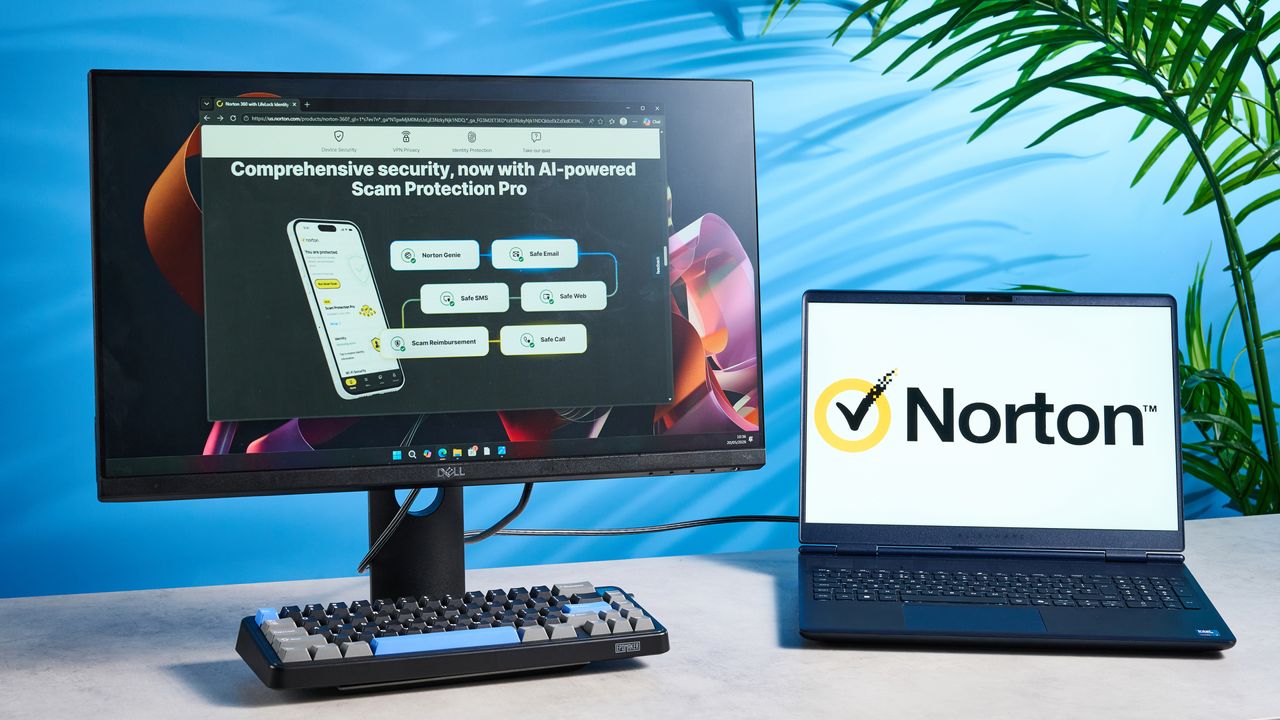
Norton 360 is one of the best antivirus software suites you can buy today, and it’s worth (nearly) every cent. Boasting a plethora of protection and security tools, Norton 360 protects you and your devices from AI scams, ransomware, and even deepfakes. What makes Norton 360 a sublime choice is the 24/7 customer support, user-friendly interface, and 60-day money-back guarantee. Low system impact is a boon too.
But the software isn’t perfect, as some features, like SafeCam, are restricted to Windows only. Norton 360’s AI assistant which checks links for malware is a little slow as well, especially when compared to the ones offered by its competitors.

For the complete breakdown, read my full Norton 360 review.
Norton 360 review: Specs
Starting price |
$94 / £69 (yearly, Consumer) | $179 / £89 (yearly, Business) |
Operating system |
Windows, macOS, Android, iOS |
Supported devices |
1-10 |
Malware protection |
Yes |
Ransomware protection |
Yes |
Identity theft protection |
Yes |
Webcam protection |
Yes (Windows only) |
Parental controls |
Yes |
VPN |
Yes |
Password manager |
Yes |
Cloud backup |
Yes (Windows only) |
Firewall |
Yes |
Secure browser |
Yes (Windows and macOS only) |
Support |
24/7 email, chat and telephone |
Norton 360 review: Costs & what’s covered
Norton 360 offers different plans offering varying levels of protection, depending on whether you’re a consumer or the owner of a small business. If you’re buying a subscription for yourself and/or your family, Norton 360’s cheapest plan, fittingly named Standard, costs $42 for the first year and renews at $94. This is a little cheaper than Bitdefender Total Security which starts at $109.
Naturally, prices jump up the more advanced the plan is. Norton 360 Deluxe for consumers starts at $52 for the first year and renews at $124, and Norton 360 with LifeLock Select Plus starts at $99 for the first year and renews at $189. Norton 360’s most expensive plan costs the same as Bitdefender Ultimate Security Plus — one of the biggest differences, though, is that Norton 360 offers a lower price point for the first 12 months.
If you own a small business, there are two plans to choose from for up to 10 employees: Norton Small Business starts at $59 for the first year and renews at $119 (for three employees), and Norton Small Business Premium starts at $199 for the first year and renews at $299 (for five employees).
It’s important to note that Norton 360 offers different plans for American and non-American customers. For instance, Norton 360 with LifeLock requires a valid Social Security Number so it can’t work in the U.K. or elsewhere outside of the States. Due to this limitation, I tested the Advanced plan, which is the highest tier available outside of the U.S.
Before you commit to a plan, it’s worth reading the fine print and going through all its features. Happily, Norton 360 offers a 60-day money-back guarantee for its consumer and business customers alike. Even better, Norton 360 says that if your device catches a virus its software can’t detect, you’ll get your money back (terms and conditions apply, naturally).
Norton 360 review: Protection
As I mentioned before, Norton 360 offers varying levels of protection depending on the plan you choose. Norton 360 Standard, the cheapest plan for consumers, protects one device against malware, viruses, ransomware and hackers, and offers Deepfake Protection, 10GB of cloud backup, Dark Web Monitoring, and a VPN.
The most advanced plan for consumers, LifeLock Select Plus, protects up to 10 macOS, Windows, iOS and Android devices from all the aforementioned, while including Scam Protection Pro, 250GB cloud storage, Parental Control, Credit Monitoring Coverage, and up to $25,000 in stolen funds reimbursement, amongst some other extras.
As with other antivirus software we test, I referred and compared testing results from three independent labs who test antivirus software twice a year (for the most part). The first thing I looked at was AV Test’s February 2026 report which certifies Norton 360 as a “Top Product” with a 6/6 score across Protection, Performance and Usability. Bitdefender and McAfee also received the same scores.
In AV Comparatives’ April 2026 test, Norton 360 performed better than Bitdefender. This test uses benchmarking tools to assess system impact. Norton 360 scored 90/100 in AVC, 94.7/100 in Procyon, and 5.3 in Impact. The lower the Impact score, the better, and Norton 360 outperformed Bitdefender which scored a 9.6/10 in Impact. McAfee, on the other hand, achieved a 3.3/10 in Impact, making it better than both its competitors.
As for the SE Labs (U.K.) April 2026 report, Norton 360’s macOS version was awarded an AAA rating with 100% protection accuracy, which is the highest possible rating.
Norton 360 review: Performance
Tom's Guide reviews gaming platform
Supplied by: MSI | Tom's Guide
CPU: AMD Ryzen 7 7700X | Graphics card: MSI RTX 5070 Ti 16GB Vanguard SOC | Motherboard: MSI B850E Gaming Plus WiFi | RAM: Kingston Fury Renegade DDR5 32GB | Cooler: Noctua NH-U12S | PSU: MSI MEG Ai1300P PCIE5 | Case: MSI MPG GUNGNIR 110R
Once you’ve bought your subscription, it’s time to download and install Norton 360 on your computer or smartphone. On Windows and macOS, you’ll need to log into My Norton with the registered email address and find the Download button on the dashboard. If you can’t see it, you may need to enter your 25-character unique license key and the Download button should then show up. It took under five minutes to get Norton 360 up and running on our testing rig on which I ran the majority of the tests.
On iOS and Android smartphones, you’ll need to download Norton 360 from the respective app store and sign in with your registered email address. The app should then automatically pull your subscription details. It takes mere seconds — the process couldn’t be smoother.
The first thing I did to test the antivirus software was to run a system scan — most users will be doing the same, I’m certain. There are a few types of scans available. You’ve got your classic Quick and Full scans, and in addition to those, you get access to Targeted (custom) and even a Startup scan which, as the name suggests, scans your files when you boot up the computer. Startup scan is something I haven’t seen other antivirus software suites offer, including Bitdefender and Malwarebytes.
To start with, I ran a Quick Scan which took three minutes and 33 seconds to complete, and it scanned 96,054 files without detecting any threats. The Full Scan took a bit longer, as expected, and it took just over five minutes to scan 896,544 files. Again, no anomalies were detected. Norton 360 didn’t scan as many files as Bitdefender, which scanned over two million files in 26 minutes.
FPS with Norton 360 running |
FPS with Quick Scan running |
FPS with Full Scan running |
|
|---|---|---|---|
Cyberpunk 2077 (Ultra graphics) |
118 |
107 |
105 |
Forza Horizon 5 (High graphics) |
125 |
123 |
123 |
The Quick and Full scans were conducted without any other heavy-duty apps running in the background. To see if Norton 360 has an impact on system performance, I ran in-game benchmark tests on two games: Cyberpunk 2077 and Forza Horizon 5. With Norton 360 running in the background, Cyberpunk 2077 (Ultra graphics) achieved 118fps which dipped to 107fps with the Quick Scan running, and 105fps with the Full Scan running.
Similarly, with Forza Horizon 5 running on High graphics, the game achieved 125fps with Norton 360 running in the background. With the software performing a Quick and Full Scan, the frame rate dropped to 123fps in both instances. This goes to show that Norton 360 doesn’t have a detrimental effect on your system’s performance, and that you can continue gaming as usual even with the software running in the background.
Download (Mbps) |
Upload (Mbps) |
|
|---|---|---|
Without Norton 360 |
811.58 |
752.85 |
With Noron 360 running |
810.77 |
734.55 |
Quick Scan running |
709.56 |
606.89 |
Full Scan running |
896.09 |
654.43 |
After finishing the in-game benchmark tests, I ran a few tests at speedtest.net to see how Norton 360 impacts internet speeds. As you can see from the table above, upload speeds dropped a fair bit with the Quick and Full Scans running — though the latter’s were faster than the former’s (surprisingly).
Norton 360 review: Features
In addition to system scanning, Norton 360 packs other goodies too, all of which ensure your device and online identity remain protected from threats. I tested the Advanced plan which comes with extras like Deepfake Protection, Parental Controls, Dark Web Monitoring, and Social Media Monitoring which notifies you of suspicious activity, like changes to your account settings and risky links.
I put a few of those through their paces, starting with Ask Genie, which is Norton 360’s built-in AI assistant. It helps you assess links and images to determine whether they’re safe to open or believe. I’ve seen AI assistants in Malwarebytes and Avast One too, so I was looking forward to testing Norton 360’s.
Unfortunately, I found Ask Genie to be quite slow to respond. I started off by asking it to check if a YouTube link was safe to click on. I got texts back that it was working on the thumbnail, content and more and to come back in a few minutes. Ask Genie never completed the task and said to try again later — which was disappointing.
I then asked it to check whether a security alert from Microsoft was legitimate (I knew it was). It asked me a number of questions to figure out what exactly I wanted to know. I was surprised by this, as I didn’t have to do so with Malwarebytes and Avast One. Both those suites’ AI assistants were quick to answer. Similarly, I had to tell it thrice what to do with a TikTok link I shared to check its legitimacy. I felt frustrated by Norton 360’s AI assistant, truth be told.
On to the good things now. Norton 360 comes with a Secure VPN, depending on the plan you purchase but it’s included in the Advanced tier I tried. You don’t need to download a separate app for the VPN, which is great, and it lets you connect to 2,000 servers across 65 counties — a little less than Bitdefender where you can connect to one of 4,000 servers globally, but still good.
Norton 360’s Advanced plan features a handy File Cleanup tool too, which detects unneeded files on your machine, and determines whether they’re safe to delete. This is good for those who have many, many files on their computer, as it gives you an at-a-glance view of files eating into your storage and hampering system performance. You can then go through the files and choose which ones you want to get rid of.
Though Norton 360 offers robust protection thanks to features like Credit Alerts and Dark Web Monitoring, I’m surprised one of its features is paywalled. When I opened Norton 360, it told me my computer was at risk and that “6,553 issues” were slowing down my PC. When I clicked on it to fix the issues, I was told to purchase Norton Utilities Ultimate. It isn’t expensive, with the add-on costing £29 for the first year, but still disappointing that you have to buy it separately.
Also worth noting: some features are available to Windows users only. SafeCam, which protects your webcam and microphone, and Cloud Backup aren’t compatible with non-Windows machines, including MacBooks. This isn’t a massive drawback, per se, as macOS features reliable built-in privacy tools to protect your webcam, and Time Machine is a powerful backup tool, too.
And to top it all off, Norton 360’s Advanced plan includes advanced security measures like AI agent protection. If you use, say, Claude Code, Cursor or OpenClaw, you can integrate Norton 360 into it to keep your AI tools secure while they work.
Norton 360 review: Interface
I’m yet to test an antivirus software that doesn’t sport a clean, accessible interface, and Norton 360 is no different. My Norton, the online dashboard, serves as the central hub for managing your subscription and activating it on different devices. There are no intrusive pop-ups or ads, so it’s a joy to navigate the dashboard.
The software itself is extremely user-friendly, and everything is well-signposted for new (and returning) users to understand. It’s important to note that you can’t make the window full-size — but this is a common occurrence with antivirus software suites. I’ve seen it with Avast One and Bitdefender, and the only software suite that doesn’t follow this convention is Malwarebytes.
Norton 360’s mobile app is just as intuitive to use. It’s available on both iOS and Android. I tested it on my Google Pixel 10 Pro XL, and found the activation process super quick — all I needed to do was login with my registered email address. I found the mobile dashboard easy to understand, and I also liked that I didn’t need to download a separate app for the Secure VPN.
Norton 360 review: Support
Regardless of how smoothly an app runs, you may run into some issues that can’t be solved by a simple Google search. Norton 360 offers extensive support for consumers and businesses alike. The support center features detailed help pages and troubleshooting guides, and there’s an active community of other users who discuss issues and solutions on Norton 360’s official forums.
If the guides fail to enlighten you, Norton 360 happily offers 24/7 email, chat and text support — just like Bitdefender, Avast One and McAfee. To get started, you must type in your registered email address, after which you’ll be asked to select the topic you need help with. Norton 360 will then suggest contact methods, but if you don’t want to speak to a human being over the phone, you can ask to be connected to the live chat.
The AI-powered chatbot is useful and quick to answer your questions. I asked it for help with two separate things and it quickly presented the solution to me. I then asked to speak with a human being and it took just under five minutes for the chatbot to connect me with another person.
Norton 360 review: Verdict
Norton 360 delivers a comprehensive security suite that strikes a balance between strong protection and ease of use. Its top-tier plans pack in nearly every feature you could want: malware and ransomware defense, Dark Web Monitoring, Parental Controls, Secure VPN, and more. Its low system impact is a standout advantage, as the software can run without seriously disrupting gaming or day-to-day performance.
However, there are a few niggles standing in the way of Norton 360 achieving the perfect score. Some features remain limited to Windows machines, including SafeCam, and Norton’s Ask Genie AI assistant feels slow and inconsistent compared to offerings from Avast One and Malwarebytes.
But even with these shortcomings, Norton 360 remains one of the most feature-rich and dependable antivirus software suites today — and it offers bang for your buck.