Get all your news in one place.
100's of premium titles.
One app.
Start reading
Windows Central
Windows Central
Technology
Sean Endicott

Microsoft Teams green screen helps you stand out against your background

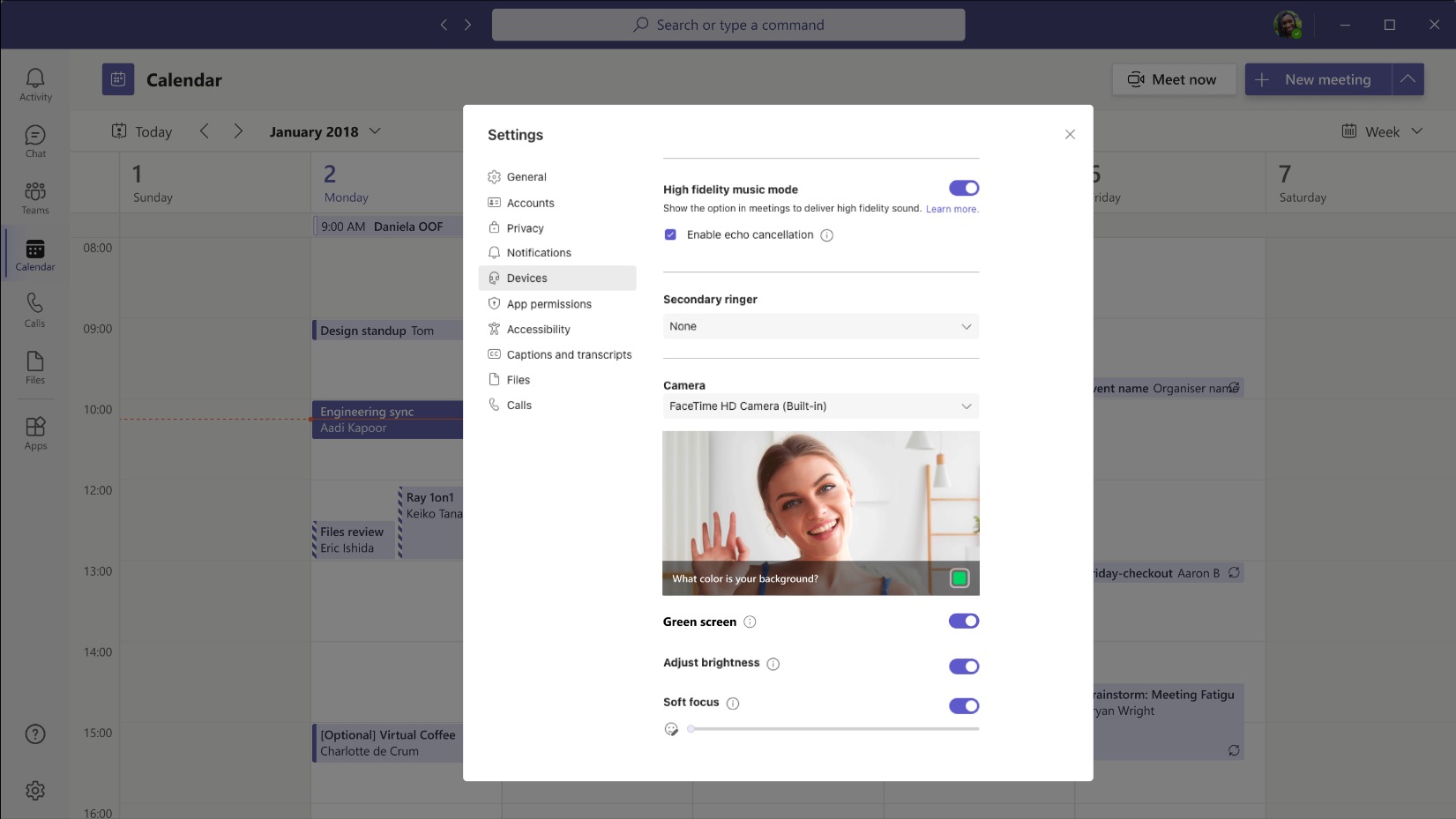
Microsoft Teams green screen feature

What you need to know

  • Microsoft Teams now supports a green screen feature that enhances virtual background effects.
  • The feature is in public preview and can be enabled through the Video effects panel page.
  • Green screen improves the background blur effect around a subject by sharpening the image around a person's face, head, ears, and hair.
  • While the feature is named "green screen," it can be used with a solid background of another color.
Sign up to read this article
Read news from 100's of titles, curated specifically for you.
Already a member? Sign in here
Related Stories
Top stories on inkl right now
One subscription that gives you access to news from hundreds of sites
Already a member? Sign in here
Our Picks
Fourteen days free
Download the app
One app. One membership.
100+ trusted global sources.