Get all your news in one place.
100's of premium titles.
One app.
Start reading
Tom’s Guide
Tom’s Guide
Technology
Ashley Thieme

Logitech Mobi Fold review: This foldable mouse has been an interesting addition to my workflow, and I’ve been surprised by how useful it is

Logitech Mobi Fold mouse in graphite photographed in front of a blue background.

The Logitech Mobi Fold seems pretty unconventional at first glance. It’s a mouse that folds into a net square so it fits in the palm of your hand, making it easy to take with you anywhere. But is it one of the best mice? Well, it’s certainly one of the most interesting.

The design is surprisingly comfortable, matching the contours of my palm perfectly, and the smart sensors help me avoid any misclicks when moving around. The mouse is also compatible with the Logi Options+ App, so you can make changes to DPI based on your needs.

But the short battery life, jumpy touch-sensitive scrolling and loud clicks might put you off. To find out more about the foldable mouse and its quirks, you can keep reading this full Logitech Mobi Fold review.

Logitech Mobi Fold review: Cheat sheet

  • What is it? A foldable mouse
  • Who is it for? On-the-go workers
  • How much does it cost? The Logitech Mobi Fold is available for $79 / £69 on Amazon
  • What do we like? It’s easy to transport, comfortable and customizable
  • What don’t we like? The short battery life is disappointing, scrolling is jumpy and the clicks are loud

Logitech Mobi Fold review: Specs

Price

$79 / £69

Dimensions

4.8 x 2.3 x 1.3 inches

Dimensions (when folded)

2.6 x 0.8 inches

Weight

2.8 oz

Colors

Lilac, Graphite, Off-white

DPI

400 - 4000

Number of buttons

4

Material

Plastic, Silicone

Connectivity

Wireless

Battery life

32 days

Compatibility

Windows 10 or later, macOS 12 or later, iPadOS 15 or later, ChromeOS, Android 12 or later, Linux

Logitech Mobi Fold review: The ups

The Logitech Mobi Fold is one to consider if you regularly work on the go. The foldable design is comfortable to use and convenient, while the customizable buttons and sensors mean you can adjust it to suit your needs.

It does yoga

(Image credit: Tom's Guide)

The Logitech Mobi Fold does exactly what the name suggests and can be contorted much like a flip phone. The mouse can be quickly snapped together, reducing it from 4.8 x 2.3 x 1.3 inches to just 2.6 x 0.8 inches.

Honestly, the mouse is compact anyway, but this neat folding means it can slot easily into the side pocket of my laptop cover so I know exactly where it is. I’ve found it to be an ideal option for when I’m tight on space in my bag but still need a reliable mouse on hand.

I’ve also tested the ESR MagMouse ($35), which is designed for on-the-go use. The difference here is that the ESR is still the usual mouse shape. Its only adaptation is that its base is magnetic, so it can be attached to your laptop when moving around. I think the Logitech Mobi Fold is a lot more useful than this because it becomes so compact and can be stored in a small pocket when moving around, while the ESR is a typically clunky mouse and measures 4.2 x 2.5 x 1.5 inches.

Comfortable to hold

(Image credit: Tom's Guide)

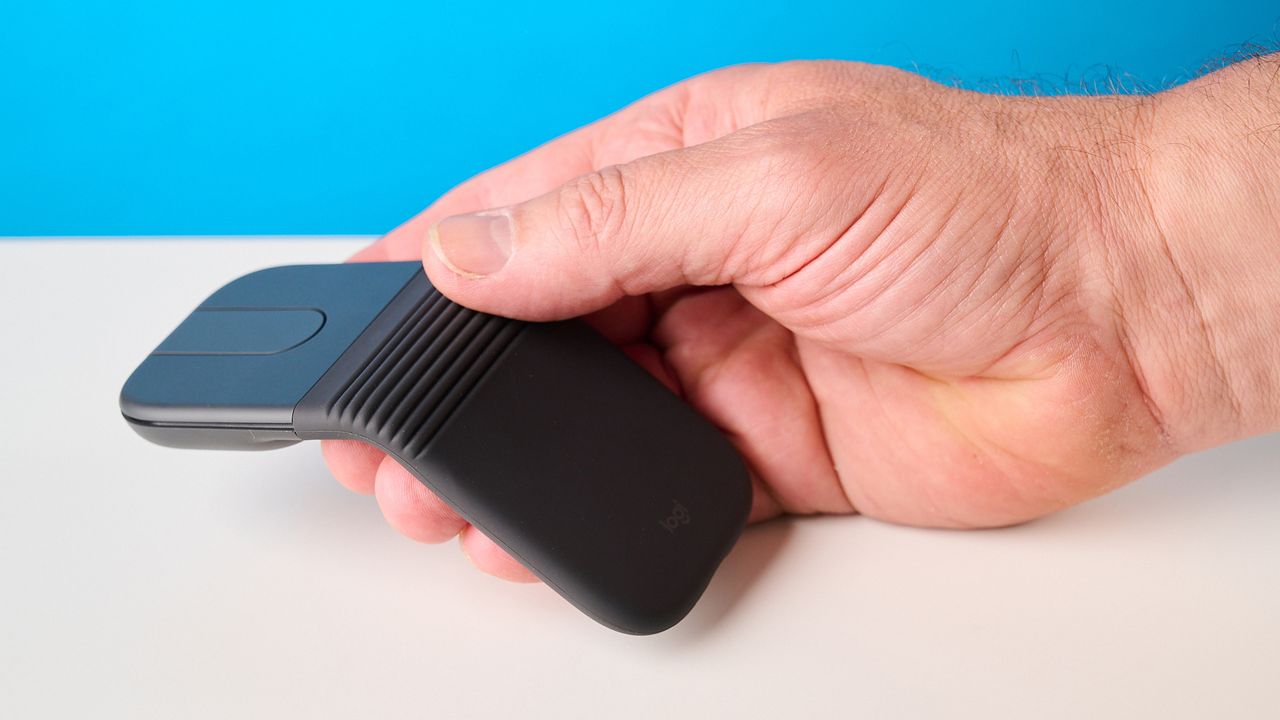
Because of the way the Logitech Mobi Fold is angled, I’ve found it incredibly comfortable to hold. I usually like to use a vertical mouse, like the Anker 2.4G Wireless Vertical Ergonomic ($25), as the shape supports my hand in a comfortable position all day long, but this style isn’t portable since it’s very large and awkwardly shaped.

The Logitech Mobi Fold bridges the gap between comfort and a portable design. The fold has enough of an arch that my palm feels cradled and supported. However, this is personal, and anyone with large hands will probably think the size of this mouse is frankly ridiculous.

No misclicks

(Image credit: Tom's Guide)

When picking up the Logitech Mobi Fold to collapse and store it, I was concerned I would accidentally hit a few buttons and do something detrimental to my spreadsheet. But I didn’t need to worry.

The mouse uses sensors to detect when it is lifted or folded, so the buttons become deactivated, meaning zero misclicks.

Loads of Options

(Image credit: Tom's Guide)

The Logitech Mobi Fold is compatible with the Logi Options+ App. I’m familiar with this app from previously testing Logitech’s keyboards and webcams. It’s just as easy to use with the mouse. The mouse has four buttons, and two of these are customizable in the app. Having this app means you can adjust the mouse DPI, making it more or less sensitive depending on your needs. I left the right and left buttons as they were, but decreased the DPI so the mouse was less sensitive to my movements. This gave me a lot more control.

Logitech Mobi Fold review: The downs

As much as I like the Logitech Mobi Fold, it has a few quirks. The scrolling is jumpy, and the clicks are loud. There’s also no USB receiver included, and the battery life is very disappointing.

Scrolling is jumpy

(Image credit: Tom's Guide)

Scrolling on the Logitech Mobi Fold feels jumpy. The scroll is touch-sensitive, and the absence of a scroll wheel makes the mouse look much more streamlined. But at times, this is too sensitive and sometimes even unresponsive.

This makes it pretty unreliable, and I found myself moving to the scroll pad on my laptop when I needed to scroll. I’d find this frustrating if I were using the mouse every day.

Clicks are loud

(Image credit: Tom's Guide)

While the Logitech Mobi Fold looks discreet, the sound it makes is anything but. The clicks are quite loud, and in an office setting, this would become annoying very fast. Not only is it distracting for coworkers, but I found it distracted me from my own workflow. I would have appreciated some quieter switches.

USB receiver not included

(Image credit: Tom's Guide)

The Logitech Mobi Fold can be connected to your device via Bluetooth or by using a USB receiver. However, the USB receiver isn’t included with the mouse. Instead, you have to purchase the Logitech Bolt USB-C Receiver separately for $14.

Since this USB receiver is universal, it can be used with other Logitech devices, but it’s a shame it’s not included with the mouse. It’s unusual to see a mouse in this price range without a receiver; for example, the Keychron M3 Mini V2 8K ($69), NZXT Lift Elite Wireless ($74) and Cherry XTRFY M50 ($69) all include them.

The Logitech Pebble Mouse 2 could also be a viable option if you want a USB receiver and need to save some space, as the design is very slim. It’s also only $24 on Amazon U.S.

Poor battery life

(Image credit: Tom's Guide)

The Logitech Mobi Fold has very disappointing battery life. These numbers depend on your usage, but Logitech says you should get 32 days using Bluetooth and 33 days using the Bolt USB receiver.

In comparison, the ESR MagMouse has 80 days of battery life, and if that’s not enough, the Logitech Signature AI Edition ($49) has a whopping 24 months.

The Mobi Fold is rechargeable via USB-C and only takes around 45 minutes to fully charge. However, it’s worth noting that the mouse is hard to use when it’s charging due to the position of the charging port, so you’ll spend those 45 minutes waiting around.

Logitech Mobi Fold review: Verdict

The Logitech Mobi Fold is one of the most interesting mice I’ve come across. Its foldable style makes it highly portable while still being comfortable to hold as it cradles your palm. The smart sensors helped me to avoid any misclicks when transporting the mouse, and the ability to use the Logi Options+ app means you can make any changes you need to the mouse to suit your work style.

But unfortunately, there are some letdowns. The short 32-day battery life is very low compared to others in this price range. The touch-sensitive scrolling is also jumpy, and the clicks are loud, making the mouse a little distracting.

If you’re someone who regularly works on the go, I think the Logitech Mobi Fold is an ideal solution to save space and remain productive. But for everyday use at your desk, I think it leaves a lot to be desired.

Sign up to read this article
Read news from 100's of titles, curated specifically for you.
Already a member? Sign in here
Related Stories
Top stories on inkl right now
One subscription that gives you access to news from hundreds of sites
Already a member? Sign in here
Our Picks
Fourteen days free
Download the app
One app. One membership.
100+ trusted global sources.