
Get all your news in one place.
100's of premium titles.
One app.
Start reading
T3
T3
Technology
Max Freeman-Mills

Lenovo Yoga Pro 7i Gen 11 Aura Edition (15-inch, 2026) review: Another powerhouse

Lenovo Yoga Pro 7i Gen 11 Aura Edition (15-inch, 2026) review.

Lenovo has oodles of laptops to choose from at any one time, to the point where it's almost certainly a little overwhelming if you're hoping to pick up a new machine – where should you start? Well, probably not with the Yoga Pro 7i Gen 11 Aura Edition, not because it lacks in any areas, but rather because it's a bit of a beast.

Part-timers need not apply: this is a professional-grade laptop with components to back that claim up, and it can try its hand at all manner of jobs as a result. With a discrete GPU and a powerful Panther Lake chip from Intel, you get power to spare, in a chassis that doesn't even pretend to be particularly lightweight. For those who want a do-it-all powerhouse, keep reading to see if this one's for you...

Price and Availability

The Yoga Pro 7i Gen 11 Aura Edition 15-inch is available now directly from Lenovo, and can be configured in quite a few ways. It starts from £2,299.99 with an Intel Core Ultra 7 356H chipset, an Nvidia GeForce RTX 5050 and no touch screen, but that's not the version I tested.

Rather, I got the higher-end model at £2,599.99, packing a Core Ultra Ultra 9 386H instead, along with an RTX 5060 and a touch version of its OLED display. Regardless of whether you get the starting version or that step-up, though, you'll probably agree that this is a seriously premium laptop that makes no pretences about being entry-level.

Design and Features

(Image credit: Future | Max Freeman-Mills)

Lenovo's laptops aren't necessarily known for their slick designs, although some of them are slimmer and sexier than others. The Yoga Pro 7i isn't in that category, in my opinion, although there's still plenty to like about it.

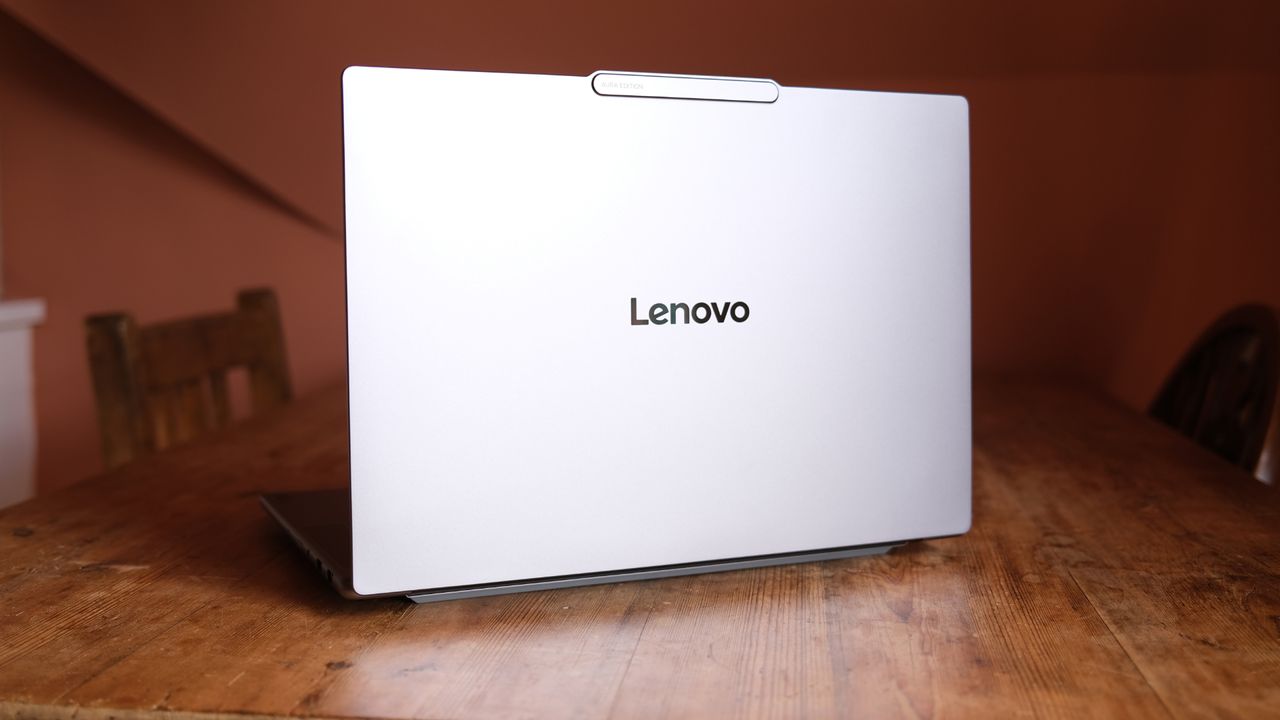
On the positive side, it's a very professional-looking laptop that feels really well-made when you're using it. It has a metal body and frame that hardly flexes at all when it's on a surface, and a bunch of venting on the bottom, sides and back, to ensure that it gets airflow through it when it's under a heavy load. As part of that aim, it also has taller rubber feet than usual on the bottom, although this isn't really an issue comfort-wise when doing actual in-lap work.

There are some core design notes I don't adore, though, one of which is the slightly protruding area at the top of the display that houses the webcam offering. It has a practical purpose, in that it makes for a little lip you can use to easily open the laptop, but I never love how these protusions look.

Then there's the contrast between the bottom and top halves of the laptop. The lid (housing the display) is ever so slightly smaller than the main chassis of the laptop, making for a tiny shelf between the two, and they're also both finished with slightly different edges. This isn't a huge issue, but it makes for a non-unified seam between the two, where I'd prefer a more subtle joining.

The solid build quality also translates to a fairly bulky laptop. It comes in at 1.65kg to start, but that'll tot up slightly with more component upgrades, and at 34.7cm wide, it's a decent unit to put in a backpack or laptop bag.

Being professional-grade, though, the laptop excels from a connectivity point of view. On its left edge, you'll find an HDMI port, two power-enabled USB-C ports, and a full-size SD card reader. On the right, meanwhile, there are two USB-A ports, a 3.5mm audio jack, the power button and a camera switch that can toggle your camera off for privacy.

Opening the laptop up, another good decision is obvious. Despite a sizeable footprint as a 15-inch model, Lenovo hasn't played around with a numpad or anything. Instead, you get a simple but spacious tenkeyless keyboard that feels great to type on, with surprisingly deep key travel and height for a laptop.

The trackpad is very solid – I used its standard version with mechanical clicking, but you can kit it out as a haptic equivalent if desired.

On either side of the keyboard are solid enough stereo speakers, although they're prone to a little distortion, as with most laptop audio.

The display comes in at 2560x1600 and 165Hz, an OLED panel with all those specs, the same whether you upgrade to the touch version or not.

Under the hood, meanwhile, you'll get a latest-gen Intel chip, and again you'll have plenty of power either way.

Finally, this unassuming-looking machine has discrete Nvidia graphics, mainly aimed at professional workflows, but that also unlocks more gaming options. You can choose between a 5050 or 5060 – the latter which I had on test.

You'll get 32GB of DDR5X RAM soldered in on all versions of the Yoga Pro 7i, and a 1TB SSD, too.

That webcam is 5MP and has IR for facial recognition, as well as dual microphones for video calling.

The whole machine only comes in this one colourway – grey.

Performance and Display

(Image credit: Future | Max Freeman-Mills)

Checking out the many specs I covered in the section above, if you've pursued many laptop reviews in recent months, you'll probably be able to make a pretty solid guess at how the Yoga Pro 7i Gen 11 Aura Edition performs – extremely impressively.

With that Core Ultra 9 at its heart, I've found the laptop almost impossible to ruffle when using it for my daily workflow, albeit I don't work with video or 3D files. Using it for extensive multi-browser working, though, with image editing and a bunch of downloads and apps left open, it's not broken a sweat.

These Panther Lake chips aren't often in particularly cheap laptops right now, but I've found them extremely reliable performers, in short. Of course, the Ultra 9 chip I had in for testing also features the Intel B390 iGPU (which the step-down Ultra 7 doesn't), so the laptop's also surprisingly capable when gaming without a power supply connected.

It can get playable frame rates in Cyberpunk 2077 with some fiddling (hovering around 40fps easily without looking too shabby), and the same goes for Doom: The Dark Ages. That said, if you plug in your power adapter, the laptop will swap over to the Nvidia GPU you've chosen, and you'll get a major boost, making far smoother gameplay and higher resolutions attainable.

(Image credit: Future | Max Freeman-Mills)

That duality between the GPU and CPU is what makes this laptop such a powerhouse, and a real contender against a highly-specced MacBook Pro, but I don't think people should kid themselves that it's a sensible buy if you want to game. You can get better value elsewhere if that's your main aim, that's for sure, and the best gaming laptops actually have some slicker designs to offer nowadays, too.

Still, it's an impressive set of performance options, and that's made all the more dazzling when you consider the lovely display that everything's happening on. This is a beautiful OLED panel, one that has all the depth and vividness that comes with the display tech. It's also, naturally, a 15-inch monitor, and you do feel that extra real estate compared to smaller laptops.

The extra manoeuvring space for multitasking and open windows can be gold dust when you don't have an external monitor to connect to, so don't discount the laptop based on its size alone. That said, this is one to perhaps see in person before you buy it, since it is a little larger than you might expect as a result.

Verdict

(Image credit: Future | Max Freeman-Mills)

The Yoga Pro 7i Gen 11 Aura Edition (15-inch) has one of the least catchy names I've encountered in a while, even by laptop standards, but that hasn't stopped it from impressing. In terms of raw power, it offers a potent blend of CPU and GPU, in a design that you wouldn't guess has the latter inside.

However, it's far from the most elegant laptop I've encountered recently, and it has an absolutely stonking price tag attached. That means it ticks two boxes at once. Firstly, it does what it says on the tin and performs in the extreme Secondly, you should only buy it if you're certain your workflow requires a Windows laptop with this level of power and flexibility – otherwise, far more affordable options are out there waiting to be explored.

Also consider

It's impossible to ignore the shadow of Apple's silicon when talking about a laptop in this price bracket, so you might want to consider whether a slightly more affordable M5 MacBook Pro is a better choice for you, as I suspect it might be for most of us.

If you're committed to Windows, though, and want a bigger laptop with plenty of power that weighs far less than Lenovo's, then check out our review of the Asus ZenBook A16, with Qualcomm's Snapdragon chip in it. It's almost insanely light for its size, and therefore an interesting contrasting option.

Sign up to read this article
Read news from 100's of titles, curated specifically for you.
Already a member? Sign in here
Related Stories
Top stories on inkl right now
One subscription that gives you access to news from hundreds of sites
Already a member? Sign in here
Our Picks
Fourteen days free
Download the app
One app. One membership.
100+ trusted global sources.