Get all your news in one place.
100's of premium titles.
One app.
Start reading
Tom’s Guide
Tom’s Guide
Technology
Tony Polanco

I just spent 48 hours with the Steam Controller — here's my honest verdict

Steam Controller.

The Steam Controller is the real deal. This is my conclusion after having used Valve’s new controller for over 48 hours. Not only is it the perfect controller for Steam users, but it’s also a smart redesign of the controversial original from 11 years ago. It’s a brilliant peripheral that only makes me yearn for the Steam Machine even more.

On top of a more traditional controller layout than its predecessor, the Steam Controller has unique features, such as large haptic touchpads, four back buttons, TMR thumbsticks, and a slew of software-specific customization options. The latter is particularly noteworthy, as you can fine-tune the controller for virtually any game genre. It also just feels good to hold thanks to its ergonomic, lightweight design.

I’ll have a full review of the Steam Controller for you soon. For now, here are my impressions after 48 hours with the peripheral.

First impressions

(Image credit: Tom's Guide)

The official press shots and even reviewers’ photos made the controller appear as big as an old Dreamcast controller, but in reality, it’s just slightly wider and longer than a modern Xbox controller. I do have large hands, so folks with smaller hands might feel differently, but this controller fits my grip nicely.

The controller has the same matte-like finish as the Steam Deck. Thanks to that, it's easy to maintain your grip, even if your hands get sweaty. The ABXY face buttons and shoulder buttons feel like a more rigid, durable version of their Steam Deck equivalents. In fact, you could almost consider this controller a Steam Deck without a screen since it feels so similar.

(Image credit: Tom's Guide)

Setting up the Steam Controller is extremely simple. All you have to do is connect the included receiver puck to your PC via the USB cable, then magnetically snap it to the controller to begin pairing. Snapping the puck on and pulling it off is immensely fun and reminds me of doing the same with MagSafe on MacBooks.

The gaming experience

(Image credit: Tom's Guide)

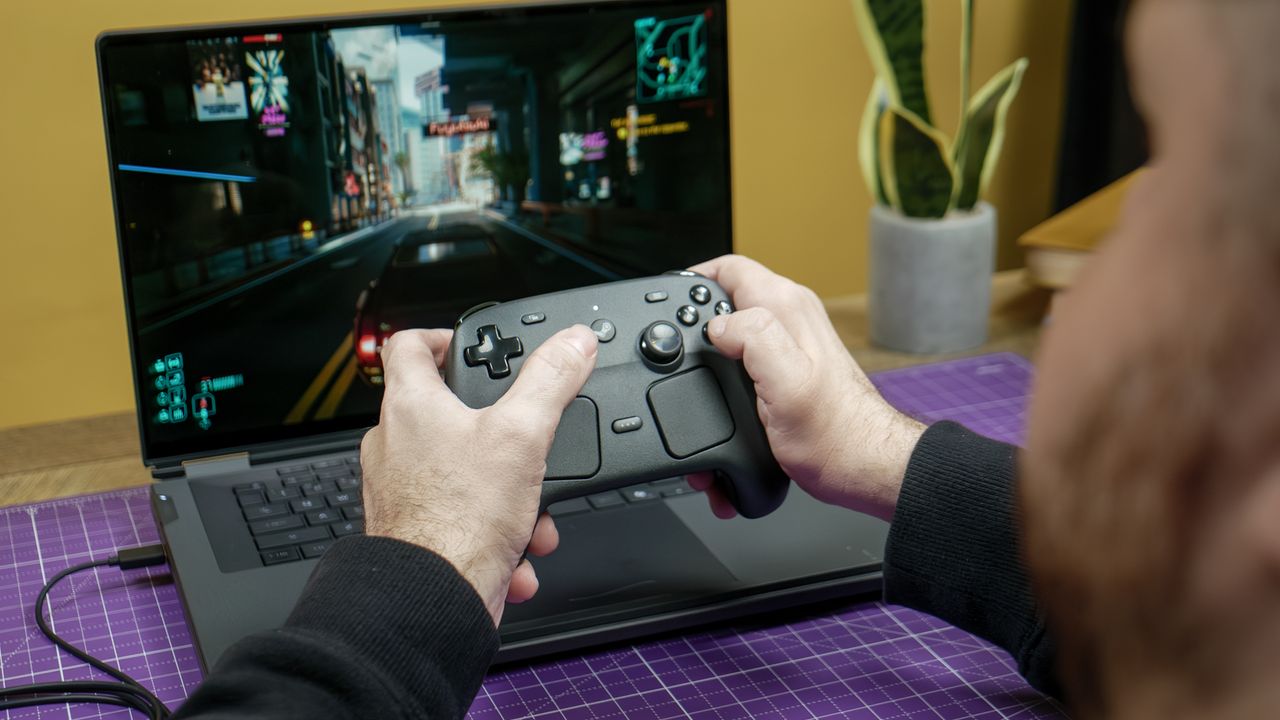
You know a controller is great when it becomes a natural extension of your hands. That has largely been my experience with the Steam Controller, since it’s so intuitive to use. The TMR thumbsticks respond to even the smallest movements, while the buttons have a nice level of resistance when pressed. And as I said before, it feels awesome simply holding it.

When exploring the open-world setting of Cyberpunk 2077, I had no issues moving around and taking in the dystopian game’s sights. Whether I was walking down a neon-lit street or blasting cyborgs away with an assault rifle, everything felt just right. The triggers are excellent for shooting games and racers alike.

(Image credit: Tom's Guide)

There are a ton of customization options within SteamOS’ Steam Input settings menu. Not only can you remap all the buttons, but you can even program the touchpads to act like a mouse or even a D-Pad. I haven’t toyed around with all the settings, but trust me, you could spend hours messing around with them. This high level of customization lets you tailor controls for specific games and genres.

I don’t play genres like RTS or MMOs that would make greater use of touchpads, but I do enjoy their haptic feedback when I scroll through menus. This isn’t a game-changing feature, but little touches like this make the experience more enjoyable and immersive.

Except for fighting games, where I prefer using a dedicated fight stick, I don’t see myself using another controller for PC gaming since it works so well for the main genres I play.

Outlook

My full review will be posted soon, but suffice it to say that the Steam Controller more than lives up to the hype. It’s a brilliantly designed peripheral that feels like a natural extension of the Steam ecosystem. While it’s not compatible with other PC game launchers, Steam users will be more than happy with this product.

The Steam Controller is already great on its own, but it’s a nice appetizer for the full Steam Machine experience. If that platform can deliver the same smooth and intuitive experience, we’re in for something special. But for now, we can enjoy the Steam Controller for what it delivers—and what it delivers is pretty darn phenomenal.

More from Tom's Guide

Sign up to read this article
Read news from 100's of titles, curated specifically for you.
Already a member? Sign in here
Related Stories
Top stories on inkl right now
One subscription that gives you access to news from hundreds of sites
Already a member? Sign in here
Our Picks
Fourteen days free
Download the app
One app. One membership.
100+ trusted global sources.