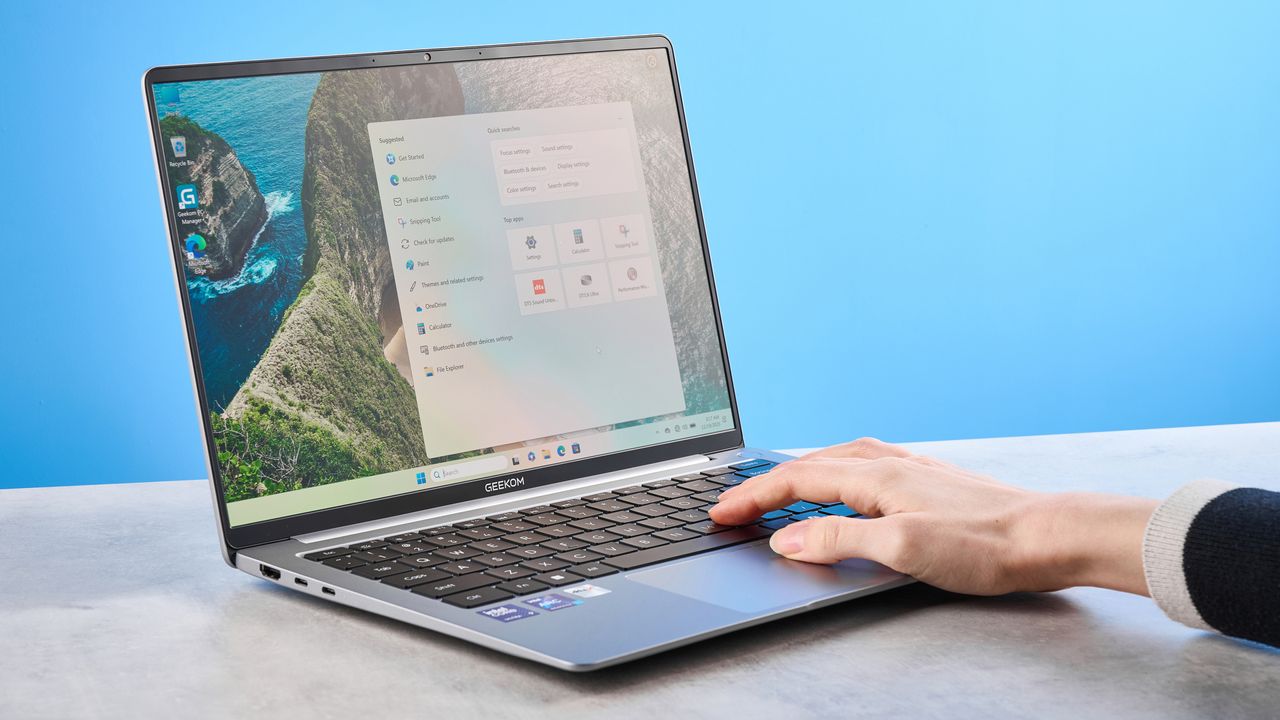
I love MacBooks. I've used a MacBook since 2013, and I love everything about my personal MacBook Pro M1 and work-sanctioned MacBook Air M2. Although I've used many Windows laptops in my life, I always find myself yearning for the simplicity of Apple's machines. Still, I review Windows laptops, and use them for gaming to test the best monitors, mice, and keyboards too.
Recently, I've been testing a MacBook lookalike and rival to the Air, and truth be told, it's the only Windows laptop I'd actually ditch my MacBook for. The Geekom GeekBook X14 Pro is sleek, lightweight, good-looking, and oh-so-powerful. It's a joy to type on, and it's excellent for photo editing, serious work, and casual gaming. Though I'm still working on the full review, my first impressions of the laptop are extremely positive.

There's plenty of other things to love about the X14 Pro. Personally, I love its Magic Keyboard-esque keys, responsive trackpad with smooth panning, and the compact form factor. Priced similarly to the latest MacBook Air M5, is this the compact Windows laptop to get? Personally, it's the only one I'd buy. Let me tell you why.
That screen's a beauty

One of the reasons why I prefer the Geekom GeekBook X14 Pro over my MacBook Air M2 is its beautiful OLED screen. The 2.8K resolution provides superior, crisp picture quality, deeper blacks, and better color accuracy, making it ideal for creative work, like photo editing.
As someone who reviews the best cameras and the best drones, a vivid, clear display is extremely important to me, as it helps me color grade and edit photos and videos accurately. I've never had any qualms with color accuracy and coverage on the Air M2, and the X14 Pro comes close on paper, as you can see in the table below.
Geekom GeekBook X14 Pro |
MacBook Air M2 |
|
Nits (brightness) |
396 |
489 |
sRGB |
99.8% |
107% |
DCI P3 |
102% |
75.9% |
Delta-E |
0.9 |
0.2 |
The X14 Pro covers 99.8% of the sRGB spectrum and 102% of the more demanding DCI P3 color gamut, as opposed to the Air M2's 107% and 75.9% coverage respectively. Delta-E, which determines color accuracy (the closer the score to zero, the better), measured at 0.9 is fantastic too, but lags behind the Air M2's 0.2 Delta-E score.
While on paper the Air M2 performs better, I think the X14 Pro's screen looks better in real-world use — and that's because it's an OLED panel. Greens look vivid and blues pop with life and character, while there's plenty of detail to be found in the blacks and shadows. Truly a remarkable and beautiful viewing experience.
MacBook-like features go a long way

The things that make my MacBook Air M2 feel like the best laptop to me are its quality of life features. The quick start up and shut down, the lack of any intrusive pop-ups, the clean interface, and more. The Geekom GeekBook X14 Pro comes close, in that regard. I've been thoroughly enjoying how quickly the laptop wakes up or starts up after being shut down, as it saves me a few minutes and a bit of frustration.
Another thing I love, as I alluded to in the intro, is the X14 Pro's keyboard. It feels very similar to the one on my Air M2, as the keys are spaced out in a similar way, and each keys have a similar travel distance. I've had no problem jumping between the two laptops and my typing speed on the X14 Pro hasn't been impacted negatively.
Geekom GeekBook X14 Pro |
MacBook Air M2 |
|
Typing speed (words per minute) |
94 |
88 |
Typing accuracy |
96.3% |
93.04% |
Quite the opposite, in fact! I took a typing test at 10fastfingers.com on both laptops, and as you can see from the table above, I was able to achieve six more words per minute on the X14 Pro, and my accuracy was up too. That's also some of the best accuracy I've had when I take into account the typing tests I've taken on the best keyboards I've tested.
Another thing I love about the X14 Pro is the fingerprint sensor located in the top-right corner, just like on my Air M2. There's even a physical privacy slider on the X14 Pro's right edge that electronically cuts off the camera to protect your privacy.
The laptop hosts two USB-C 4.0 and one USB-A 3.2 Gen 1 ports, as well as an HDMI 2.0 output and a 3.5mm headphone jack. For those who like to connect more devices to their laptop, Geekom includes an external dock with additional ports as well as an ethernet jack.
Looking ahead...

I've been thoroughly enjoying my time testing the Geekom GeekBook X14 Pro. I've found it excellent for work and photo editing, and casually playing Forza Horizon 5 and F1 25 hasn't given me anything to complain about either.
But do I still prefer my MacBook Air M2 for work? Kinda. I love Apple's operating system. It's stripped back, minimalist and gives me everything I need without being too loud or feeling garish. I'd pick macOS over Windows 11 any day. That isn't to say that the X14 Pro isn't good, of course. It features impressive hardware, including 32GM RAM, packaged into a compact, sleek, lightweight body.
And as of now, my first impressions of the X14 Pro are outstanding, and I can't wait to write up my findings in my full review (keep your eyes peeled for that).