If your inbox feels like a second full-time job, a new wave of AI-powered email tools promises to change that.
One of the most talked-about options right now is Superhuman Email — an app designed to help users move through messages faster, automate replies and even see when emails are opened. Its makers claim it can save up to four hours each week.

I’m usually skeptical of anything labeled “the most productive email app ever,” but after exploring its latest features, it’s easy to see why the tool is gaining traction among professionals overwhelmed by cluttered inboxes.
Following major AI upgrades in 2025 and an acquisition by Grammarly — which has since rebranded under the Superhuman name — the platform has expanded its AI capabilities and integrated new productivity tools across its ecosystem.
If you’re wondering what Superhuman Email actually does and whether it’s worth trying, here’s what you need to know before signing up.
Superhuman Email can sort your inbox and remind you to follow up
Superhuman AI powers nearly everything the app does for Gmail and Outlook users.
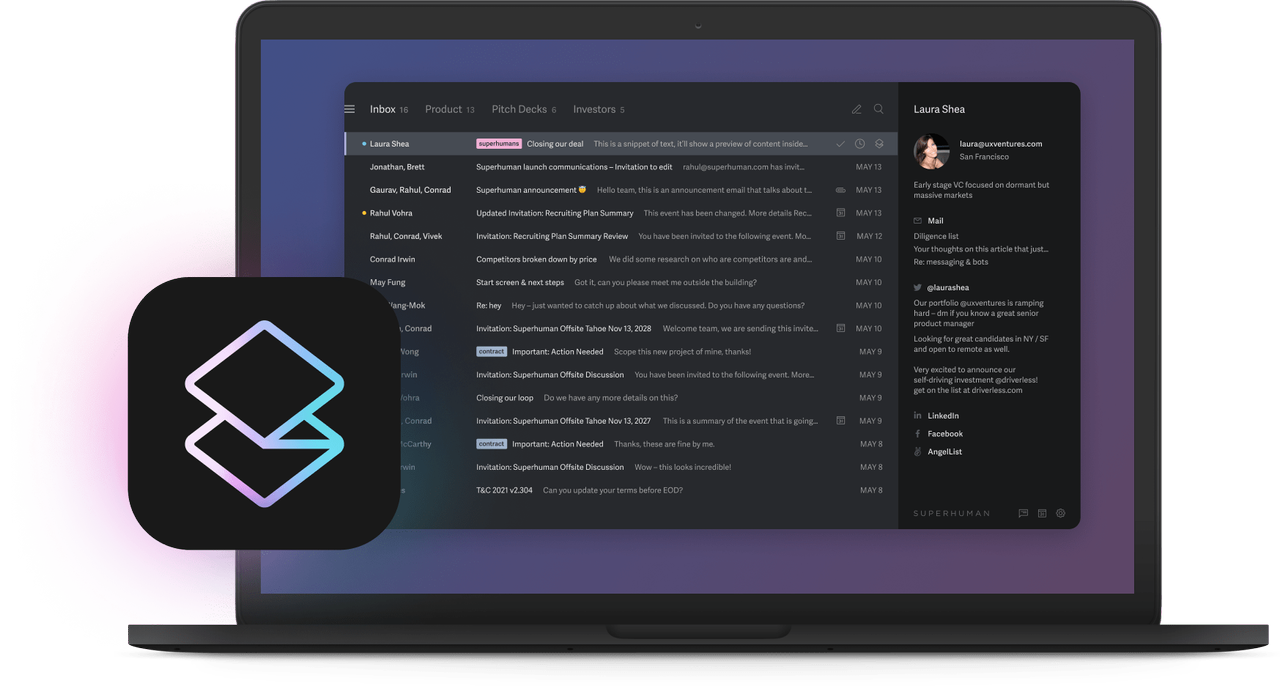
One standout feature, Split Inbox, lets you organize messages into custom categories. You can separate important emails, highlight VIPs and teammates, surface calendar invites and group updates from tools like Slack, Asana, Google Docs and Notion.
When you send an important message, Superhuman can remind you to follow up if no one replies by a time you set. Instead of forwarding emails or CC’ing teammates, you can also share a live view of a message and let others comment on it — even if they don’t use Superhuman.
For faster writing, the app uses Snippets, prewritten templates that insert phrases, full emails, attachments or CC recipients as you compose messages. Snippets can also be shared across teams.
Superhuman can notify you when someone opens your email, what device they used and whether a teammate is already drafting a reply — helping avoid duplicate responses and confusion during urgent conversations.
When you view a contact, Superhuman shows their full name, location and links to social profiles or personal websites, giving you quick context before responding.
Superhuman Email is also capable of performing the following functions:
- It can dive into your calendar for free time blocks whenever you suggest a date and use a shortcut to check your calendar for whatever activities you’re tending to the next day
- It will create events right from your email
- It can fix grammatical and spelling errors at a self-professed faster rate than Gmail and Outlook’s autocorrect features
- Instantly unsubscribe from unwanted newsletters and quickly clear out spam
- Create and use keyboard shortcuts with a feature called “Inbox Zero”
- Create a reminder for when to send a message via “Send Later”
- Generate faster replies with the “Instant Reply” feature
Here’s everything you need to know to sign up for it
All you need to do to sign up for Superhuman AI is simply link your Google account, link your Microsoft account or create a Superhuman AI account with another email.
Bottom line
Among the flood of other AI email assistants out there (Notion, MailMaestro, SmartWriter, and Shortwave come to mind), Superhuman Email’s attributes make it stand out as one of the finest on the market.
With these features in mind — and the quick sign-up process — it doesn’t take long to see what the hype around Superhuman Email is about and whether it deserves a place in your AI toolkit.

Follow Tom's Guide on Google News and add us as a preferred source to get our up-to-date news, analysis, and reviews in your feeds.