Get all your news in one place.
100's of premium titles.
One app.
Start reading
Android Central
Android Central
Technology
Brady Snyder

How to remix images in Google Messages

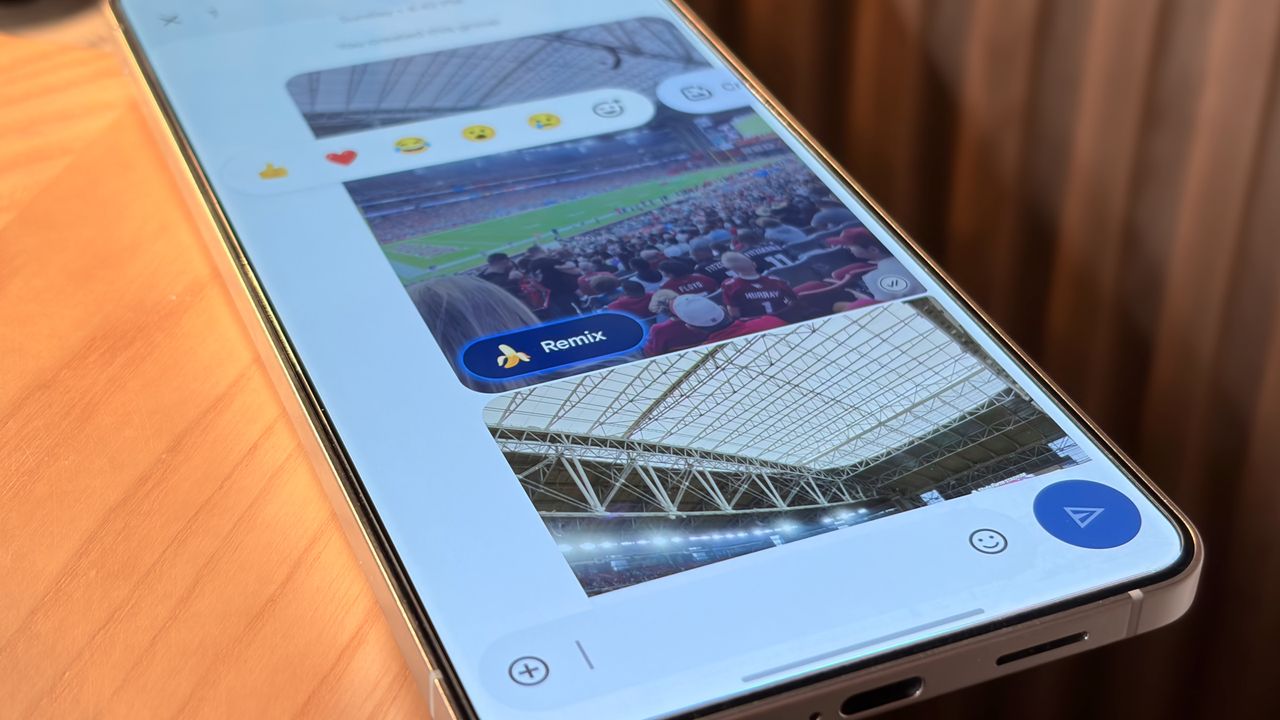
Using the Remix feature in Google Messages on a Samsung phone.

Google Messages has a new banana button, and it's the latest way Google wants you to use AI to interact with your friends. It's called Remix in Google Messages, and the feature uses the Nano Banana image-generation model to alter an image right inside the app. It brings Gemini's growing image-generation chops directly inside your Messages chats.

Before long, you'll probably run into a remixed photo in Google Messages, or want to try creating one yourself. In this guide, we'll cover everything you need to know about the feature and how to get started using it.

Sign up to read this article
Read news from 100's of titles, curated specifically for you.
Already a member? Sign in here
Related Stories
Top stories on inkl right now
One subscription that gives you access to news from hundreds of sites
Already a member? Sign in here
Our Picks
Fourteen days free
Download the app
One app. One membership.
100+ trusted global sources.