Get all your news in one place.
100's of premium titles.
One app.
Start reading
Pro Game Guides
Pro Game Guides
Sudhanyo Chatterjee

How to Get Opera GX Skins in Forsaken Roblox

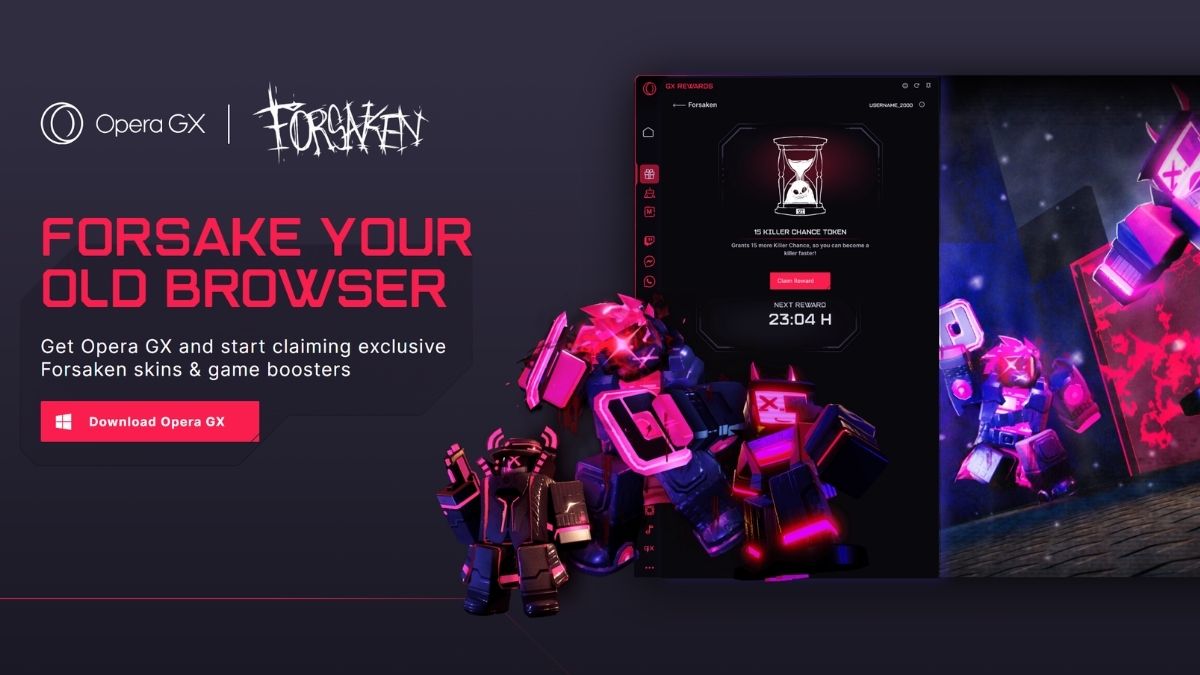
To claim Opera GX rewards in Forsaken, download Opera GX, open the GX Rewards menu using the gift box icon in the sidebar, and enter your Roblox username. Then open Forsaken, select GX Rewards from the top left corner, and press Check Enrollment to verify your account. The six-day pass is completely free and includes two exclusive character skins, Web Surfer Veeronica and Digital Rider 1x1x1x1, alongside XP Boosters and a Killer Chance Token.

Recommended Videos

Opera GX has partnered with Forsaken for a free, limited rewards pass that gives out three exclusive character skins alongside XP Boosters and a Killer Chance Token over several days. There is no purchase involved, just a browser download and your Roblox username. The skins are the main draw, especially Digital Rider 1x1x1x1 at the end of the pass. So, here's everything you need to do to get these skins.

What Is the Opera GX Rewards Event in Forsaken?

Forsaken GX Opera Rewards Event
Screenshot by Pro Game Guides

Opera GX Rewards is a free partnership pass between Opera GX and Forsaken that hands out exclusive skins and in-game items over multiple days. Every reward in the pass is free to claim with no Robux, no subscription, just an Opera GX download and a linked Roblox username. Each reward can only be claimed once, so you collect them as they unlock across the pass.

How Do You Set Up Opera GX to Claim Forsaken Rewards?

Download Opera GX from the official landing page and open the GX Rewards menu once installed. The menu icon looks like a gift box and sits in the middle of the browser's sidebar. Follow these steps below to finish the setup:

  1. Download Opera GX from the Forsaken rewards landing page
  2. Open the GX Rewards menu . Look for the gift box icon in the middle of the sidebar
  3. Enter your Roblox username in the rewards menu to link your account

NOTE: If you already have Opera GX installed, you can access the same menu directly from the sidebar without reinstalling.

How Do You Claim Your Rewards in Forsaken?

Claiming GX Forsaken Rewards
Image by Pro Game Guides

Once your Roblox username is entered in Opera GX, launch Forsaken and head to the GX Rewards option in the top left corner of the screen. An event page will appear from which you need to press Check Enrollment to verify your account.

After verification goes through, rewards become available to claim as each day of the pass unlocks. You do not need to log into an account or connect anything beyond your Roblox username. There is no Roblox account linking through OAuth or anything similar.

What Are All Rewards from the Forsaken Opera GX Pass?

GX Opera x Forsaken Rewards
Screenshot by Pro Game Guides

The pass runs across multiple days with a mix of exclusive skins and functional in-game items. The three skins, Web Surfer Veeronica, Binary Breacher Chance, and Digital Rider 1x1x1x1, are the permanent cosmetic rewards.

Day Reward
Day 1 Web Surfer Veeronica (Skin)
Day 2 Killer Chance Token
Day 3 XP Booster (1 HR)
Day 4 Binary Breacher Chance (Skin)
Day 5 XP Booster (1 HR)
Day 6 XP Booster (3 HR)
Final Day Digital Rider 1x1x1x1 (Skin)

Frequently Asked Questions (FAQs)

For more on Forsaken Roblox, check out Forsaken Halloween Event Guide – The Masquerade or How to play Slasher in Forsaken – PVP Tips and Tricks on Pro Game Guides!

Sign up to read this article
Read news from 100's of titles, curated specifically for you.
Already a member? Sign in here
Related Stories
Top stories on inkl right now
One subscription that gives you access to news from hundreds of sites
Already a member? Sign in here
Our Picks
Fourteen days free
Download the app
One app. One membership.
100+ trusted global sources.