Get all your news in one place.
100's of premium titles.
One app.
Start reading
TechRadar
TechRadar
Harry Bowden-Ford

DreamCloud coupons for Jul 2026 |

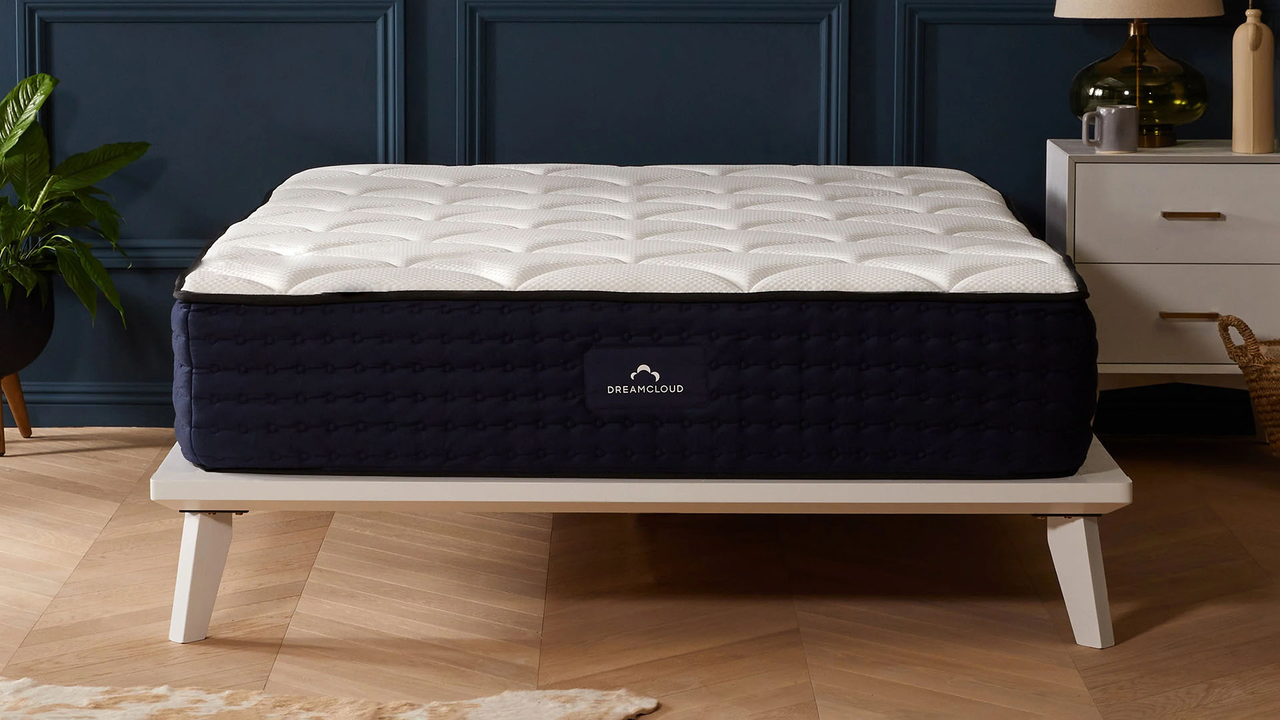
DreamCloud Mattress.

FAQs

Does DreamCloud offer free shipping?

Yes, as standard, delivery to addresses in the UK mainland are completely free on all DreamCloud orders, although fees may apply to addresses outside of the mainland. You can also opt for premium delivery to have your item brough to a room of your choosing for £15, or premium delivery (which includes old mattress removal) for £55.

Does DreamCloud offer a free trial?

Yes, DreamCloud's 365-night trial is included on all mattresses, letting you test your product out for a full year to decide if you like it or not. DreamCloud also offers a Forever Warranty on mattress models to guarantee a quality build, meaning you'll be covered against defects and faults no matter how long after your purchase you encounter them.

What is the DreamCloud returns policy?

If you’re unhappy with your mattress, you can return it within 365 days of your purchase (but after 30 days of use) thanks to the DreamCloud 365 night trial, so long as it is clean and undamaged. Pillows, sheets, mattress protectors and other products can only be returned within 30 days of your order date, and must remain unopened to qualify for a refund. Just contact the brand's team to initiate a return, and they will arrange free returns shipping.

DreamCloud Saving tips

Watch out for the sales

Like many a mattress brand, DreamCloud tends to run sales throughout the year, with the biggest and best usually taking place around key holidays such as Christmas, Black Friday and Cyber Monday. Here at TechRadar, we watch the brand's seasonal sales for the best deals, which we've seen knock as much as 55% off the usual prices - come back around the holidays to catch the latest offers as they appear.

Buy a bundle

Want to sort a full sleeping set up in one order at a fraction of the usual price? DreamCloud offers a range of bundles including mattresses with a variety of sleep accessories such as duvets, pillows, frames and mattress toppers, which can be up to 50% cheaper than the cost of buying each item individually. The brand adds new bundles all the time, so keep your eyes peeled for chances to save every time you're in the market for multiple products.

Sign up to the newsletter

To stay up-to-date with DreamCloud, don’t forget to sign up to the newsletter. By subscribing to DreamCloud emails, you’ll be the first to receive the latest news, product releases, promotions and exclusive deals when they go live. We've also seen the occasional introductory offer, including up to 40% off selected mattresses when you first sign up.

How to use DreamCloud coupons

  1. Browse the latest DreamCloud coupons at the top of this page and choose one to use.
  2. Click 'Get Code' to reveal it in a new tab, then copy it to your clipboard for later.
  3. Start shopping on the DreamCloud website, which will have opened in your old tab.
  4. When you're ready to order, head to the checkout and find the box marked ‘Discount Code’.
  5. Click into the field, enter or paste the code in the box and click ‘Apply’.
  6. If your code is valid, the page will refresh and the coupon will be added to your total.
  7. Continue through the rest of the checkout as normal to place your order.

How we source voucher codes

At TechRadar, we have a number of tools at our disposal to help us find the latest voucher codes. Our Vouchers team uses connections with big name brands, our affiliate networks, and the world wide web to source the latest & best codes for our pages. Each page is updated multiple times a week with sales info, exclusive codes negotiated by our Commercial team, and a number of ways to save on your next online order.

How we test voucher codes

Every code listed on TechRadar is tested before it’s added to our pages by our Vouchers team. We include a range of offers including student discounts, sale prices, free shipping, & more across a number of categories of products & services. Each code is checked to ensure it is accepted at the checkout, and you won’t find any one-time use or user-specific codes.

The expiry date and any terms & conditions of each code are also displayed on the page, next to or below the ‘Get Code’ button, for added clarity. Click the text that reads ‘Terms & Conditions’ to expand the corresponding area, where you can read more about any requirements your order will need to meet in order for your chosen coupon to be accepted.

What to do if a voucher code doesn’t work

We take the utmost care to verify every code before it’s uploaded, and include as much relevant information as we can find to make using our codes as straightforward as possible. However, sometimes codes expire or are amended before we’re able to refresh our pages, and codes may not work as intended.

Should you experience any issues, it’s always best to start by checking the terms & conditions on the page. Click “View terms and conditions” and the code area will expand. You’ll see all applicable criteria listed in this area. For example, you may not meet a required minimum spend (i.e. spend £20 or more); you may not have enough times in your basket (e.g. you have only selected 2 products when trying to redeem a 3 for 2 multibuy offer), or your chosen offer may only apply to a certain type of product (i.e. 10% off laptops).

If issues persist once you’ve checked that you’ve met any necessary requirements, you can get in touch with our support team by emailing coupons.techradar@futurenet.com. Please provide as much detail about your issue as possible - including which code you used and where you found it - and we’ll be in touch to provide support as soon as we can.

How we make money

All the money TechRadar makes through its voucher pages is earned through a commission-based model. We have deals in place with every retailer that has a voucher page on our site, and every time someone makes a purchase using one of our codes, we earn a percentage of the total basket value back in commission.

Thanks to this model, we can offer all of our codes & discounts completely free of charge. You’ll never be asked to pay a fee to redeem an offer on our site - all you’ll pay is the discounted price of the products or services you’ve chosen to buy.

If you want to find out more about TechRadar’s voucher pages, you can visit our dedicated page on How We Source Voucher Codes and How to Use Them for more information.

Sign up to read this article
Read news from 100's of titles, curated specifically for you.
Already a member? Sign in here
Related Stories
Top stories on inkl right now
Our Picks
Fourteen days free
Download the app
One app. One membership.
100+ trusted global sources.