
Get all your news in one place.
100’s of premium titles.
One app.
Start reading
Clever Dude
Clever Dude
Brandon Marcus

Cybercriminals Set Up “Evil Twin” Networks Near Airports and Hotels to Capture Passwords

Cybercriminals Set Up “Evil Twin” Networks Near Airports and Hotels to Capture Passwords
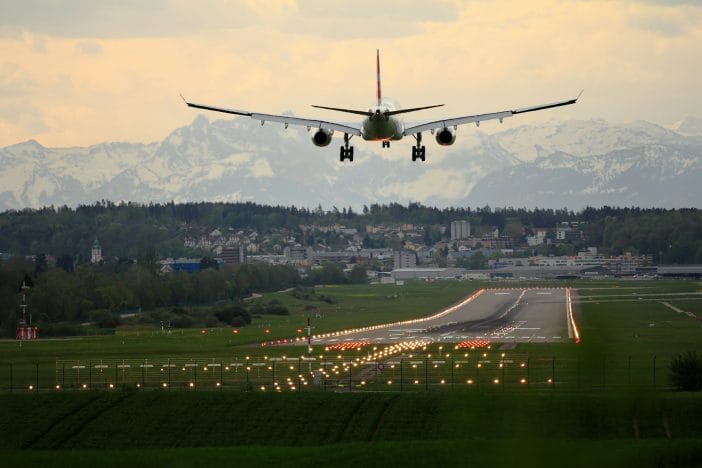
Image Source: Unsplash.com

Have you ever noticed how convenient free WiFi feels when you are rushing through an airport terminal or checking into a hotel after a long trip? That comfort can disappear fast once you realize someone might be watching your connection. Cybercriminals are now building fake wireless networks called “evil twin” hotspots around busy travel areas, hoping people will connect without realizing they are walking straight into a trap. These attacks are growing because travelers want speed, convenience, and free internet access while waiting for flights or settling into rooms, and attackers know exactly how to exploit that moment of trust.

The idea behind these attacks sounds almost simple, but the execution can be frighteningly effective when people do not pay attention to network details. Security specialists have tracked criminals creating WiFi networks that copy legitimate public hotspot names. Once someone joins the fake network, the attacker can quietly monitor traffic, capture login credentials, and sometimes redirect users to malicious websites that look completely normal.

How Evil Twin Networks Trick People Without Raising Suspicion

An evil twin network behaves much like a digital impersonator wearing someone else’s uniform. Attackers create a hotspot that mirrors the name of a trusted WiFi service available inside an airport or hotel lobby. When a device scans for networks, it may automatically reconnect to the strongest signal matching a familiar name. Criminals boost signal strength using inexpensive hardware so their fake network appears closer and more attractive than the real access point.

Security researchers explain that many attacks depend on human convenience rather than technical weakness. Users often connect to WiFi without checking certificates or network provider details. Once connected, attackers can perform man-in-the-middle interception, meaning they read or modify data moving between the device and the internet. That kind of monitoring can reveal email passwords, banking credentials, or private messages if traffic is not properly encrypted.

Modern travel environments make this risk even more serious. Airports and large hotels usually offer multiple public access points, and the sheer number of signals can confuse people trying to pick the right connection. Attackers sometimes set network names that resemble official services by adding small changes such as extra spaces, swapped letters, or alternate capitalization. Someone tired after a long flight might not notice that “Airport_Free_WiFi” is actually “Airport Free WiFi ” with a hidden character difference.

Why Travelers Are Especially Vulnerable

Travelers often feel rushed. Flights operate on strict schedules, hotel check-ins happen after long transportation rides, and people want to communicate with family or check work messages quickly. That urgency lowers attention to security details. Cybersecurity analysts emphasize that public WiFi attacks rely heavily on distraction and routine behavior rather than sophisticated technical hacking.

Another vulnerability comes from outdated security configurations. Many mobile devices automatically reconnect to previously used networks. If someone once connected to a public hotspot named “City Airport WiFi,” the phone might attempt to reconnect whenever that name appears again, even if a malicious clone appears nearby. Attackers take advantage of this automatic behavior by broadcasting familiar network identifiers.

Experts also point out that many websites still transmit some information without strong encryption. The technical community encourages using HTTPS connections, but not every service enforces it perfectly. The result is that data leakage can occur even when users think they are browsing safely.

How Authorities and Experts Fight Back

Organizations developing communication security standards continue pushing safer network protocols. Experts recommend stronger authentication methods, better public hotspot management, and increased user education. Some airports now display official network names on physical signs near boarding gates and information desks to help passengers verify connections.

Network providers also deploy monitoring tools to detect unusual signal behavior. Sudden spikes in signal strength or the appearance of duplicate network identifiers can trigger security alerts. However, enforcement remains challenging because criminals can move equipment quickly and operate temporarily before detection systems respond.

Cybercriminals Set Up “Evil Twin” Networks Near Airports and Hotels to Capture Passwords
Image Source: Unsplash.com

Practical Ways People Can Stay Safe

The best defense starts with awareness. Travelers should always confirm the exact spelling of the WiFi network provided by airport or hotel staff. Looking at signage inside the building helps verify legitimacy before connecting. If the network requires a password but the password appears on random posters or unsecured papers, that is usually a warning sign.

Using a virtual private network adds another protective layer by encrypting communication between the device and the internet. Even if someone intercepts traffic, encryption makes the captured data difficult to read. Many security professionals recommend installing trusted VPN software before traveling.

Turning off automatic WiFi connection on mobile devices also reduces risk. Manually selecting networks gives users more control over where the device connects. Keeping operating systems and applications updated helps close security gaps that hackers sometimes exploit. Avoid logging into sensitive accounts while using public WiFi. Checking email may feel harmless, but banking or shopping accounts deserve stronger protection. Waiting until a secure private network becomes available is often the wiser move. If urgent access is necessary, using mobile data instead of public hotspots creates a safer communication path.

Travel Smarter, Not Nervous

Public WiFi does not need to feel terrifying. Millions of people use it daily without encountering problems. The key is building small habits that make attacks less likely to succeed. Paying attention to network names, checking security indicators, and using encryption tools all reduce exposure to evil twin hotspots.

The future of travel connectivity will probably include stronger built-in authentication systems and smarter network verification methods. Until then, human awareness remains the strongest defense standing between personal data and cybercriminal intent.

What steps do you take to protect your phone when connecting to public WiFi while traveling, and have you ever felt unsure about a network name before clicking connect? Give us all of your thoughts in the comments below.

You May Also Like…

Cybersecurity Experts Alert: A Simple Email Habit Is Letting Scammers Into Your Bank Account Without You Knowing

8 Hidden Cybersecurity Risks Targeting Men In Their 30s And 40s

10 Digital Safety Tips That Could Save You from a Costly Cyberattack

Cyber Secure: 12 No-Cost Ways to Protect Your Online Data

Scammers Are Cloning Official Report Sites and Here’s Where to File Safely

The post Cybercriminals Set Up “Evil Twin” Networks Near Airports and Hotels to Capture Passwords appeared first on Clever Dude Personal Finance & Money.

Sign up to read this article
Read news from 100’s of titles, curated specifically for you.
Already a member? Sign in here
Related Stories
Top stories on inkl right now
One subscription that gives you access to news from hundreds of sites
Already a member? Sign in here
Our Picks
Fourteen days free
Download the app
One app. One membership.
100+ trusted global sources.