Get all your news in one place.
100's of premium titles.
One app.
Start reading
TechRadar
TechRadar
Mike Moore

Claude Cowork is coming to your Chrome browser, and I might finally use it now

Claude Cowork in Chrome browser.
  • Claude Cowork is coming to Google Chrome side panels
  • Claude can now connect across multiple systems and tools
  • Users will start seeing the upgrade now

Anthropic has revealed it is upgrading the Claude in Chrome browser extension tool into a fully-fledged AI-powered work assistant.

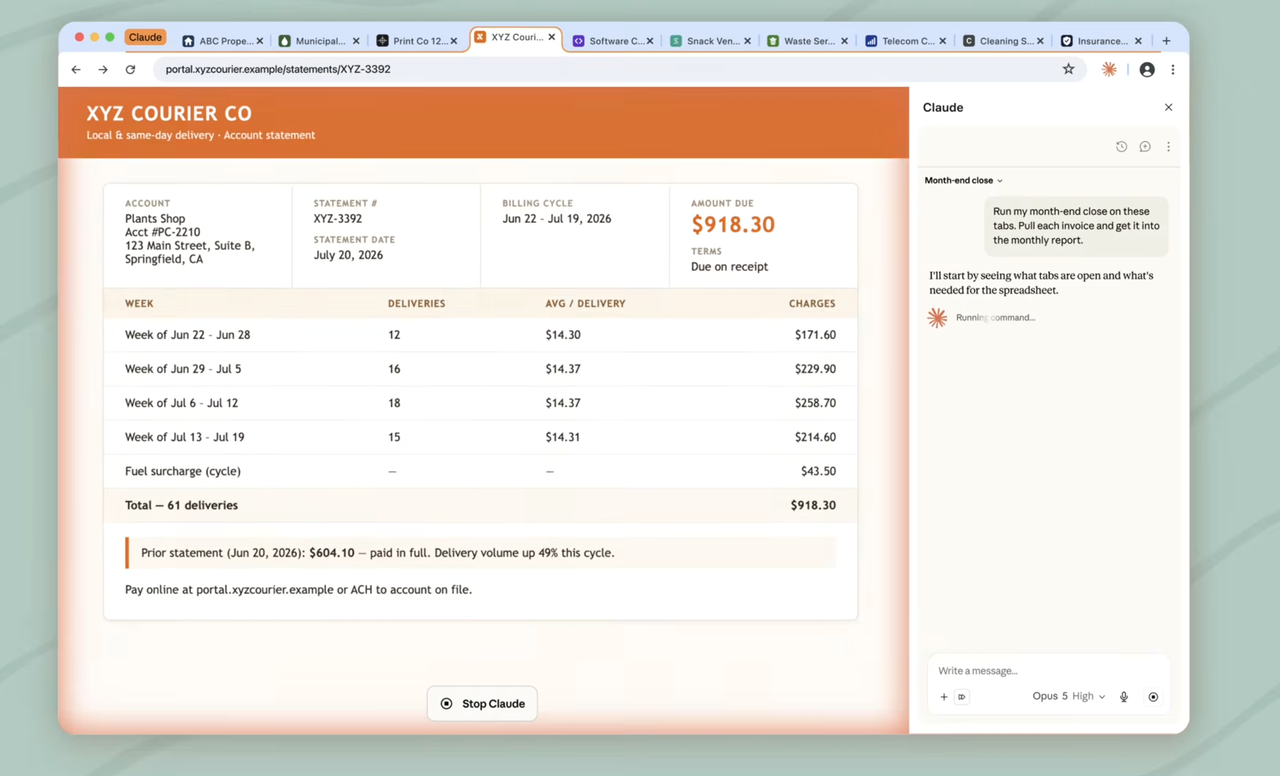
The tool, designed as a side panel, will now be a Claude Cowork session, allowing users to access the company's AI tools in the browser to help crack those tricky work tasks.

"Conversations are saved to your history, your skills and connectors work in the browser, and a task you start in a tab can be finished on the Claude desktop, web, and mobile apps," Anthropic noted in a blog post announcing the news.

Cowork in Chrome

The company notes that while many of the tools that users interact with each day are already connected to Claude, others such as internal dashboards, legacy systems, and vendor portals are not.

This therefore needed a separate side panel session, which could interrupt workflows for some workers.

Connecting these via the new addition will mean that Claude can work in these apps through the Chrome browser, carrying context and conversations across your vital tools, whether that's on desktop, web or mobile.

Anthropic says the side panel will run the same Claude Cowork session being used for longer, multi-step work, such as creating a budget spreadsheet that needs to pull in invoices from multiple vendor portals.

Claude in Chrome would be able to gather up the amounts and dates needed before building the spreadsheet, allowing you to continue the session in the desktop app to add files from your computer, or import last month's budget and ask what's changed, allowing you to maintain context across surfaces as you work.

And because sessions live with your account rather than a single device, you can start work in a browser and pick it up later somewhere else.

Anthropic has also moved to address growing concerns around prompt injection cyberattacks against agents such as Claude in Chrome by adding a step where the tool will ask for a check from the user before carrying out any major action, such as submitting a form, sending a message, or downloading a file.

Users on a Max and Team plans will see the change immediately, or can install the extension from the Chrome Web Store now - it will be rolling out to Pro users over the coming weeks.

Sign up to read this article
Read news from 100's of titles, curated specifically for you.
Already a member? Sign in here
Related Stories
Top stories on inkl right now
One subscription that gives you access to news from hundreds of sites
Already a member? Sign in here
Our Picks
Fourteen days free
Download the app
One app. One membership.
100+ trusted global sources.