
The Premier League and Formula 1 are both back this weekend, and that means my sports-watching calendar has gone from completely empty to chock-a-block.
On Sunday, at the very same time that the red lights will be going out at the Dutch GP, the refs will be blowing their whistles to kick off two Premier League matches: Brighton vs Aston Villa and Man City vs Bournemouth.

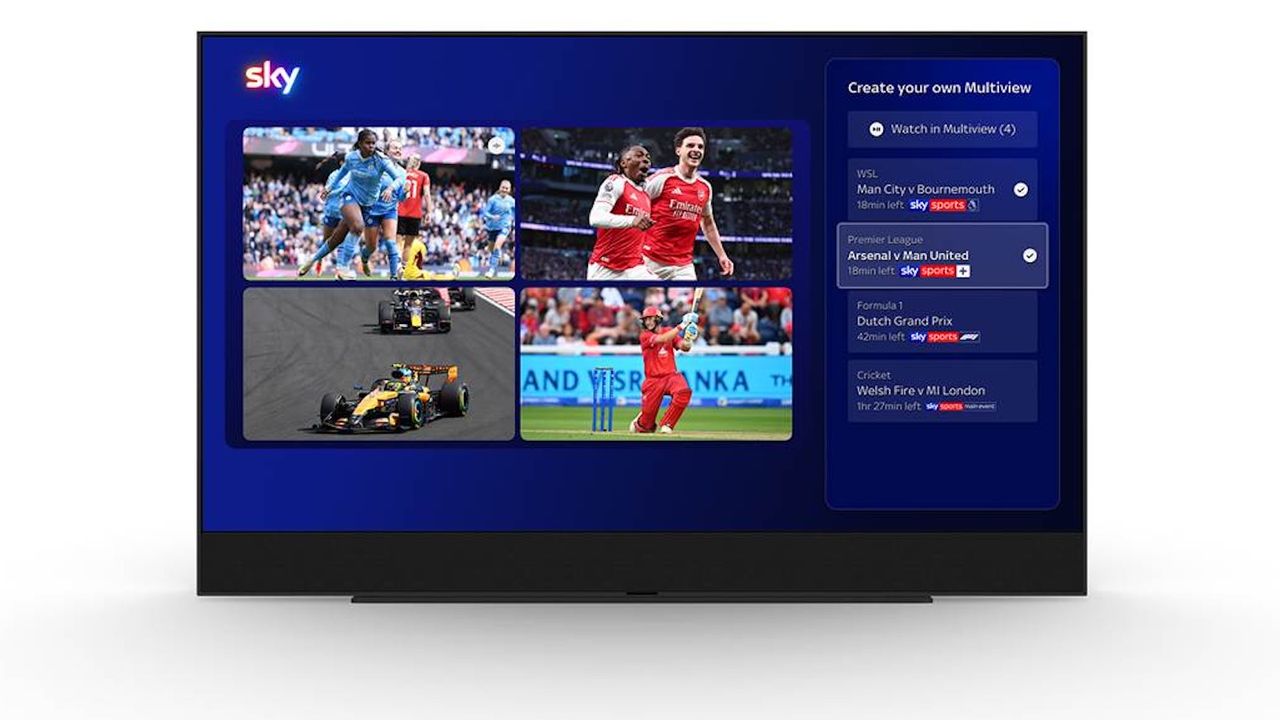
Previously, I would have set up a complex multi-screen system involving the TV, an iPad and a phone, but Sky has just announced a simple (some might say “overdue”) solution, in the form of ‘Your Multiview’.
As the ‘Multiview’ part of the name suggests, this is a new split-screen feature for Sky Glass, Sky Stream and Sky Q.
And, as the ‘Your’ element hints, it allows you to customise the sports shown in each of the windows.
In fact, the level of customisation goes beyond that: up to four events can be shown at once, and users can edit the layout to change which is spotlighted, as well as switch the audio feed at their leisure.
This Sunday, then, I’ll be able to watch the F1 and both football matches at the same time, on a single screen. Neat.
While it’s not confirmed in Sky’s announcement, it looks as though You Multiview will only support live sporting events broadcast on Sky’s own channels, so you won’t be able to include a match broadcast by TNT alongside the cricket from Sky, for example.
It doesn’t appear that you will be able to use any of the windows for non-sports content either, so no watching The Simpsons and the golf at the same time.
I have asked Sky for clarification on these points [edit to add that I have now had this confirmed by a Sky representative], and I will be testing Your Multiview myself over the weekend. On paper, though, it looks like a big win for sports-obsessed Sky subscribers such as me.
MORE:
Check out our Sky Glass Gen 2 review and our Sky Glass Air review
Don’t want to change your TV? Check out our Sky Stream review