
Get all your news in one place.
100’s of premium titles.
One app.
Start reading
Grocery Coupon Guide
Shay Huntley

7 Tips for Couponing with a Smartphone Only

Image source: shutterstock.com

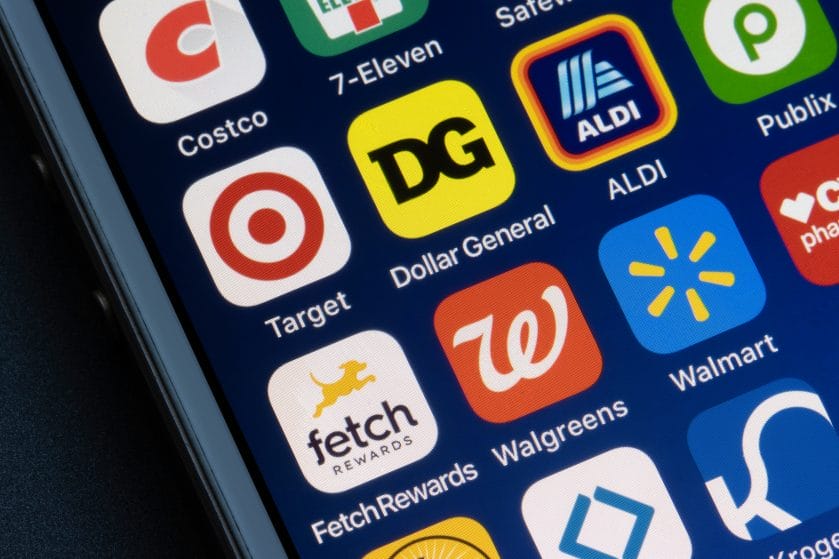
The days of sitting at the kitchen table with scissors are officially over. Nobody has time to organize a binder full of paper scraps anymore. Couponing has moved entirely to your phone, and it is easier than ever. These seven tips will help you save money using the device you already have in your pocket.

1. Download the Store App First

This is the most critical step for saving money at any major chain. The store app is where the digital coupons live and where you track rewards. You simply tap to clip the deals to your loyalty card before you shop. The discount comes off automatically when you scan your app at the register.

2. Stack with Ibotta

Ibotta is a rebate app that pays you cash back after you shop. The magic happens when you stack a store coupon with an Ibotta rebate. If you have a dollar off coupon and a dollar rebate, you save two dollars total. It turns a good deal into a great one.

3. Use the Barcode Scanner

Most store apps have a built-in scanner feature that is incredibly useful. Before you put an item in your cart, scan the barcode with your phone. It will tell you instantly if there is a digital coupon available for that product. You might find savings you did not know existed.

4. Check Fetch Rewards for “Any Brand.”

Fetch Rewards gives you points just for snapping a picture of your receipt. You should look specifically for their “Any Brand” offers in the list. Sometimes they give you points just for buying milk or bread, regardless of the brand. It is free money for things you were going to buy anyway.

5. Screenshot Your Barcodes

Image source: shutterstock.com

Cell service inside grocery stores is notoriously bad and unreliable. You should take screenshots of your loyalty card barcode before you walk into the building. This prevents you from standing at the register frantically trying to load the app. It keeps the line moving and lowers your stress levels.

6. Look for “Just for You” Offers

Grocery apps use algorithms to learn your specific shopping habits over time. If you buy diapers every week, the app will start sending you diaper coupons. You should check the “Personalized” tab in the app regularly for these targeted deals. They are often better than the general coupons available to everyone.

7. Target Circle is Automatic

Target has one of the easiest systems if you use their Circle app. You just have to enter your phone number at the keypad during checkout. The app often applies “auto-offers” without you even having to clip them manually. It makes saving money at Target almost effortless.

The Digital Wallet

Your phone is the most powerful tool in your budget arsenal. By spending two minutes tapping screens in the parking lot, you can save twenty bucks a trip. You do not need scissors or paper cuts to make this work. It is just pure savings right in your pocket.

What to Read Next

5 Ways to Get Free Groceries Using Only Your Smartphone

7 Tips for Using Digital Coupons Without a Smartphone

9 Home Products Replaced by One Smartphone App

How to Use Cash-Back Apps Like Ibotta for Maximum Savings

6 Ways to Score More Savings With Manufacturer Coupons

The post 7 Tips for Couponing with a Smartphone Only appeared first on Grocery Coupon Guide.

Sign up to read this article
Read news from 100’s of titles, curated specifically for you.
Already a member? Sign in here
Related Stories
Top stories on inkl right now
One subscription that gives you access to news from hundreds of sites
Already a member? Sign in here
Our Picks
Fourteen days free
Download the app
One app. One membership.
100+ trusted global sources.