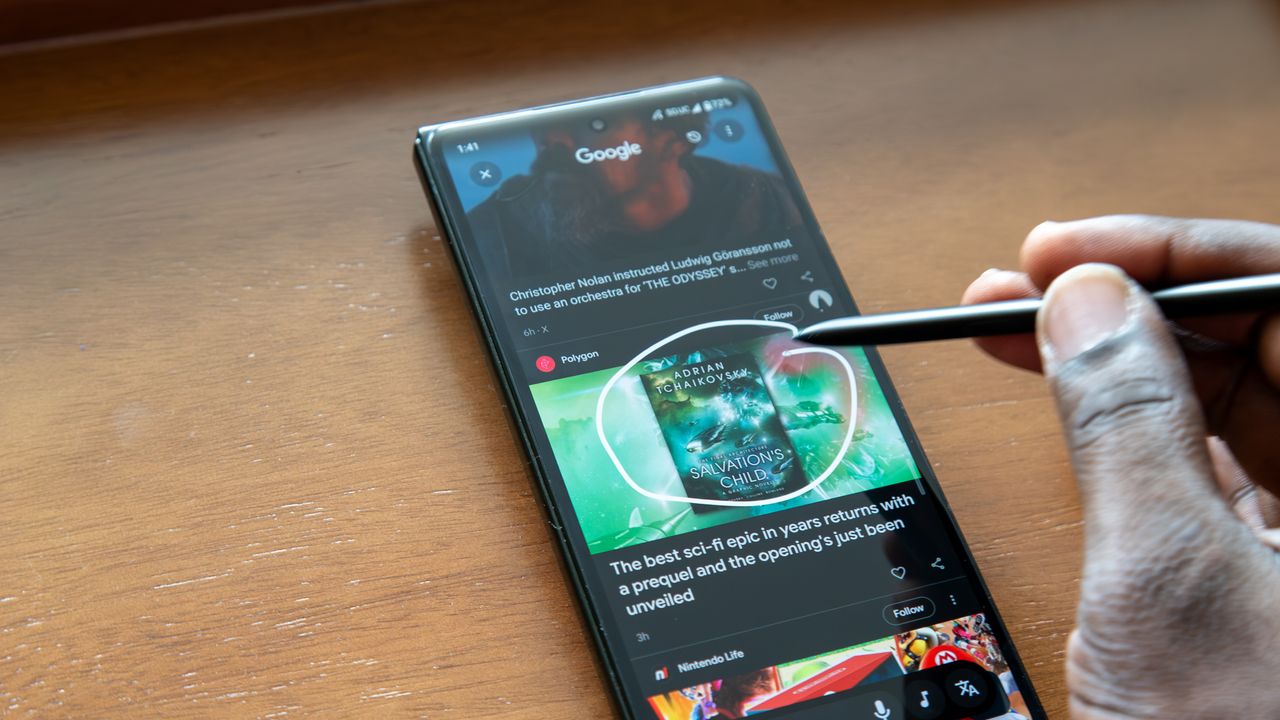
Circle to Search grew to become one of Android's most essential features. Unlike other Google AI tools, Circle to Search isn't held back by system requirements or exclusivity. It's available on basically every Android phone running the latest software. In fact, Circle to Search is also available on iPhones via the Google and Chrome apps. Initially touted as a way to identify and search the content on your Android phone screen by searching it, the Circle to Search tool can now do much more than that.
One of the feature's more underrated capabilities is its ability to recognize music. Similar to third-party apps like Shazam, Circle to Search can identify songs playing in your environment. It can even detect and recognize songs playing directly from your device, or name the song you can only hum with basic chords. Here are the three ways to name that song using Circle to Search you probably haven't tried before.

Recognize songs playing on your device
The oval-shaped Circle to Search user interface now includes quite a few functions. As a refresher, touch and hold the navigation bar on your Android phone to surface it. Then, you'll have a search bar, a dictation button, a music note button, and a translation button. You can also tap or circle any area of your screen to search it. For this exercise, we're focusing on that music note.
Tapping the music note button lets you instantly identify songs using Google Search. However, you might not know that Circle to Search can also recognize music playing from your device. If you're hearing a song you don't recognize in a streaming or social app, you can activate Circle to Search and ask it to identify the name of the artist in that track.
Hum a song to identify it
More specifically, tapping the music note in Circle to Search surfaces a screen that tells you to Play, sing, or hum a song. That's right — you can sing or hum along to a song that's stuck in your head, and Circle to Search will try to figure out the name and artist. We've all had a song that we can't get out of our minds, yet somehow we can't remember a single thing about it or even just one lyric. This Circle to Search mode is the perfect solution.
Instead of using a Google Search query to try (and probably fail) to describe the song running around in your brain, just sing or hum along to the beat for Circle to Search. It works better than you think. I hummed along to the chords of AC/DC's Highway to Hell and Circle to Search figured out the name in a few seconds.
Recognize songs playing around you
Finally, you can still use Circle to Search to simply identify songs playing in your environment. If you hear a song playing in a cafe or restaurant that you like, tap the navigation bar to launch Circle to Search, press the music note, and wait for the magic to happen. It usually only takes a few seconds, and you'll see a Google Search page open with the artist and track name you were looking for.
With the page open, you can read the song's lyrics, play the track on YouTube, or learn more about the artist. It's much simpler than using Gemini or a third-party song recognition service like Shazam. Since only Pixels have access to the fan-favorite Now Playing app, Circle to Search is a great alternative for every Android user.
Circle to Search is one of my favorite Android features due to its versatility. It can use Google Lens to search the web for what's on your screen, scan QR codes and read barcodes, translate languages, and even identify songs. If you're only using Circle to Search for reverse image searches, you're missing out — it's so much more powerful than that.
Google Pixel 10
Best Google AI phone
If you're all about Google AI features like Circle to Search, the Google Pixel 10 is the phone for you. It's powered by the Tensor G5 chipset and is usually the first to get new Google features with quarterly Pixel Drops. The phone comes with Android 16, and it gets seven years of Android OS upgrades thereafter.