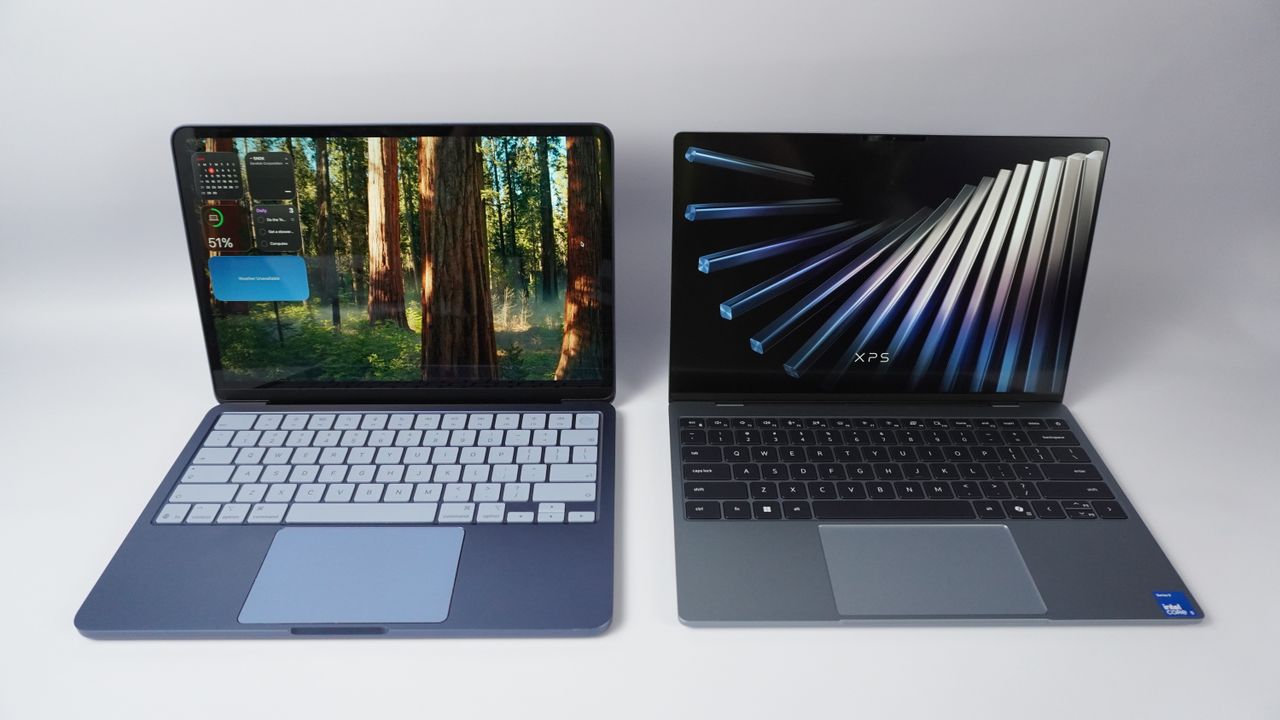
One thing was clear at Computex 2026: every laptop maker is terrified of the MacBook Neo, and they’re fighting back in a big way. But I’m worried about whether Windows 11 is actually ready for this shift.
A $599 machine powered by an A18 Pro chip, Apple has essentially forced the hands of PC manufacturers who had gotten far too comfortable giving us mid systems at this price. But I’m glad the Neo-shaped earthquake has shaken up some change here. The new Dell XPS 13 is looking mighty tasty at that lower price, but with better I/O and a touchscreen display, alongside that aluminum body.

But there’s a big Windows 11-related question here, because as I found out testing it, the way it's built makes it quite RAM hungry. I caught it using nearly 3X more memory than macOS, and with all the new features announced at Microsoft Build, things could get worse.
Laptop |
MacBook Neo |
Asus ProArt GoPro Edition |
|---|---|---|
Google Chrome + 20 Tabs RAM usage |
1.67 GB |
4.76 GB |
Adobe Photoshop RAM usage |
3.86 GB |
3.85 GB |
Apple Music RAM usage |
157.6 MB |
239.1 MB |
System memory usage TOTAL |
7.24 GB |
27.1 GB |
So while it’s all fair and good in the world of RAMageddon to shift to 8GB (not something I like to see, but something that is necessary given the insane pricing), Windows has to follow suit and trim some of the fat. Here are some ideas.
Give me a compact mode
Right now, Windows 11 treats a $600 8GB thin-and-light the same way it treats a $3,000 workstation with 64GB of RAM. Yes, the OS’ memory management can be highly dynamic, but the core fundamentals take around 6GB, and the system aggressively caches background apps, so as to not waste any unused RAM.
This may work if you have a ton of memory, but we’re not in that world at the moment and every precious bit is sacred. So what we need is a modular, adaptive OS shell. If Windows 11 detects 8GB, it should trigger an aggressive “Compact mode” right out of the box to throttle background tasks, pause any non-essential tasks and prioritize anything active in the foreground.
Kill the “widget and web” overhear
There’s this thing called WebView 2, which is actually the culprit behind some of the most unnecessary bloat within Windows 11 — namely web-heavy dependencies like news widgets you never look at or some of the always-connected elements like Start Menu details or Copilot feeds.
A user should never have to lose up to 1.5GB of RAM to useless stuff like this, so it needs to be decoupled from the core UI. If a feature isn’t actively on screen (or used) it’s background RAM allocation should be aggressively cut down.
Standardize the vanilla baseline
Bloatware. You hate it — you’ve heard us complain excessively about it. Asus, Dell, MSI and Acer all ship their budget laptops layered with their own resource-heavy management software, which on an 8GB system is a death sentence.
Microsoft needs to enforce strict RAM-usage guardrails for laptop makers who create 8GB configurations, ensuring that third-party battery trackers, lighting software and trial anti-virus programs don’t choke that last slot of 2GB remaining after the OS.
Outlook
PC makers have just proven they can match Apple’s budget hardware pricing. Now, it’s up to Microsoft to prove that Windows 11 can survive the diet Apple forced upon it.
And sure, there are other things that can be done here, such as smarter compression of background apps, getting on with moving the entire OS over to WinUI 3 framework (the thing that’s removing some of that memory overhead) and much more. But these three items are the main RAM killers here.
Will it happen? God I hope so, otherwise this fightback against the MacBook Neo is over before it even begins.
More from Tom's Guide
- I’ve gone hands-on with every Nvidia RTX Spark laptop coming this fall — here’s my brutal tier list of the best options
- I just held the most beautiful laptop, but I’m not sure Vincent van Gogh would be happy with his name connected to AI
- I just tested the MSI Claw 8 EX AI+ — it leaves ROG Xbox Ally in the dust with breakthrough Intel Arc G3 power