Get all your news in one place.
100’s of premium titles.
One app.
Start reading
Windows Central
Windows Central
Technology
Zac Bowden

Windows 10 End of Life: Microsoft releases final Windows 10 update as support officially comes to an end

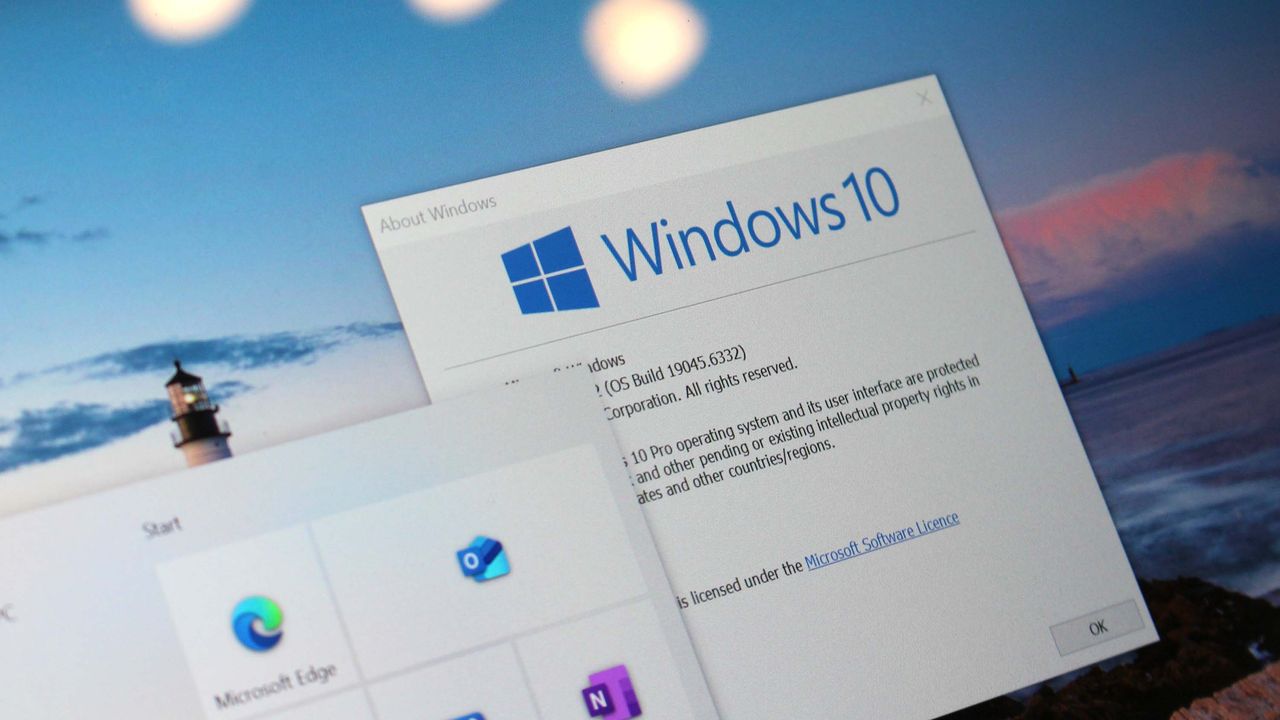
Windows 10 running on a laptop with desktop elements displayed on its screen.

As of October 14, your Windows 10 PC has reached end of life (EOL.) Microsoft is ending mainstream support for Windows 10 after a decade on the market, and is encouraging all users to switch to Windows 11. If you are still running Windows 10 after October 14, there are steps you must take to ensure your PC remains secure.

ALL Windows 10 users across Home, Pro, and Enterprise editions are impacted by this end-of-support date. Everyone using these editions of Windows 10 will need to take action manually to ensure their devices remain secure beyond October 14. Doing nothing will result in your PC being unsecured on the internet.

➡️ See all of our important Windows 10 End of Life coverage

If you are unable to upgrade to Windows 11, Microsoft is offering an additional year of security updates on Windows 10 for users that sign-up to its Extended Security Updates (ESU) program. This program will ensure your PC remains secure with security updates for an additional year, until October 2026.

Without the ESU program, your PC will become susceptible to any potential security vulnerabilities that are discovered in the Windows OS after October 14. The ESU program is free, though there are some hoops you need to jump through to enroll. In this article, we'll keep you up to date on everything you need to know about Windows 10's end of support and how you can stay safe over the coming week as support ends.

LIVE UPDATES

Windows 10 support ends TOMORROW

It's crunch time, everyone!

Microsoft will end support for Windows 10 tomorrow, on October 14, 2025. On this date, Microsoft will release one final mainstream security update for all Windows 10 users, which should keep you protected for an extra month, until November 11, which will be when Windows 10 misses its first security update, and becomes no longer secure against the latest security vulnerabilities.

Users that sign up to Microsoft's ESU program will continue to receive a security updates on and after November 11, up until October 2026. So make sure you enroll into the ESU program now to secure your place.

Here's what you should do if you can't move from Windows 10

If moving off from Windows 10 isn't an option for you, there's a quick and easy way for you to remain secure on Windows 10 beyond October 14.

Microsoft's Extended Security Updates (ESU) program will allow users to continue receiving security updates on Windows 10 for an additional year beyond October 2025, and access to the program is free if you choose to sign in with a Microsoft account and sync your PC settings to the cloud. Alternatively, you can pay $30 or 1,000 Microsoft reward points.

If you live in the European Economic Area, the program is free without needing to sync your PC settings to the cloud. However, Microsoft will want you to sign-in with a Microsoft account at least once every 60 days to remain in the ESU program, or your PC will be removed and will stop getting security updates.

Learn how to enroll into the ESU program with our handy in-depth guide!

Windows 10 will receive one final mainstream update today

Support for Windows 10 ends today, which means the OS is expected to receive one final OS update that will address the latest bugs and security vulnerabilities discovered in the Windows OS. After today, these updates will no longer be delivered to Windows 10 users unless they are enrolled in Microsoft's Extended Security Updates program.

The final mainstream OS update for Windows 10 is expected to drop at 10AM PT / 1PM ET / 6PM BST today.

The Microsoft Store will continue to work, as will downloading apps from the web. (Image credit: Future)

Your apps and drivers should keep working, for now

With support ending today, it's natural to assume that means your favorite apps and peripherals are going to stop working. Luckily, that's not the case, at least not immediately. All mainstream apps and peripheral makers that already supported Windows 10 will likely continue to do so for many months, or even years to come.

For example, Google Chrome and Steam both haven't announced end of support dates for Windows 10. Microsoft will continue to support Office, including apps like Teams and Copilot on Windows for at least another year. And most hardware peripherals should continue to be fully supported with driver updates for the foreseeable future.

It took Windows 7 half a decade after support ended before many mainstream apps and drivers stopped supporting it, and the same is likely to happen with Windows 10. You might find that new apps and peripherals that are released after support for Windows 10 ends won't support the OS, but those are on a case-by-case basis and is unlikely to happen right away.

Your upgrade options aren't limited to Windows 11

If you're using a Windows 10 PC that isn't eligible for Windows 11, you have other options to remain secure. If you want to stay on Windows 10, you can enrol in Microsoft's free ESU program, which will get you access to additional Windows 10 security updates for an extra year.

Alternatively, you can leave Windows outright. Linux and Chrome OS are two strong and free options for users who are looking to move away from Windows after support for Windows 10 ends. Ubuntu is a great start if you're dipping your toes into the world of Linux for the first time.

Chrome OS Flex is an official version of Chrome OS by Google that is designed to run on your existing Windows 10 hardware. It doesn't support all Windows 10 PCs, but it does support a large number of them, and includes support for the latest Google apps and services such as Gemini and Gmail.

Both Linux and Chrome OS feature something called a "live install USB" setup, which lets you run the OS from a USB key before installing it to check if everything works. This means you can try it out without wiping your Windows install right away, which is super handy if you just want to get a feel for things to make sure everything works first.

There's also macOS, but that will require you to buy new hardware with macOS preinstalled to access, and therefore isn't a free alternative to Windows 10.

Windows 10 vs Windows 11: the upgrade is worth it

You will enjoy the upgrade to Windows 11 if you've been using Windows 10 all this time. (Image credit: Windows Central / Zac Bowden)

On the surface, Windows 10 and Windows 11 look very different. But functionally, they operate in the same way. Windows 11 is by no means worse than Windows 10, and in a lot of cases, it's actually better when it comes to things like battery efficiency, security, and ease of use.

Windows 11's big change is the interface, which is much cleaner and modern compared to Windows 10's. Windows 11 is also based on a much newer version of the Windows platform, which is more stable and secure, offering longer battery life on the same hardware.

Compared to Windows 10, Windows 11 even has less ads and bloatware. This is something not many people realize, but Windows 11 actually does a much better job at letting you turn off ads and uninstall potential bloatware compared to Windows 10.

If you have a Windows 10 PC that is eligible for Windows 11, you should definitely upgrade. Your PC will run better as a result. This is especially true for gamers, where Windows 11 introduces important gaming enhancements that should result in games running smoother

Should you force a Windows 11 upgrade on an unsupported PC?

If you have a Windows 10 PC that isn't eligible for Windows 11, there are workarounds that trick the OS into thinking you are eligible for the upgrade. However, Microsoft does not recommend people do this, as the Windows 11 OS isn't optimized for these unsupported devices.

In reality, it really comes down to what hardware you're attempting to upgrade. If you're using a device from 2016 or 2017, I'd say forcing the upgrade would probably work out fine. I've been daily driving Windows 11 on an unsupported 7th-gen Intel-powered laptop for the last year, and everything works just like they did on Windows 10.

But if you're trying to upgrade something older, you might find some drivers don't work correctly, so it's important to weigh up the potential risks. I'd say for most PCs from 2016 and 2017, you'll have no problem running Windows 11. Anything older, and it'll be on a case-by-case basis.

It's important to remember that once you upgrade to Windows 11 on an unsupported PC, while you will receive security updates, you won't be offered major version updates at the end of every year. Version releases like 25H2 are what gives Windows 11 continued security updates, and so it's important to be on the latest version update to remain secure.

You can force your unsupported PC to update to the latest version release when it becomes available, but it's a manual process that you will want to keep on top of before support for the version of Windows 11 you're currently running comes to an end.

Windows 10 Extended Security Updates enrollment doesn't have a deadline

October 14, 2025, marks the end of support and the last security update for the operating system. While it's recommended to enroll your device immediately in the Extended Security Updates (ESU) program to continue receiving security updates, there's no official deadline to enroll, meaning that you can sign up at any time after October 14.

However, regardless of when you signed up, the last day of the extended support will be on October 13, 2026, for consumers.

Around 40% of all Windows PCs are still using Windows 10. (Image credit: Future)

Over 500 million PCs will be impacted by Windows 10's end of support today

There's a high chance that you are one of millions of people that are impacted by today's end of support for Windows 10. There are an estimated 500+ million PCs still running Windows 10 today, all of which will need to take action to ensure their PCs remain secure after October 14. That's around 40% of the Windows userbase that are at risk.

A small percentage of those PCs are eligible for Windows 11, and should upgrade as soon as possible to remain secure. For the rest, they will need to enroll into Microsoft's ESU program to remain secure and continue to receive security updates for an additional year.

Windows 10 is officially dead

Microsoft has confirmed that Windows 10 has reached end of support.

This version of Windows 10 has reached end of service. Devices running the following versions of Windows 10 will no longer receive monthly security and quality updates that contain protection from the latest security threats. To continue receiving security and quality updates, Microsoft recommends upgrading to the latest version of Windows 11.

  • Windows 10, version 1507 (RTM)
  • Windows 10 2015 LTSB
  • Windows 10, version 1511
  • Windows 10, version 1607
  • Windows 10 2016 LTSB
  • Windows 10, version 1703
  • Windows 10, version 1709
  • Windows 10, version 1803
  • Windows 10, version 1809
  • Windows 10 Enterprise LTSC 2019
  • Windows 10, version 1903
  • Windows 10, version 1909
  • Windows 10, version 2004
  • Windows 10, version 20H2
  • Windows 10, version 21H1
  • Windows 10, version 22H2

Windows 10 final security update brings at least six fixes and improvements

The last update for Windows 10 version 22H2 is known as build 19045.6456 (KB5066791). Also, version 21H2 is getting build 19044.6456 (KB5066791) with the same changes.

This update fixes a bug that appeared with the release of the September 2025 Security Update that blocked access to shared content using the Server Message Block version 1 (SMBv1) protocol over NetBIOS (NetBT).

For computers using Autopilot, this final release fixed an issue where the Enrollment Status Page (ESP) didn't complete successfully during the initial setup.
As part of the input improvements, the update KB5066791 fixed an issue with the Chinese Input Method Editor (IME).

You will also find a resolution to a timeout problem after 600 seconds when using PowerShell Remoting and Windows Remote Management (WinRM).

Furthermore, this update removes the "ltmdm64.sys" driver from the operating system, which affects fax modems that rely on this component.

Finally, builds 19045.6456 and 19044.6456 also roll out a servicing stack update (SSU) to update the certificate chain for environment validation in Azure.

Will your Windows 10 PC stop working now that support has ended?

No. If you don't do anything, your device will continue to run as it always has. You'll continue to be able to access your data and apps. In fact, your PC will remain up to date for another month, until November 11, covered by the final security update that was released to all Windows 10 editions on October 14.

However, over the following months and years, you'll likely start to see compatibility issues. Some apps may stop working, hardware drivers may no longer receive updates, and peripherals might not work correctly. Eventually, without support, using your computer for everyday tasks will become more difficult and risky.

You can't solely rely on the antivirus to keep using Windows 10

If you plan to rely on your antivirus, firewall, and other security software to keep using Windows 10, well, don't.

Although it's a good practice to use built-in and third-party security software to stay secure, they're not a replacement for system security updates. Security software cannot resolve system vulnerabilities, meaning that without proper updates from Microsoft, computers can still be compromised.

If you plan to continue using the same computer with the same Windows 10 setup, it's recommended to enroll in the Extended Security Updates (ESU) program.

Sign up to read this article
Read news from 100’s of titles, curated specifically for you.
Already a member? Sign in here
Related Stories
Top stories on inkl right now
One subscription that gives you access to news from hundreds of sites
Already a member? Sign in here
Our Picks
Fourteen days free
Download the app
One app. One membership.
100+ trusted global sources.