Get all your news in one place.
100's of premium titles.
One app.
Start reading
Tom’s Guide
Tom’s Guide
Technology
Kaycee Hill

What these 5 new iOS 27 Apple CarPlay features mean for your car

Apple CarPlay tips.

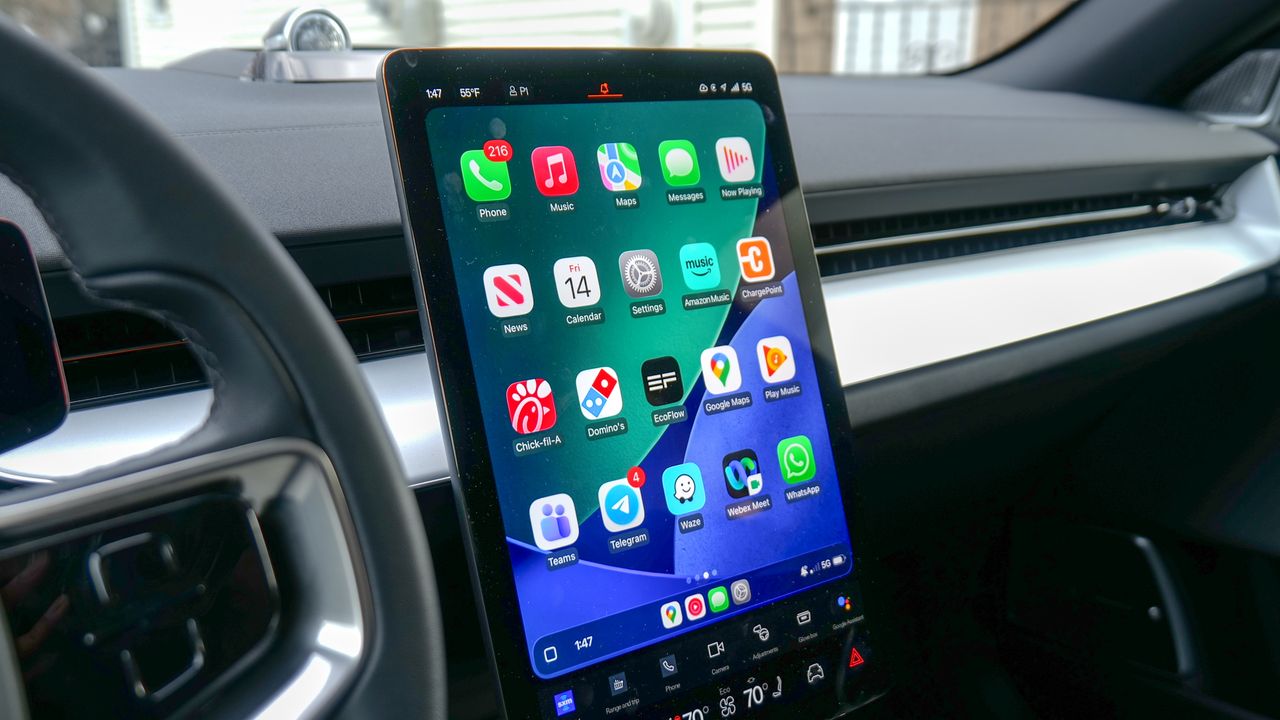
iOS 27 is introducing five significant upgrades to Apple CarPlay that fundamentally change how you interact with your vehicle's infotainment system. From more reliable wireless connectivity to native video support, these improvements address long-standing complaints from daily drivers.

If you've ever experienced CarPlay connectivity issues or struggled to control media without losing navigation, these features are designed specifically for you.

1. Wireless CarPlay becomes more reliable

We’ve all been there: you’re driving along, and suddenly Apple CarPlay just cuts out. Your music stops, your maps freeze, and you’re stuck trying to figure out why your phone disconnected. It’s incredibly annoying and completely distracts you from the road.

With iOS 27, Apple is finally trying to fix those annoying drops. They aren’t changing how CarPlay looks, but they are making the tech inside it a lot smarter.

Think of it as smoothing out the wrinkles. The update makes it easier for your iPhone and your car to talk to each other without losing their grip. It means your phone will stay connected more reliably, and if it does happen to drop for a second, it will snap back into place much faster on its own.

It won't completely fix every glitchy car radio out there, but it’s a really nice upgrade that should mean fewer headaches on your daily commute.

2. Audio mini player stays visible with navigation

Controlling music in CarPlay currently means pulling up the music app, which completely covers your navigation display. You either change songs and lose sight of your route, or ignore music entirely to focus on driving.

iOS 27 adds a persistent audio mini player that floats over your maps as an unobtrusive overlay. You can pause, skip tracks, or change songs without looking away from navigation or pulling up a separate app.

This works with every audio streaming service: Apple Music, Spotify, podcasts, or audiobooks, so you always have instant access to media controls. Even better, a passenger can control the audio while you focus entirely on the road and traffic ahead.

3. GPS accuracy improves in challenging environments

Driving through tunnels, parking garages, or downtown skyscrapers usually means one thing: your GPS completely freaks out. Your map drifts, you miss a turn, and you're stuck waiting for the app to recalculate.

iOS 27 helps fix this by making your phone smarter when it loses a satellite signal. Instead of giving up, your iPhone will now use its own internal sensors to guess exactly where you are based on how fast you’re moving and which way you're turning.

Working across Apple Maps, Google Maps, and Waze, it means fewer missed turns, smoother navigation, and a lot less stress next time you're driving through a big city.

4. Audio scrubbing navigates podcasts and audiobooks

Podcasts and audiobooks are long-form content that doesn't fit traditional skip-button controls. CarPlay's Now Playing screen only offered skip and previous buttons, forcing you to listen sequentially or pull out your phone.

iOS 27 adds a touch-friendly scrubbing slider to the Now Playing display, letting you drag your finger along the timeline to jump to any point in the audio without taking your eyes off the road.

This is particularly useful when you want to replay a quote you liked, skip past a sponsor segment, or find a specific moment you remember hearing. Instead of manually searching, you simply drag the slider on your CarPlay display.

5. Video in CarPlay becomes native

iOS 26 introduced Video in CarPlay, but it was severely limited to AirPlay casting when parked. iOS 27 transforms it into a real feature. Developers can now build apps that let you browse and play videos directly on your vehicle's display. When parked, you can stream movies, TV shows, short-form videos, or sports broadcasts on the big screen without the technical hassle of AirPlay.

If you start driving while video is playing, iOS 27 automatically switches to audio-only mode so you stay focused on the road while still following along with what you're watching. Once parked again, video resumes automatically.

More from Tom's Guide

Sign up to read this article
Read news from 100's of titles, curated specifically for you.

Already a member? Sign in here
Related Stories
Top stories on inkl right now
One subscription that gives you access to news from hundreds of sites
Already a member? Sign in here
Our Picks
Fourteen days free
Download the app
One app. One membership.
100+ trusted global sources.