
Get all your news in one place.
100's of premium titles.
One app.
Start reading
Tom’s Hardware
Tom’s Hardware
Technology
Dan Mateescu

We tested supercharging the RTX 5090 in PhysX games using an RTX 5060 as a secondary GPU — SLI may be dead, but how much can dual GPUs boost performance in classic PhysX titles?

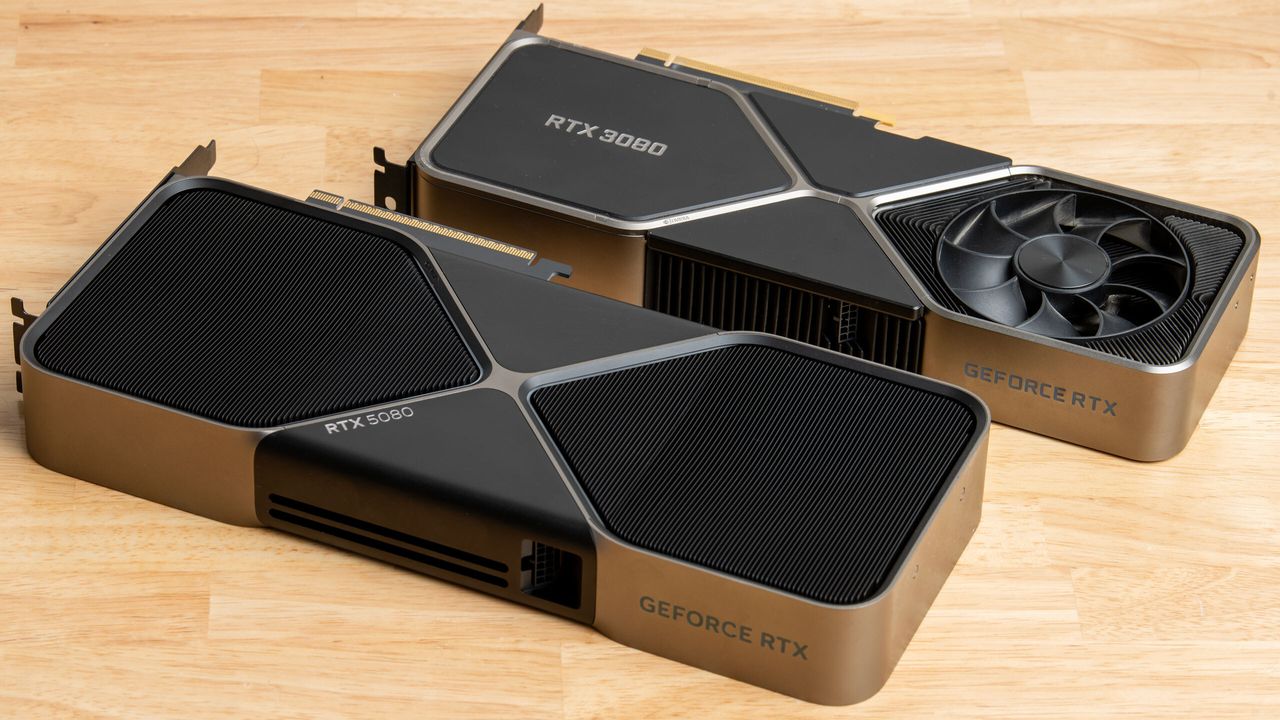
RTX 5080 and RTX 3080 Founder's Edition on a desk.

Today, we're testing the impact of using a dedicated secondary RTX 5060 GPU to boost the performance of an RTX 5090 in a few classic Batman Arkham titles that support 32-bit PhysX, and with impressive results. Sure, these results aren't going to be broadly applicable to all titles and configurations, or even entirely practical, but we're doing this for science, and we generated some interesting benchmarks to chew over.

Back in 2001, Swiss company NovodeX AG developed a physics simulation engine called NovodeX. Just 3 years later, NovodeX AG was acquired by Ageia, a fabless semiconductor company, which began development on hardware-accelerated physics technology. Ageia called this technology PhysX.

PhysX is a multi-threaded real-time physics engine SDK that supports numerous physics effects and runs on CUDA-enabled graphics cards. Games like the Batman Arkham series, Mafia II, Mirror’s Edge, Metro 2033, Metro: Last Light, and numerous others utilize PhysX effects for more realistic physics and greater immersion.

Ageia designed accelerator cards called Physics Processing Units (PPUs) aimed at aiding the CPU in physics calculations in games using the PhysX API. Nvidia acquired Ageia in 2008, after which point the company discontinued standalone PPUs and added hardware acceleration for PhysX to its own GPUs.

Why is the GPU Better Suited for PhysX?

Computing large amounts of simultaneous mathematical and logical calculations needed for physics in games is a difficult task, especially for the CPUs from 2005 to 2015, when PhysX integration was at its peak. Graphics cards with thousands of parallel cores are much better suited to perform these simultaneous calculations than CPUs. On systems that do not support hardware acceleration for PhysX effects, performance takes a massive hit as the CPU is used as a fallback.

Physics effects can run efficiently on modern CPUs, but the PhysX implementation in these games was specifically optimized for GPUs, so even modern processors struggle with PhysX effects.

And that's not the end of the performance challenges for PhysX-enabled games. When GeForce RTX 50-series graphics cards launched in early 2025, support for 32-bit CUDA was deprecated, which meant that users with these GPUs would experience lackluster performance when enabling PhysX in 32-bit games that support it, as hardware acceleration was no longer an option. However, in December of 2025, support for 32-bit PhysX was added for the RTX 50-series in select games with a driver update.

Single GPU vs Dual GPU

Although the GPU handles PhysX better than the CPU, enabling GPU-accelerated PhysX still causes a surprisingly significant performance hit compared to disabling PhysX entirely. In the Batman Arkham games, the decrease in performance when going from PhysX being entirely disabled to running PhysX on the GPU can be anywhere from 40-70%, depending on the game.

However, there's a way of mitigating this performance hit for those looking for the best performance in these classic titles. A dual-GPU setup can still be used to boost performance in PhysX games by setting the second GPU as the PhysX processor in the NVIDIA control panel and then checking the “Dedicate to PhysX” box. This will offload all of the PhysX work onto the second GPU, allowing the main GPU to focus on rendering.

Gamers have been doing this for many years, but we wanted to find out what happened when we pair a second GPU dedicated to PhysX with the most powerful consumer GPU in the world – the RTX 5090.

Test system

  • MSI GeForce RTX 5090 Vanguard SOC
  • Asus Dual GeForce RTX 5060 OC
  • Ryzen 7 9800X3D
  • 64GB (2x32GB) G.SKILL Flare X5 DDR5 @6200 MHz CL30
  • Crucial T700 Gen5 SSD
  • Asus ROG STRIX B850-F Gaming WiFi
  • Corsair Nautilus 360 RS AIO Cooler
  • HAGS enabled
  • Windows 11 25H2 (Build 26200.7922)
  • Nvidia Driver 595.76

We tested the following games using each game’s built-in benchmark because they all do a great job of showcasing all the PhysX effects throughout the run. We tested the games at 4K with every setting maxed out, including PhysX.

Batman: Arkham Asylum

(Image credit: Tom"s Hardware)

Batman: Arkham Asylum supports several PhysX effects, including dynamic fog and steam, dynamic tear-able cloth and cobwebs, spark effects, dynamic paper and leaves, additional rigid bodies, and destructible environments.

(Image credit: Tom"s Hardware)

We can see a massive 76% increase in average framerate going from a single 5090 to a 5090 with a 5060 as a dedicated PhysX GPU. We also get a nice 22% increase in the 1% lows. Playing a game with so many immersive physics effects on a high refresh rate monitor at an average framerate of nearly 400 frames per second is an incredible experience.

It's interesting to note that the RTX 5060, which was only responsible for PhysX, had an average utilization of 19% throughout the benchmark, with utilization peaking at 27%.

Batman: Arkham City

(Image credit: Tom"s Hardware)

Batman: Arkham City uses the following PhysX effects: dynamic fog and steam, dynamic bank notes and posters, additional rigid bodies, destructible environments, cloth simulation, and debris and particle effects.

(Image credit: Tom"s Hardware)

Once again, we see another impressive gain with a 66% increase in average framerate. We are now averaging 244 frames per second maxed out at 4K with all PhysX effects enabled. The RTX 5060 sees an average utilization of just 14% this time, with a peak utilization of 26%.

Batman: Arkham Origins

(Image credit: Tom"s Hardware)

Batman: Arkham Origins uses dynamic fog and steam, dynamic bank notes and posters, additional rigid bodies, destructible environments, cloth simulation, and spark and particle effects with PhysX.

(Image credit: Tom"s Hardware)

There's a 25% boost to the average framerate. It's not as impressive as the previous two examples, but still a nice gain. Unfortunately, the 1% lows seem to take a slight hit. Average utilization for the RTX 5060 was 37%, with utilization peaking at 49%. This really sheds light on how demanding PhysX is, and why enabling it on a single GPU setup can degrade performance so dramatically. The RTX 5060 is not responsible for anything other than PhysX calculations, and yet it is still averaging such high utilization throughout the benchmark.

Batman: Arkham Knight

(Image credit: Tom"s Hardware)

Batman: Arkham Knight uses PhysX for interactive smoke and fog, and interactive paper debris. This is a 64-bit PhysX game, for which the RTX 50-series has native support, and it's significantly more demanding than the other Arkham titles.

(Image credit: Tom"s Hardware)

Here, we see an increase of 19% in average framerate, which is the lowest of the games tested, but unlike Batman: Arkham Origins, we get a boost in 1% lows – a 13% boost, to be exact. Average utilization for the PhysX dedicated GPU here is higher than all previous games tested, sitting at 42%, with peak utilization at 61%. That's not surprising to see given this is the most advanced PhysX game we tested.

Dual GPU Setup for PhysX

The results of using a dual GPU setup for PhysX vary from game to game, and to be clear, our selection only focuses on the Batman Arkham series, so naturally, performance will vary with other titles. This will depend on how each effect is used and how optimized these effects are from one game to another. For the most part, performance does receive a boost, with the exception of the 1% lows in Batman: Arkham Origins. In the case of Batman: Arkham Asylum and Batman: Arkham City, the performance boost is enormous.

Having two GPUs within one PC may not be feasible for many people, be it due to cost, lack of space inside the case, or insufficient power to feed both graphics cards simultaneously. However, if you are an enthusiast with an extra CUDA-enabled GPU lying around and you want peak performance while revisiting these games, this could be a good way to use that extra GPU, provided that you have a setup that can properly handle dual graphics cards.

Sign up to read this article
Read news from 100's of titles, curated specifically for you.
Already a member? Sign in here
Related Stories
Top stories on inkl right now
One subscription that gives you access to news from hundreds of sites
Already a member? Sign in here
Our Picks
Fourteen days free
Download the app
One app. One membership.
100+ trusted global sources.