Get all your news in one place.
100’s of premium titles.
One app.
Start reading
Windows Central
Windows Central
Technology
Ben Wilson

This Windows 11 optimization and cleanup app blends perfectly into your PC's UI — and I never usually care about these 'debloaters'

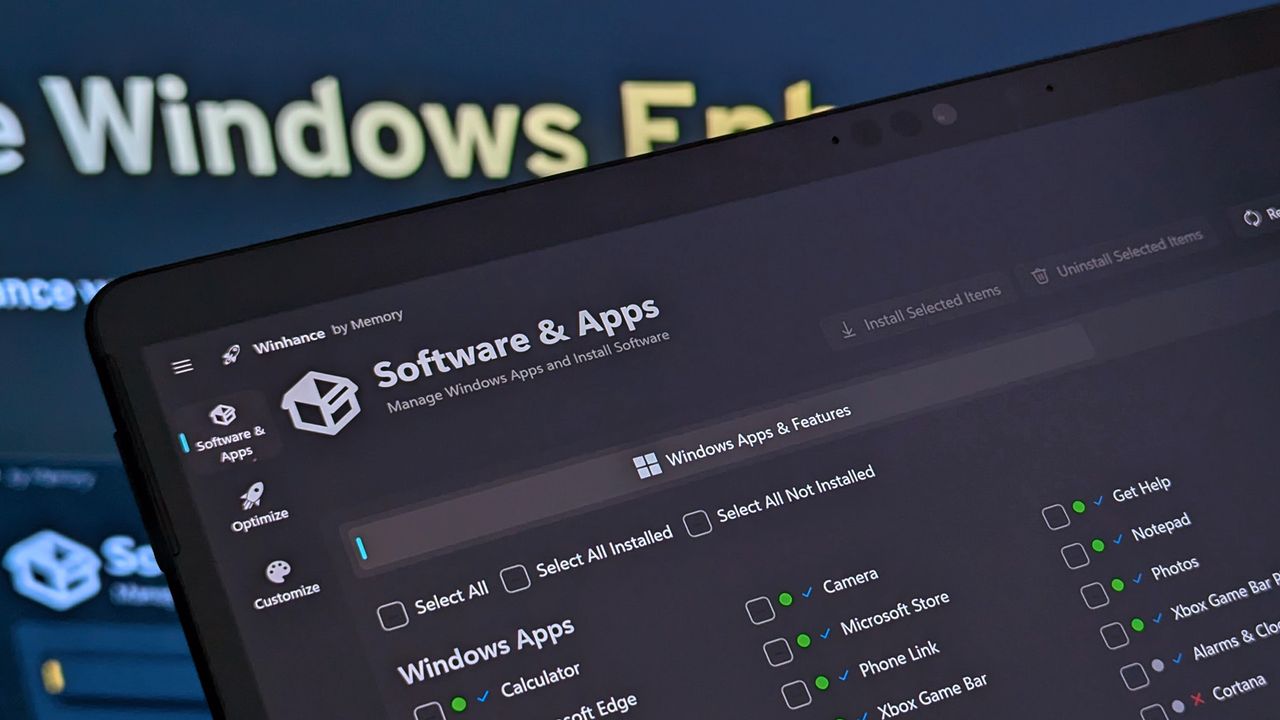
Winhance running on Surface Pro X.

Winhance is an open-source application led by Marco du Plessis, also known as memstechtips, that can optimize Windows 10 and 11 on desktop PCs and laptops. You can still find Winhance on GitHub, where it has lived for just over a year, and has always opted for a straightforward user interface that doesn't require much intricate knowledge of Microsoft's OS to understand.

Plessis has released multiple new builds over the last 12 months, and v26.02.13 brought more improvements to its UI as it migrated from an older Windows Presentation Foundation (WPF) base to Microsoft's modern WinUI 3 framework — essentially making Winhance match the style of the Settings menu.

As nice as rounded corners and transparency effects are, there have been behind-the-scenes improvements to the app's overall performance and efforts to reduce RAM usage. Since then, Winhance v26.02.17 stands as the latest version and fixes a few small issues introduced by the recent UI migration.

Lower memory usage is of particular interest for me, as I'm still using Microsoft's Surface Pro X from 2019 — yes, with the original SQ1 processor — and 8GB of RAM is starting to become a concern in Windows 11. I don't take much issue with a stock installation, but Winhance makes a few things a little faster than manually navigating Settings.

My take on 'debloaters' like Winhance

On the other hand, I'm generally opposed to debloat apps like this, so it's worth discussing what Winhance actually does. First, the very nature of open-source projects means that anyone tech-savvy enough can trawl through the code and see exactly what these apps are doing to your PC.

Then again, malicious fake copies of Winhance and other half-baked impersonators could threaten the OS' stability for novice users, and mistakes can be made.

Secondly, Winhance creates a System Restore backup of your PC before you ever get access to its functions. That way, if you do happen to forget which tweaks you made to your PC, or if anything is behaving in a way that you don't like, you can roll back to before anything was changed.

From there, you can remove a wealth of default Microsoft apps with a batch-selected uninstaller inside Winhance, and the same goes for installing multiple apps at a time — including legacy versions of Notepad and Paint without Copilot integration. The 'Optimize' section is almost identical to the Settings app in Windows, and most of its functions are, too.

I can make some unique tweaks here, like preventing OEMs from pre-installing "bloatware" apps — not necessarily an issue on a Surface, but something I'd consider when setting up new PCs and laptops from a few manufacturers that tend to load up a library of junk software.

Those of us who are well-versed in the geeky side of Windows 11 will also be happy to see an option under 'Advanced Tools' to create an Autounattend XML file, which can help duplicate your preferred app and settings selections on a secondary machine — or as many as you'd like.

If you're tempted, make sure to grab Winhance from the official GitHub repository, and not from any link you happen find on social media, and, as always, back up your important files and settings before trying any Windows optimization app like this. I can't tell you what to do with your PC, but I can ask that you're safe and sensible.

Would you use Winhance or similar software, or have you never needed one before? Let me know what you think about optimization apps. I'm curious how many of our readers use them.


Join us on Reddit at r/WindowsCentral to share your insights and discuss our latest news, reviews, and more.


Sign up to read this article
Read news from 100’s of titles, curated specifically for you.
Already a member? Sign in here
Related Stories
Top stories on inkl right now
One subscription that gives you access to news from hundreds of sites
Already a member? Sign in here
Our Picks
Fourteen days free
Download the app
One app. One membership.
100+ trusted global sources.