"You don't know what you got till it's gone," says the song. But in the case of using apps on Windows 11, it's more accurate to say you don't know what you've lost until you use an app that isn't bloated. It's not as catchy, but it's a stark reminder of the web-focused reality that is Windows 11.
I'm not an artist, at least not one that draws or paints. So I mainly use the drawing capabilities of Windows 11 to take notes or sketch things down. In news that will surprise no one who reads my content regularly, I often use a whiteboard app to draw American football plays for my team.

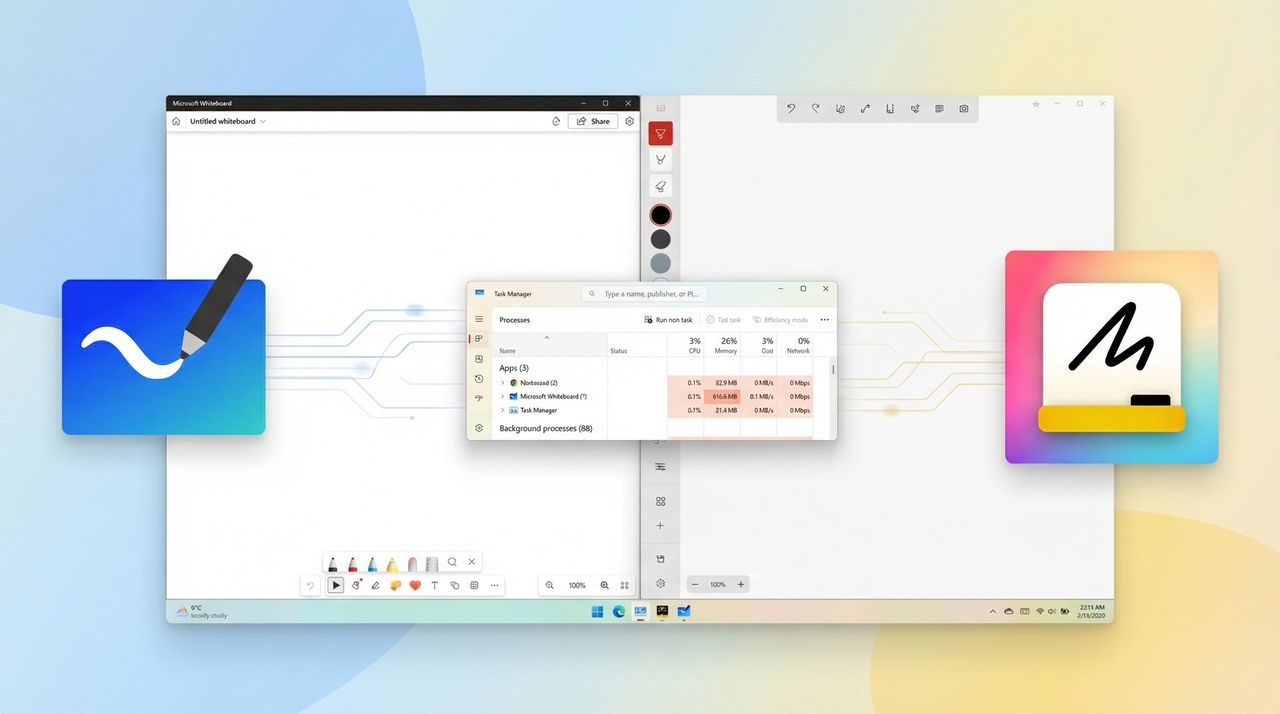
Until now, I've used Microsoft Whiteboard. The app has a nice set of features such as support for shapes and images. It also syncs to the web, which sounds nice at first but has a major drawback. Because of the nature of Microsoft Whiteboard, it eats a massive amount of RAM, even if you're just using it for a quick sketch.
When sitting idle on a blank canvas, Microsoft Whiteboard uses between 330MB and 450MB at any given moment on my PC. My system has more RAM than I generally use, so I usually don't feel the squeeze, but I was still shocked to see the difference between Microsoft Whiteboard and the third-party Whiteboard app "Markerpad."
I first discovered Markerpad on the Surface subreddit. The app's developer highlighted some new features and changes to the app recently.
"I built [an app] called Markerpad. It's a native, offline whiteboard app designed especially for Surface and its pens, but of course it works on all Windows devices," said the developer. "The app is 100% native to windows, which means it's extra quick to launch and the drawing experience is smooth too."
Launching Markerpad was a blast to the past of the days of native applications. So many apps on Windows are web apps or rely heavily on the web, so splash screens and loading time are the norm. Markerpad launches instantly, which is both refreshing and frustrating.
Having a native, offline whiteboard app is lovely. A lot of my sketches are one-offs that I either erase or send a screenshot of once.
What's frustrating is that Markerpad reminded me what it's like to use a native app that's slick and smooth.
I understand the two whiteboard apps cover different niches — connecting to the web will use some system resources. But my guess is that many would happily use a native version of Microsoft Whiteboard that could sync on demand rather than constantly eating up RAM.
Markerpad loads so quickly and is so lightweight that it's difficult to jump back to Microsoft Whiteboard. I look forward to the app being developed further to gain features such as textboxes, PDF import/export, and shape recognition.
Does Windows 11 feel too web‑heavy to you, or is this just me noticing the cracks? Share your experience below.

Join us on Reddit at r/WindowsCentral to share your insights and discuss our latest news, reviews, and more.