Get all your news in one place.
100’s of premium titles.
One app.
Start reading
Digital Camera World
Dan Mold

This autofocus feature on my mirrorless camera has been a game changer – now I rarely miss the moment!

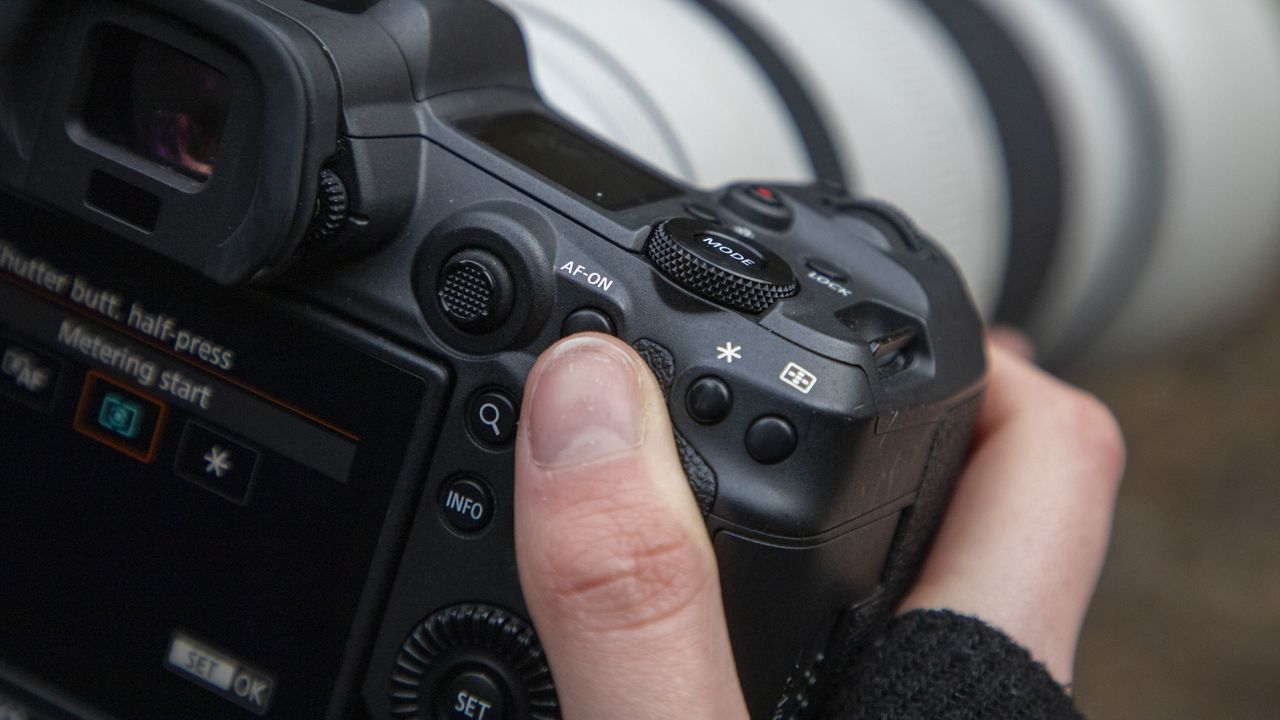
The close-up of the back of a Canon camera with a thumb hovering over the AF-ON button.

Mirrorless technology paved the way for the face detection and eye detection autofocus systems that we know and love in modern cameras. This is because older DSLRs relied heavily on the best autofocus being achievable when the mirror was down, as the faster AF sensors tended to be up top in the pentaprism housing.

Switching over to live view would often be a painfully slow and inaccurate affair on many of the DSLRs I owned. But with the removal of the mirrorbox and optical viewfinder, we saw mirrorless cameras that had no option but to autofocus using the on-sensor data.

This improved greatly over time and could eventually detect faces to lock onto a specific person or even their eye for very precise people tracking.

My secret weapon is to use a couple of different autofocus options in combination with back-button focusing. For those unfamiliar with the term back-button focusing, this is where you remove the AF acquisition from the shutter button and place it instead on the rear AF-On button – the shutter button now purely fires the shutter (and starts metering, if you wish).

- Check out the best Cyber Monday camera deals

Most enthusiast-level and pro cameras have the ability for you to customize the buttons on your camera, making it possible to change the button that begins AF acquisition from the front shutter button, to the AF-On button on the back (Image credit: Future)

The other key setting is to enable your continuous autofocus drive mode. This means that, so long as you hold down the autofocus button (now set to AF-On), the camera will constantly refocus over your active AF point – very useful if it’s on the move.

Just by making these simple changes, you have access to three autofocus modes all without ever having to dive into a menu. Hold AF-On down to continually track, press AF-On once to focus and set (much like Single Servo AF mode) or don’t touch AF-On at all and use the lens focus ring to focus manually.

Now I’m going to add a game-changer into the mix. I suggest setting another button on the back of the camera, in my case the * button on my Canon EOS R5 to activate Face Detection. So if I want to use it I can press and hold the * button to track a person’s face, though if the camera gets it wrong (it’s rare, but it happens) I can switch back to the AF-ON button for a more manual override.

Of course, if you’ve already got a very good hit rate I wouldn’t suggest you change anything. But, if you own a mirrorless camera and you’re struggling with achieving pin-sharp shots, your camera likely has these settings and costs nothing to try it out – so you don’t have anything to lose!

You might also like…

If Face Detection is important to you, check out the best cameras for portraits and the best lenses for portraits.

Sign up to read this article
Read news from 100’s of titles, curated specifically for you.
Already a member? Sign in here
Related Stories
Top stories on inkl right now
One subscription that gives you access to news from hundreds of sites
Already a member? Sign in here
Our Picks
Fourteen days free
Download the app
One app. One membership.
100+ trusted global sources.