Get all your news in one place.
100's of premium titles.
One app.
Start reading
T3
T3
Technology
Max Freeman-Mills

The Switch 2 just got an upgrade that literally changes everything for Switch 1 games

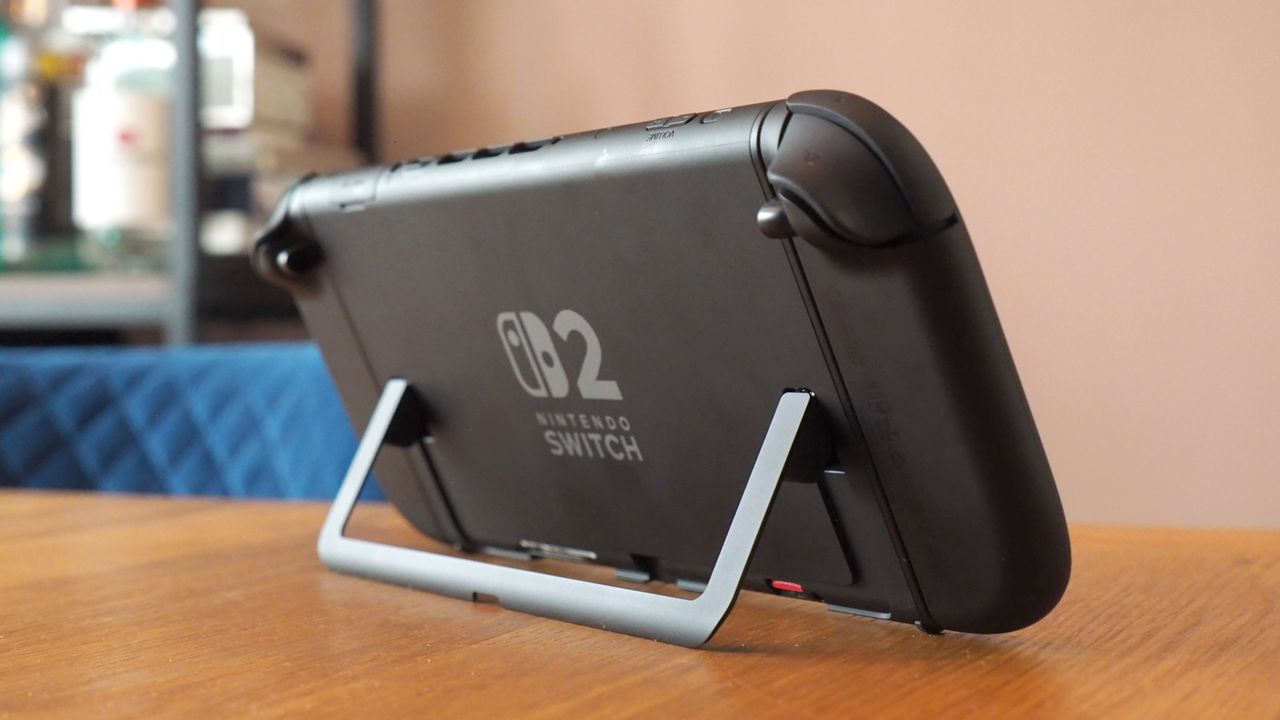
Nintendo Switch 2 review.

From the moment the Switch 2 was announced, we knew that it would have full backward compatibility with almost every Switch 1 game – the only exception being some with peripherals that wouldn't work. That made me instantly predict it would be the best games console ever, with an unparalleled library, and a new surprise software update from Nintendo just made me feel even better about that label.

In the latest firmware update for the Switch 2 (version 22.0.0), Nintendo added a surprise new toggle in the Switch 2's settings, called Handheld Mode Boost. Put simply, this forces every Switch 1 game that you run on the Switch 2 in handheld mode to use the same settings the game would have used on a Switch 1 when docked.

In hundreds of cases, that means a boost to the game's performance, since most Switch 1 games ran better or got sharper when run in docked mode compared to handheld mode, unthrottling the hardware.

So, for example, games like Nier: Automata ran at 720p on the Switch 1 in handheld mode, but at 1080p in docked mode. Now, when you play them in handheld mode on the Switch 2, they'll default to the latter, sharper mode, and since the Switch 2 is significantly more powerful, there shouldn't be any performance downside.

That's massive, and I don't think it can really be overstated. While it's still probably optimal if a developer can release a proper Switch 2 patch to really unlock its games on the newer console, Nintendo's basically just given us all the option of giving brute-forced Switch 2 patches for every game on the Switch 1.

Even some of its own games will benefit hugely – Super Smash Bros. Ultimate is a great example, and it'll be way sharper visually with the new toggle. If you've got any Switch 1 games in your backlog waiting, then you just got a very good reason to check them out anew.

If you're curious, here's how Nintendo says you can enable the new setting once you have the latest software update downloaded and applied:

  • Select System Settings on the HOME Menu.
  • Scroll down through the System Settings menu and select System.
  • Scroll down on the right and select Nintendo Switch Software Handling.
  • Select Handheld Mode Boost to enable or disable this setting.

There are also a couple of small caveats from Nintendo that I think are worth highlighting:

  • Because this option forces TV mode operation, some instructions may be incorrect or fail to operate correctly.
  • Handheld Mode Boost may prevent Nintendo Switch software from using the system's touch screen, and will cause attached Joy-Con 2 controllers to be treated as a Nintendo Switch 2 Pro Controller.

Those are both worth knowing about, but don't change the fact that this is a massive surprise upgrade for the Switch 2's backward compatibility, and a bit of a dream scenario for those of us who've upgraded.

Sign up to read this article
Read news from 100's of titles, curated specifically for you.
Already a member? Sign in here
Related Stories
Top stories on inkl right now
Our Picks
Fourteen days free
Download the app
One app. One membership.
100+ trusted global sources.