We've seen some great Black Friday drawing tablet deals over the weekend, from budget pen tablets to pro pen displays with 4K resolution. But the pen tablet that changed how I edit photos is wonderfully cheap even when there's not up to 30% off at Amazon UK for Cyber Monday (there's 15% off at Amazon US too).
Drawing tablets are mainly reviewed for drawing, which is logical. But I've found them to be useful for photo editing too, and even as a general input device, replacing a mouse or trackpad for more precision and less risk of wrist strain.

Lightroom and Photoshop now have lots automatic selection tools that speed up editing, but I still find they usually need manual refinement. This is where a stylus can be useful, for brushing over borders to remove the dreaded 'halo' effect as well as for dodging and burning.
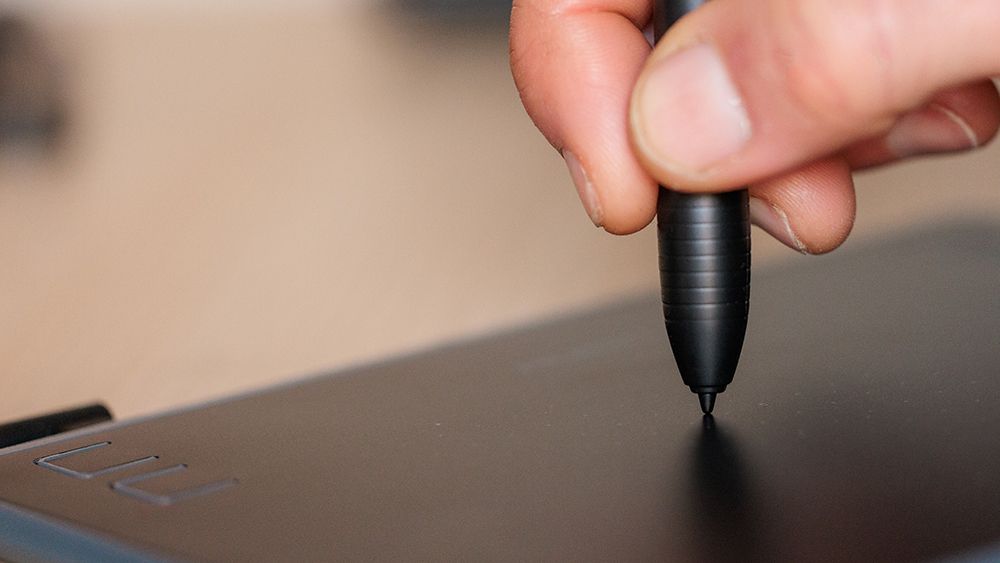
For this use case, I've found I don't need to spend much money at all. This was the cheapest pen tablet I could find, and I wouldn't spend any more.
A comparable alternative is the One by Wacom. That's a better-known brand, but it's a little more expensive and doesn't have the shortcut buttons. With the Huion, I set the tablet's keys to zoom in / out and to increase / decrease brush size, and I set the buttons on the pen to right-click and erase.
I'm right handed, so my left hand remains close enough to hit Ctrl + Z on the keyboard for Undo and the Space bar to let me use the stylus to move around an image, so that's all I needed for a faster editing setup.
I've tried using pen computers for photo editing, including 2-in-1s like Microsoft's Surface Pro, but I didn't like the hard, 'slipperiness' of the screens so much, and I find they needed to be used flat for best precision, which means looking down while you work. You can use a stand or keyboard cover to prop them up, but that tends to create at least a bit of wobble. A pen tablet allows you to work on your usual laptop or desktop PC with your head up.
Coordination can take some getting used to if you haven't used a pen tablet before, but it becomes natural. Pressure sensitivity on the H430P is 'only' 4,096, but I actually reduced it to minimum since it was still too sensitive to accurately control sliders in Lightroom.
For digital art, I'd want a larger device for sure. A bigger drawing tablet lets you draw from the shoulder and make bigger strokes (see our full comparison of the best drawing tablets for guidance there and more Cyber Monday drawing tablets below), but for photo editing, I don't think a larger device would provide any real benefit. This simple, cheap tablet does the job just fine.
For more surprisingly useful home office bargains, check out the Cyber Monday window vac deal that solved the problem of condensation in my home office.