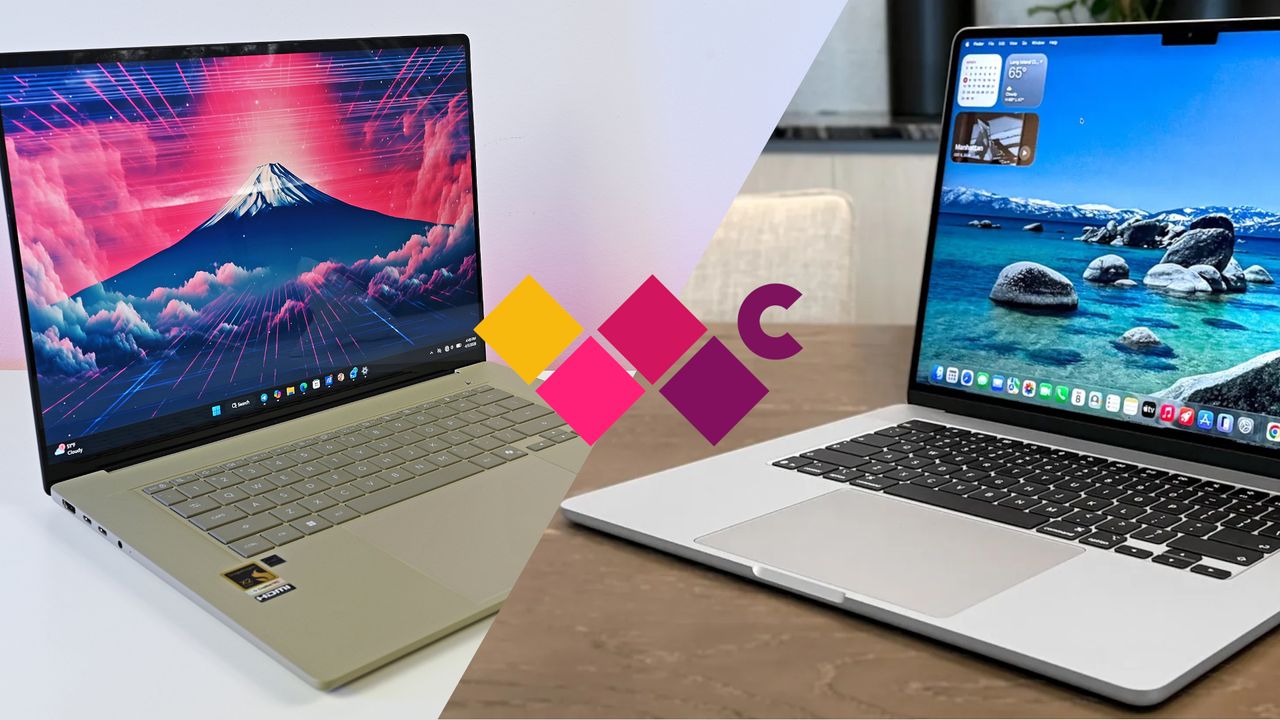
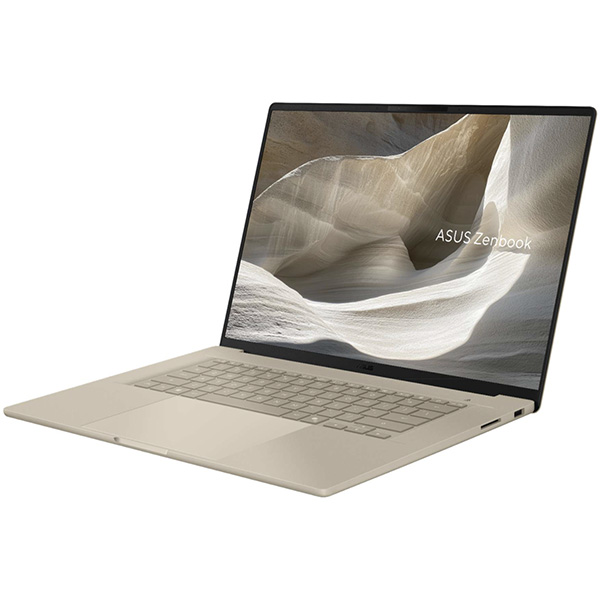

The Zenbook A16 is a near-perfect Windows laptop that puts a serious dent in Apple's lightweight dominance. Even if you're a macOS user, the A16's set of perks might be enough to sway you over to Windows 11. Yes, it's that good.
Pros
- OLED display with 120Hz refresh rate, 1100 nits brightness
- Lighter than the MacBook Air 15 by a significant margin
- Better port selection
- Less expensive for a similar configuration
- Superb performance and efficiency from Snapdragon X2 Elite Extreme
Cons
- No haptic touchpad
- Starts at a higher price (at least for now)
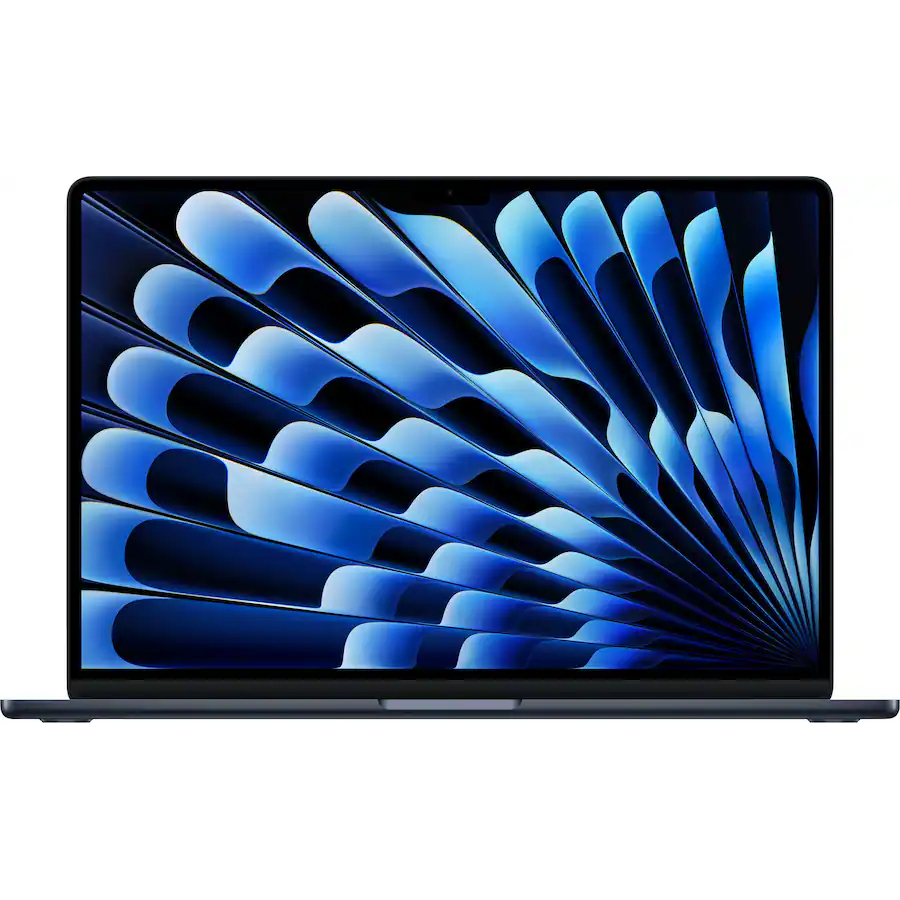
Apple's MacBook Air 15 continues to deliver strong single-core performance and excellent efficiency thanks to its M5 chip. However, many of its features fail to compete with those in the Zenbook A16, and you'll end up paying more for a similar configuration.
Pros
- Haptic touchpad is a definite win
- Thinner than the Zenbook A16
- M5 has better single-core performance
- Excellent battery life
Cons
- LED display at 60Hz, 500 nits brightness
- Less impressive port selection
- No facial biometrics
- You'll pay more for a similar RAM/memory config

When Apple introduced its new MacBook Air 15 with M5 chip on March 3, 2026, I knew it'd only be a short while before it began seeing serious competition from new Windows laptops powered by Qualcomm's latest Snapdragon X2 silicon.
ASUS has now launched its new Zenbook A16 for 2026, a laptop that Windows Central Senior Editor Ben Wilson tested and reviewed thoroughly, only to have a hard time finding any faults.
I've put together this comparison between the Zenbook A16 and the MacBook Air 15 based on design, display, features, performance, and battery life to help you make the right decision.
How do ASUS Zenbook A16 and MacBook Air 16 specs compare?
Before I get into a more detailed explanation of the similarities and differences between the Zenbook A16 and MacBook Air 15, here's a table with raw specifications.
ASUS Zenbook A16 (UX3607OA) |
MacBook Air 15 (M5) |
|
|---|---|---|
CPU |
Snapdragon X2 Elite Extreme (X2E-96) |
Apple M5 |
RAM |
48GB LPDDR5x |
16GB, 24GB, 32GB LPDDR5x |
GPU |
Integrated |
Integrated |
SSD |
512GB, 1TB (upgradeable) |
512GB, 1TB, 2TB, 4TB (permanent) |
Camera |
1080p, IR for Windows Hello |
12MP, 1080p video |
Audio |
Six speakers |
Six speakers, Dolby Atmos |
Displays |
16", OLED, 2880x1800, 120Hz, 500 nits (1,100 nits HDR), 100% DCI-P3, VESA DisplayHDR True Black 1000, touch or non-touch |
15.3", IPS, 2880x1864, 60Hz, 500 nits, Dolby Vision, non-touch |
Ports |
2x USB4, USB-A 3.2 (Gen 2), HDMI 2.1, SD 4.0 card reader, 3.5mm audio |
2x Thunderbolt 4/USB4, 3.5mm audio |
Wireless |
Wi-Fi 7, Bluetooth 5.4 |
Wi-Fi 7, Bluetooth 6 |
Battery |
70Wh |
66.5Wh |
Dimensions |
13.92 x 9.54 x 0.54-0.65 inches ( 35.35cm x 24.24cm x 1.38-1.65cm) |
13.4 x 9.35 x 0.45 inches (34.04cm x 23.76cm x 1.15cm) |
Weight |
2.65 pounds (1.2kg) |
3.3 pounds (1.51kg) |
It's worth noting that ASUS lists a Zenbook A16 model (UX3607QA) sporting a last-gen Snapdragon X (X1-26) chip starting at 16G of RAM and 512GB of storage. This model is perhaps arriving later on in different markets.
The UX3607OA model I compare in the table above is the one that's arriving first for US markets.
Is the ASUS Zenbook A16 lighter than the MacBook Air 15?

Despite having a larger display, a larger battery, and overall slightly larger dimensions, the ASUS Zenbook A16 weighs less than the MacBook Air 15. It's not exactly a close margin, either, with the A16 coming in at 2.65 pounds (1.2kg) and the MacBook Air 15 weighing 3.3 pounds (1.51kg).
I also want to note that the Zenbook A16's footprint isn't wildly larger than the Air 15. The Z-height (thickness) is really the biggest difference, with Apple's laptop maintaining its lead at 0.45 inches (1.15cm) compared to 0.54-0.65 inches (1.38-1.65cm).
ASUS uses a "Ceraluminum" material for its chassis, and it's basically a magnesium alloy that's super light but durable. The MacBook Air also uses an aluminum base that's plenty rigid and refined.

Looking at ports, the Zenbook A16 easily bests the Air 15. The ASUS PC comes with dual USB4, USB-A 3.2 (Gen 2), native HDMI 2.1 out, an SD 4.0 card reader, and a 3.5mm audio jack.
The MacBook Air 15 offers just two Thunderbolt 4/USB4 and a 3.5mm audio jack. That means that the Air 15 can only run up to two external displays, topping out at 4K@144Hz. With native HDMI and dual USB4, the A16 will offer better external screen support.

Both ASUS and Apple make excellent keyboards, and this area should come down to personal preference. One area where the MacBook Air 15 definitely pulls ahead, however, is with its pointer.
Apple's Force Touch trackpad uses haptics to simulate the feel of a click; this hardware is almost always preferable compared to traditional touchpads with moving parts below.
That's what the Zenbook A16 uses, and while its touchpad is certainly big enough with good accuracy, it's really the only downside we noted in our Zenbook A16 review.

Both laptops feature a six-speaker audio system, but only the MacBook Air 15 adds Dolby Atmos tuning. The webcams are similar with 1080p video capabilities, but because the Zenbook A16 is running Windows 11, its camera adds an IR sensor for facial recognition through Windows Hello. On the MacBook Air, it's fingerprint Touch ID or passwords.
And finally, both laptops feature cutting-edge Wi-Fi 7 connectivity. ASUS pairs it with Bluetooth 5.4, whereas the MacBook Air 15 gets newer Bluetooth 6.
TL;DR: Both laptops are impressively thin and lightweight; the MacBook Air 15 is thinner, but the Zenbook A16 is lighter. The A16 has a better selection of ports and facial recognition abilities, whereas the MacBook Air 15 has a better touchpad.
Does anyone prefer LED at 60Hz compared to OLED at 120Hz?

With the ASUS Zenbook A16, you're getting a 16-inch OLED display with a sharp 2880x1800 resolution, 120Hz refresh rate, and optional touch functionality.
It's a screen with 500 nits maximum base brightness, climbing all the way to 1,100 nits with HDR enabled. That makes it certified for VESA DisplayHDR True Black 1000, and a killer display for creators.

The MacBook Air has a 15.3-inch display with a slightly sharper 2880x1864 resolution, which works out to a higher pixels-per-inch amount due to its smaller dimensions. However, the display tops out at a measly 60Hz and doesn't have optional touch functionality.
It also doesn't get nearly as bright, often falling short of the advertised 500 nits brightness in SDR and HDR content.
TL;DR: With an OLED panel, twice as fast a refresh rate, far more brightness, and touch or non-touch options, the ASUS Zenbook A16's display is an easy winner compared to the MacBook Air 15.
Does the ASUS Zenbook A16 have better battery life than the MacBook Air 15?

Qualcomm's Snapdragon X2 Elite Extreme chips are a rather significant upgrade over the first-gen Snapdragon X silicon, and that applies to performance and efficiency.
We tested the X2 Elite Extreme (X2E-94) chip in the Zenbook A16 for our review. It has 18 cores and a 4.7GHz maximum boost frequency. The Zenbook A16 is also available with the higher-tier X2E-96 chip with a higher boost frequency and a locked 48GB of LPDDR5x RAM. It costs $1,999.99 direct from ASUS.
If you want more power, it's available, but the X2E-94 chip we tested is impressive. In Geekbench 6, the X2 Elite Extreme hit 3,806 single-core and 22,872 multi-core scores. The M5 in the MacBook Air 15 hit 4,191 single-core and 17,276 multi-core scores.
Apple maintains single-core dominance, but not by a whole lot anymore. And multi-core isn't even close. We plan to test the GPU after the A16's launch when better drivers are available.
This is but a brief look at synthetic performance, and yet it suggests that Snapdragon X2 could be the true turning point for Windows on ARM that we've been waiting for.

Improved efficiency is another key ingredient in Qualcomm's latest silicon. During testing of the Zenbook A16, we basically used it for constant web browsing and some occasional photo editing and spreadsheets.
Windows 11's battery report estimates about 16 hours of life based on that type of use. In PCMark 10's local video playback test, the laptop ran for 20 hours and 30 minutes.
Streaming 4K video from YouTube with the screen set at about 65% brightness and volume at 10% resulted in 14 hours and 13 minutes of battery life.

Our friends at Tom's Guide ran a similar test on the MacBook Air 15 during its review process. With continuous web surfing and the display at 150 nits brightness, the MacBook Air 15 lasted 15 hours and 37 minutes.
That's roughly the same as what you can expect from the Zenbook A16, and it's a testament to the efficiency upgrade Qualcomm has promised from its X2 hardware.
TL;DR: The X2 Elite Extreme chip falls short of single-core performance compared to Apple's M5, yet it delivers superior multi-core performance. Efficiency is essentially the same between the two laptops.
ASUS Zenbook A16 (2026) vs. MacBook Air 15: Which should you buy?

There's one important aspect I haven't yet discussed: pricing. The Zenbook A16 makes its debut in the US for $1,599.99 at Best Buy. This price lands you the Snapdragon X2 Elite Extreme (X2E-94) System-on-Chip (SoC), 48GB of LPDDR5x-9600 RAM, a 1TB M.2 PCIe 4.0 NVMe SSD, and the usual 2.8K OLED display.
The MacBook Air 15 M5 starts at a lower $1,299 price at Best Buy, although it has just 16GB of RAM and half as much storage at 512GB.
Bumping the MacBook Air 15 M5 up to 24GB of RAM (still half as much as the Zenbook A16) and a 1TB SSD pushes the price to $1,699, a full $100 more than the ASUS laptop.
So while you can land a MacBook Air 15 M5 for a lower introductory price, Apple's laptop does become more expensive than the Zenbook A16, even without matching memory amounts.
Just like the A14 before it, the A16 will stand out as one of the best Windows laptops you can buy. Any apprehension about Windows on ARM64 is a low-effort excuse, especially when the raw horsepower behind the X2 Elite Extreme would effortlessly run traditional x86-64 apps under Microsoft's Prism.
Windows Central Senior Editor Ben Wilson
With pricing and everything else I've covered above in mind, it quickly becomes evident that the ASUS Zenbook A16 is going to provide stiff competition for the MacBook Air 15.
If you're a regular Windows user, the choice is clear: the Zenbook A16 should be your next laptop. It's a tougher decision for regular macOS users. If you're beholden to Apple's OS, you're probably sticking with the MacBook anyway. But if you're considering a switch to Windows 11, the Zenbook A16 should be the best way to make an easy transition.
I dare say that the MacBook Air is no longer the best lightweight laptop on the market. The Zenbook A16 offers so much more for a lower price, and in this economy, that's perhaps the most important feature.
The Zenbook A16 is a near-perfect Windows laptop that puts a serious dent in Apple's lightweight dominance. Even if you're a macOS user, the A16's set of perks might be enough to sway you over to Windows 11. Yes, it's that good.
Apple's MacBook Air 15 continues to deliver strong single-core performance and excellent efficiency thanks to its M5 chip. However, many of its features fail to compete with those in the Zenbook A16, and you'll end up paying more for a similar configuration.

Join us on Reddit at r/WindowsCentral to share your insights and discuss our latest news, reviews, and more.