Whether you want to keep your browsing habits hidden from your internet provider, do some online banking on coffee shop wifi, or watch a wider library of Netflix shows while travelling, choosing one of the best VPNs is the way to go.
Launched in 2018 as a budget-friendly disruptor, Surfshark has spent the last few years expanding its toolset to become a major player in the VPN world. It now boasts a network of over 4,500 servers across 100 countries and, uniquely, it still allows you to connect an unlimited number of devices on a single subscription. That means you can protect your phone, laptop, smart TV and your entire family’s hardware for a single monthly fee – a rarity when rivals like NordVPN and ExpressVPN cap your connections.
Surfshark has matured a lot since I first reviewed it back in 2022. Now sharing a parent company with NordVPN, it operates independently out of the privacy-friendly Netherlands. The company has invested heavily in proving its trustworthiness by subjecting itself to regular, independent audits of its “no logging” claims. And it’s a whole lot faster.
Like many of its rivals, Surfshark has expanded its core VPN offering to include a suite of security-adjacent add-on features like data-breach alerts, antivirus software and a tool to wipe your personal information from online marketing databases. Users in the US can even get up to $1 million in identity theft coverage to cover things like document replacement, legal fees and mental health counselling.

To see how Surfshark has changed, I’ve been using it daily for the last few months to see how it handles modern streaming hurdles, speed tests and daily browsing in 2026. Here’s my full verdict.
Read more: NordVPN review – still the best VPN for 2026
How I tested

I use Surfshark as my daily VPN. In my most recent in-depth test, I tried it on multiple devices including laptops, smartphones and smart TVs. I measured server speeds and reliability across local and international locations. I then streamed shows on BBC iPlayer, ITVX, Channel 4, Sky Go, Netflix and Disney+ to check how well it handled UK content while connecting to UK servers.
I also looked at Surfshark’s security features, like its no-logs policy and encryption standards, and explored tools such as split tunnelling, ad blocking and multi-hop. I looked at real-world usability, from the mobile and desktop apps to how easy it was to install on a Fire Stick.
Finally, I weighed up the pros and cons of the subscription pricing, comparing it with other VPNs that offer similar features. I wanted to see if Surfshark gave real value for money. You can read more on how we test VPNs at The Independent.
Read more: The best cheap and affordable VPNs
Surfshark VPN

Number of servers: More than 4,500
Server locations: More than 100
Number of simultaneous devices supported: Unlimited
Devices supported: Windows, Mac OS, Linux, iOS, Android, Fire TV and more
Why we love it
- Cheap
- Easy to use interface
- RAM-only servers
- Alternative ID is great for keeping your data safe
Take note
- Some features are exclusive only to Android
Surfshark VPN: Price and free trial
Surfshark has three tiers to choose from: Starter, One, and One+. Prices fluctuate slightly throughout the year depending on seasonal sales and rival pricing, but they generally don’t deviate massively from the base price. In sales, particularly on Black Friday, we’ve seen Surfshark extend the length of an annual subscription.
The Starter tier comes with the essentials, plus Alternative ID, which gives you a fake email address and fake personal details when signing up to websites you don’t trust. The One tier adds anti-virus, data-leak monitoring and a private search engine. One+ adds identity theft coverage (for US users) and Incogni, a service that finds your personal information on company databases and hounds data brokers, spam callers and marketers to remove it on your behalf.
If you want the best value, the long-term plans are where Surfshark shines. At the time of writing, the longest 24-month subscription to the Starter tier works out to £1.49 a month. If you don’t want to commit for two years, a 12-month plan sits at around £2.29. There’s also a rolling one-month plan at a dizzying £11.29 per month, though I suspect it mostly exists to make the 12- and 24-month subscriptions look a lot more palatable.
Tier |
24-months (+3 extra months) |
12 months (+3 extra months) |
1 month rolling |
Starter |
£1.49 |
£2.29 |
£11.29 |
One |
£1.79 |
£2.49 |
£13.09 |
One+ |
£3.09 |
£4.59 |
£15.19 |
You can pay via credit card, PayPal, Google Pay, Apple Pay or – if you’re feeling especially privacy-conscious – any of the most popular cryptocurrencies.
Surfshark didn’t have a free trial last time I reviewed it, instead offering a quibble-free, 30-day money back guarantee. Today you can try Surfshark free for seven days without making any payment, which means you won’t be out of pocket while you’re trialling the VPN. Graciously, that 30-day money back guarantee remains in place too.
Surfshark is not only cheap, but it’s available on a smorgasbord of operating systems, including Android TV and Fire TV. Better yet, it supports an unlimited number of devices, so you’ll be able to connect to Surfshark on as many platforms as you like. It’s a big bonus when you compare it to NordVPN’s 10 devices or ExpressVPN’s five.

Surfshark VPN: Features
If you opt for the One or One+ tiers, Surfshark goes from a simple VPN into a full cybersecurity suite. You get Surfshark Antivirus for your Mac, PC and Android devices; Surfshark Alert, which actively monitors the dark web to see if your email or credit card details have been leaked; and Surfshark Search, a completely private, ad-free search engine.
I’ve banged this particular drum in every VPN review I’ve written, but VPN providers like to capitalise on you thinking the internet is more dangerous than it is. Unless you’re really clowning around, downloading executables and ignoring warnings on dodgy parts of the internet, the built-in antivirus that comes with Windows is all most users really need. I wouldn’t recommend upgrading to One purely for Surfshark’s antivirus.
A standout extra on all three tiers (including Starter) is Alternative ID, which generates a fake name, date of birth and email address for you to use when signing up for sketchy websites or newsletters, keeping the resulting spam out of your real inbox. Emails to your fake address will be securely forwarded to your normal inbox, so you can catch any login links and codes without outing your personal email address.
Incogni
Upgrading to the top-tier One+ plan also grants you access to Incogni, an automated service that automatically sends out data removal requests to marketing companies, forcing them to delete your personal information from their databases. When bought separately Incogni is priced at around £4.50 per month, meaning you’re saving money by bundling it with Surfshark One+.
European GDPR laws make it a lot harder for marketers to legally store your personal information, so users of Incogni in the UK probably won’t benefit as much as international users. It’s difficult to track exactly how effective the service is at reducing spam calls and emails, but in my testing Incogni found my information on 44 databases and successfully removed it from 19.
Curiously, my partner was found on the same set of 44 databases and had their data removed from 19, which suggests that for UK users there’s not a huge degree of personalisation happening beyond a baseline scrub of a core batch of known marketing databases. Incogni seems to be a better value-add if you live somewhere marketers are allowed to play fast and loose with your data.

Surfshark VPN: Logging
By hiding your online activity from your internet service provider, you’re simultaneously handing that information over to a private VPN company, so trust matters. To that end, Surfshark has a “no-logs” policy that means it doesn’t track, monitor or keep any record of what you do online. If authorities ever kicked down their door with a warrant, Surfshark says it wouldn’t have any user data to hand over.
Surfshark has taken steps to prove these claims. The company’s no-logs policy was most recently confirmed by Deloitte in June of 2025, and Surfshark says it uses entirely RAM-only servers. This means all data is being constantly overwritten and wiped the moment a server is turned off or restarted, making it physically impossible for your browsing history to be extracted from a hard drive.
Governments can make secret requests for user data, which VPNs aren’t allowed to disclose to users. To get around this, Surfshark once used a clever loophole called a “warrant canary” – a notice on its site stating that it had not received any secret subpoenas – which would be quietly removed if no longer true. Surfshark no longer uses this strategy, instead publishing regular transparency reports.
In 2022, Surfshark merged with Nord Security (the parent company of NordVPN). However, Surfshark continues to operate independently out of the Netherlands, a country that has intelligence-sharing agreements with other countries, but strong consumer privacy laws that sit outside of the strict data-retention requirements found in the US or UK.
Surfshark VPN: Privacy
As for your connection, you get AES-256 encryption, an automatic kill switch (which cuts your internet if the VPN drops, preventing data leaks) and the fast, modern WireGuard protocol enabled by default. You can also use Dynamic MultiHop, which lets you bounce your connection through two different countries for double the encryption.
I ran a series of privacy tests while connected to different Surfshark servers to sense-check the company’s claims using IPleak.net and DNSLeakTest. I found that Surfshark was indeed obscuring our identity.
It uses the fast WireGuard protocol as the recommended default, but you can switch to OpenVPN or IKEv2 if you so prefer. If you connect using the OpenVPN protocol, obfuscation will automatically kick into effect (something Surfshark calls camouflage mode). It hides all traces that you’re connected to a VPN.
There’s an in-built kill switch, but it isn’t turned on by default, so you’ll have to manually toggle it on in the settings. A kill switch blocks your device from accessing the internet if your connection drops, acting as the final line of defence so that your data is never exposed.
One interesting security measure is that Surfshark utilises purely RAM-based servers, which essentially means that no data can be physically taken as with hard drive servers, and all data can be wiped remotely if necessary. It’s something that not a lot of VPN providers have switched over to just yet.

Surfshark VPN: Performance and speed
Surfshark wasn’t the speediest VPN when I first tested it. But thanks to the more widespread implementation of the WireGuard protocol and a slew of major server upgrades, it’s now consistently one of the fastest VPNs I’ve tested.
Connecting to a UK server resulted in roughly a 5 per cent drop in my measured broadband speeds. In practice, that makes no discernible difference when streaming or browsing with the VPN set to a local server, with just marginally longer wait times when transferring large files.
Surfshark was blocked by a handful of sites over the course of a few months’ testing – mostly some retailers and ticket sellers – but switching to a new server tended to fix any issues. Google is infamous for bombarding VPNs with captchas when it detects them, but Surfshark played nicely with the search engine throughout my testing.
Server location |
Download (Mbps) |
Upload (Mbps) |
No VPN |
23.9 |
24.3 |
London-London |
21.8 |
23.1 |
London-New York |
21.2 |
17.8 |
London-Seattle |
19.2 |
18.2 |
London-Sydney |
13.8 |
13.3 |
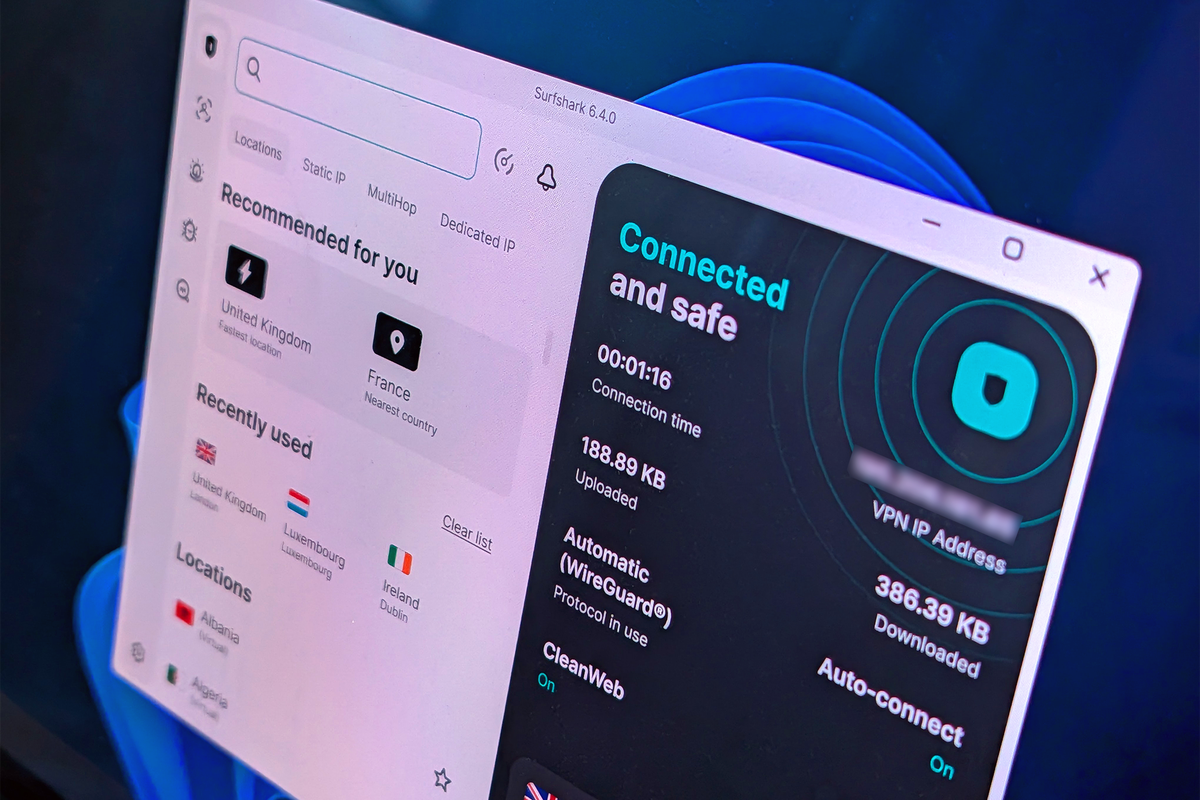
Connections are established quickly, and the app itself is slick and easy to navigate. The interface is clean and uncluttered, while still hiding enough advanced settings in the menus to keep tinkerers happy. The app can start with Windows and connect to the fastest server automatically, and keeps a low profile on the taskbar, with no bothersome notifications.
A new addition since my last review is Surfshark’s web content blocker, a free set of parental controls that lets you manage web access on your family’s devices. There’s also an email scam checker for your Gmail inbox that’s accessed with the Surfshark browser extension – though Google already has a similar feature built into its email service.
Like most VPNs, Surfshark lets you designate trusted networks (like your home wifi) where the VPN won’t be used. A quick connect button connects you to the fastest server in your area, while a ‘clean web’ feature aims to block ads, trackers and malware by denying a long and constantly updated blacklist of known marketing servers.
Surfshark also includes a split-tunnelling feature – now rebranded as Bypasser. This lets you choose specific apps or websites that bypass the VPN entirely. It’s perfect if you want your web browser protected, but need your banking app or a multiplayer game to run on your normal, unencrypted connection. Bypasser rolled out to all major platforms in 2025, though it’s worth noting that only websites, and not specific apps, can be filtered on iOS.
Surfshark VPN: Streaming Netflix, Prime Video and Disney+
Streaming services offer different libraries depending on where in the world you are. That means you’re often unable to access services like BBC iPlayer or watch your usual selection of movies and TV shows when travelling abroad.
VPNs can bypass this restriction by spoofing your location. Using a VPN in this way isn’t illegal, but you should check with the streaming platform’s terms of service to find out more about their VPN policies. The major services are getting a lot better at spotting VPN traffic and will direct you to a selection of content that they have a worldwide licence for.
This was sadly true of Netflix, Disney+ and Amazon Prime Video in my most recent tests. These platforms don’t just look at your IP address any more, but use a combination of things to determine where in the world you actually are, including your billing address and your device’s time zone, meaning a VPN alone just isn’t as reliable as it used to be when it comes to seamlessly accessing geo-restricted content across borders.
BBC iPlayer isn’t so aggressive at blocking VPN users, and would happily allow me to continue watching BBC programming while connected to a UK Surfshark server.

iOS and Android
I found the Android app to be marginally better than the iOS app, if only because Android gives VPNs a greater degree of control over your phone’s data connection. Split-tunnelling has been added to the iOS app, but only for websites. The Android version allows you to whitelist apps as well as sites.
Your phone’s GPS can give away your true location, so the Surfshark Android app gives you the option to spoof a GPS location that correlates with the VPN you’re using. You also get the option to turn on small data packets, which can improve connection speeds.
I like the GPS spoofing feature in theory. It’s a feature I don’t often come across. But using it was a different story. Attempting to spoof my location on location-based games like as Pokémon Go (which goes against the terms of service and could get you banned) resulted in a GPS error, so I’m not sure how effective it really is.
Buy now £1.49, Surfshark.com
Your Surfshark VPN questions answered
Should you download Surfshark VPN?
For such a low price and the perk of unlimited simultaneous devices, Surfshark is one of the best VPNs around. The user interface is approachable, it works with all the major streaming services and has the security chops to back it up thanks to those RAM-only servers. There’s a nice big emphasis on multi-hop in the interface, which was nice.
How to set up Surfshark VPN on the Amazon Fire TV Stick
Setting up Surfshark on the Fire TV Stick is straightforward. First, ensure your subscription is active, then search for Surfshark using the Fire TV Stick’s main menu. Download the app to install it, then open the app and enter your login details. Once connected, your Fire TV Stick traffic will be encrypted and routed through your chosen VPN server, allowing you to stream your content privately and securely. You can find a full guide on the Surfshark website.
How to set up Surfshark VPN as a browser extension
You can run Surfshark VPN as a browser extension in Chrome, Firefox and Edge – this is handy if you can’t install software on your PC or Mac. To get the extension, visit the Surfshark website and navigate to the browser extensions section. Find your preferred browser and add the extension from there. The Surfshark extension icon should appear in the top right of your browser window. If not, you’ll find it under the “extensions” section of your browser’s menu. Click it, log in, connect to a server, and your browser traffic will be routed through the VPN server of your choosing.
Android and Windows users are definitely getting the better deal in terms of Surfshark’s feature set, with better Bypasser options for apps and things like GPS spoofing, but it works reliably no matter what OS you’re accessing the VPN on. With such an affordable price tag, I’d recommend Surfshark to anyone looking for a simple, no-nonsense VPN that does the job of accessing region-locked content.
Best Surfshark VPN deals
How I tested Surfshark VPN
To test Surfshark’s capabilities, I installed it across my laptop, phone, Fire TV and the Google TV Streamer, using it for several weeks to see how it performs with everyday use.
Why you can trust IndyBest reviews
Steve Hogarty has been covering all things tech for IndyBest since 2021. As well as subjecting the best VPNs to technical benchmarking and reliability tests, his reviews of products like Surfshark and IPVanish are designed to measure speed, performance and usability across the most popular streaming services and platforms.