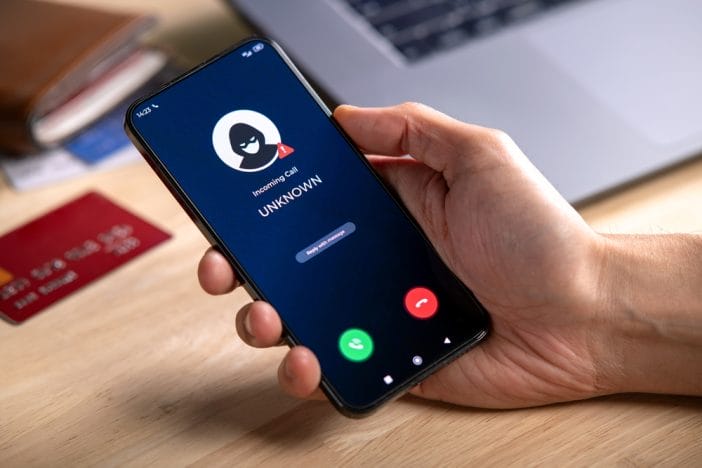
Scammers have leveled up. No longer content with clunky phishing emails, they’re now replicating your bank’s fraud alerts with chilling accuracy. These fake messages (sent via text, email, or even phone calls) look exactly like the real thing. They often warn of “suspicious activity” or “unauthorized charges,” urging you to click a link or call a number immediately. But behind the urgency is a trap designed to steal your money, your identity, or both.
The Federal Trade Commission (FTC) received 2.6 million fraud reports in 2024, with losses reaching $12.5 billion. Those numbers just keep climbing. That said, here are eight red flags that you are dealing with a scammer.
1. The Message Looks Too Perfect
Scammers are now using AI to craft messages that mirror your bank’s tone, branding, and even grammar. Gone are the days of obvious typos and broken English. Today’s fake fraud alerts often include your name, the last four digits of your card, and even recent transaction amounts. This information can be scraped from data breaches or social engineering. If a message feels eerily accurate, it’s worth a second look.
2. The Link Doesn’t Go Where You Think
One of the most common tactics in fake fraud alerts is the use of deceptive links. The message might say “Click here to verify your account,” but the link leads to a spoofed website that looks just like your bank’s login page. Always hover over links (or press and hold on mobile) to preview the URL. If it doesn’t start with your bank’s official domain (like bankofamerica.com or wellsfargo.com), don’t click. Instead, open a new browser window and log in directly through your bank’s website or app.
3. The Phone Number Is Spoofed
Scammers can now spoof legitimate phone numbers, making it appear as if your bank is calling or texting you. You might receive a call from a number that matches the one on the back of your debit card, but it’s a fake. These fraudsters often use scare tactics, claiming your account is locked or compromised. If you receive a suspicious call, hang up and call your bank directly using a verified number. Never give out personal information unless you initiated the contact.
4. They Ask for Sensitive Information
Real banks will never ask for your full Social Security number, PIN, or online banking password via text, email, or phone. If a message or caller requests this information, it’s a scam… no exceptions. Some scammers even ask you to “verify” a one-time passcode they just sent, which they then use to access your account. Always be skeptical of any request for sensitive data, even if it seems urgent. When in doubt, contact your bank through official channels.
5. The Alert Comes Out of Nowhere
If you haven’t made any recent purchases or changes to your account, a fraud alert should raise eyebrows. Scammers rely on panic to override your judgment, hoping you’ll act before thinking. Take a deep breath and check your account independently. If there’s no suspicious activity, the alert was likely fake.
6. The Message Uses Fear and Urgency
Scammers know that fear is a powerful motivator. Their fake fraud alerts often include phrases like “Immediate action required,” “Your account will be closed,” or “You’ll be liable for charges.” These scare tactics are designed to make you act without verifying. Real banks may alert you to issues, but they won’t pressure you into instant decisions. If a message feels like a threat, it’s probably a scam.
7. The Contact Method Is Unusual
Be wary of fraud alerts that come through unexpected channels. A message on WhatsApp, Facebook Messenger, or a random email address is a red flag. Most banks stick to secure, established communication methods, which are typically SMS, email from a verified domain, or in-app notifications. If you receive a fraud alert through an unfamiliar platform, don’t engage. Report it and delete it immediately.
8. You’re Asked to Download Something
Some fake fraud alerts include links to download “security software” or “banking apps.” These are almost always malware designed to steal your credentials or monitor your activity. Your bank will never ask you to download anything outside of its official app store listing. If you’re prompted to install something from a text or email, it’s a scam. Stick to your bank’s verified app and website for all transactions.
Stay Calm, Stay Smart, Stay Secure
Scammers are getting smarter, but so can you. By learning to recognize the signs of a fake fraud alert, you can protect your money and your identity. Always verify messages through official channels, never share sensitive information, and trust your gut. If something feels off, it probably is. Staying one step ahead is your best defense in the age of digital deception.
Have you ever received a fake fraud alert? Tell us how you spotted it (or how it almost fooled you) in the comments.
What to Read Next
Facebook Romance Scam Is Targeting Widowed Men—And It’s Spiking This Month