
Get all your news in one place.
100's of premium titles.
One app.
Start reading
PC Gamer
PC Gamer
Jacob Fox

New changes to Windows 11 Start menu and search look genuinely exciting and thank the heavens that we'll be able to disable web results

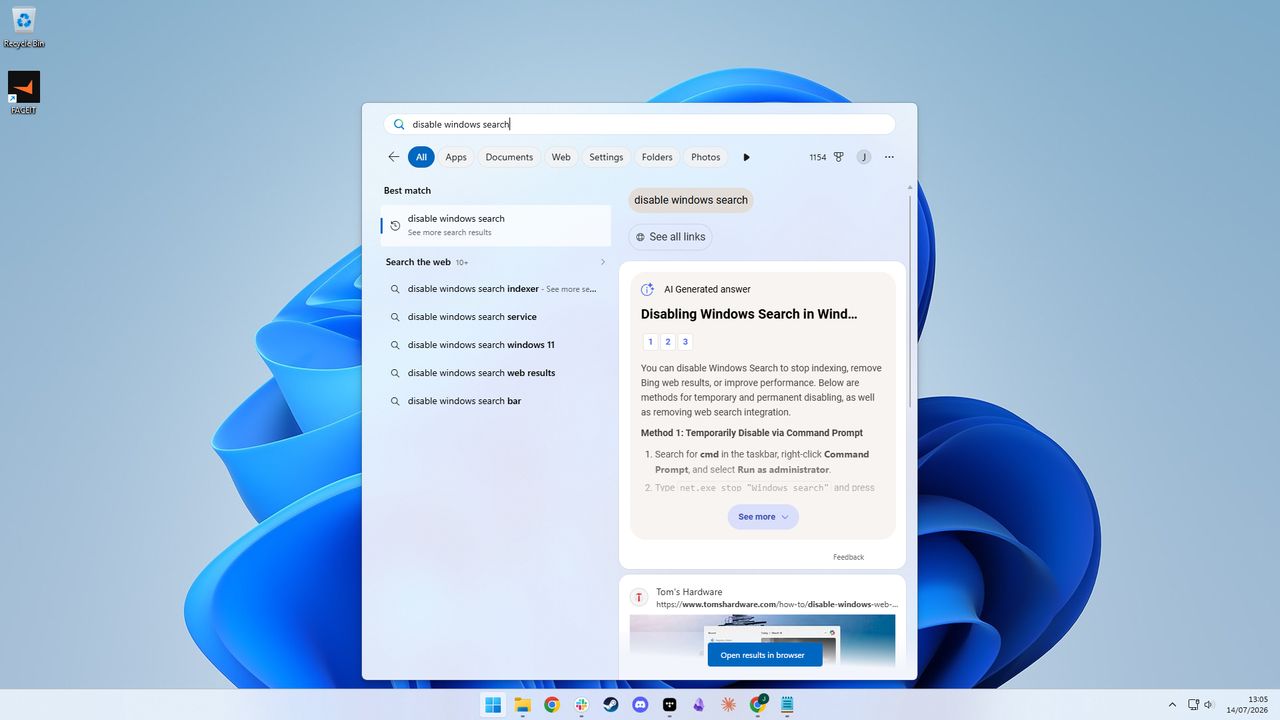
A screenshot of a Windows 11 desktop with a search for "disable windows search" in the Start menu.

Say what you want about Windows—I've certainly said my fair share—but recent months have shown at least that Microsoft is willing to make some positive changes. Now, at least some of these are coming to fruition, as the company is releasing an improved Windows start menu search box for Insiders.

The changes are ones that do look genuinely substantial for, well, probably anyone who regularly uses a Windows PC. They include:

  • A calmer home screen
  • Clearer results
  • No promotional content in web results
  • Choice over whether web and MS store suggestions appear
  • Local results prioritised when they're a better match
  • Tuning to which Windows settings appear highest in results
  • Improvements to surfacing the correct files
  • General reliability improvements (reduced issues/crashes)

Obviously, a lot of the proof will be in the eating of the pudding. The improvements to reliability and search surfacing the correct files, for instance, aren't something to gather from screenshots alone. But the screenshots that Microsoft does provide for some of the other changes are promising.

In particular, I like the simplified and cleaner menu when searching, showing only a list of recent searches. I also like the preview pane for files and the fact that file extensions aren't hidden.

(Image credit: Microsoft)

Probably the best thing, though, is the ability to disable web and app store results. I can't remember the last time I wanted to search for something online via the Start menu. I can, however, remember the number of times I've been bombarded by web results when I only wanted to search locally. I'm sure many can relate. Previously, you couldn't disable this without messing with the registry.

At any rate, changes are most certainly afoot, and I'm excited for this Insider build to roll out in a standard release. It's these 'little' quality of life improvements that could make Windows enjoyable to use once again, if Microsoft keeps in this direction.

Sign up to read this article
Read news from 100's of titles, curated specifically for you.
Already a member? Sign in here
Related Stories
Top stories on inkl right now
One subscription that gives you access to news from hundreds of sites
Already a member? Sign in here
Our Picks
Fourteen days free
Download the app
One app. One membership.
100+ trusted global sources.


